



Hardware components | ||||||
 |
| × | 1 | |||
 |
| × | 1 | |||
 |
| × | 1 | |||
 |
| × | 1 | |||
 |
| × | 1 | |||
 |
| × | 1 | |||
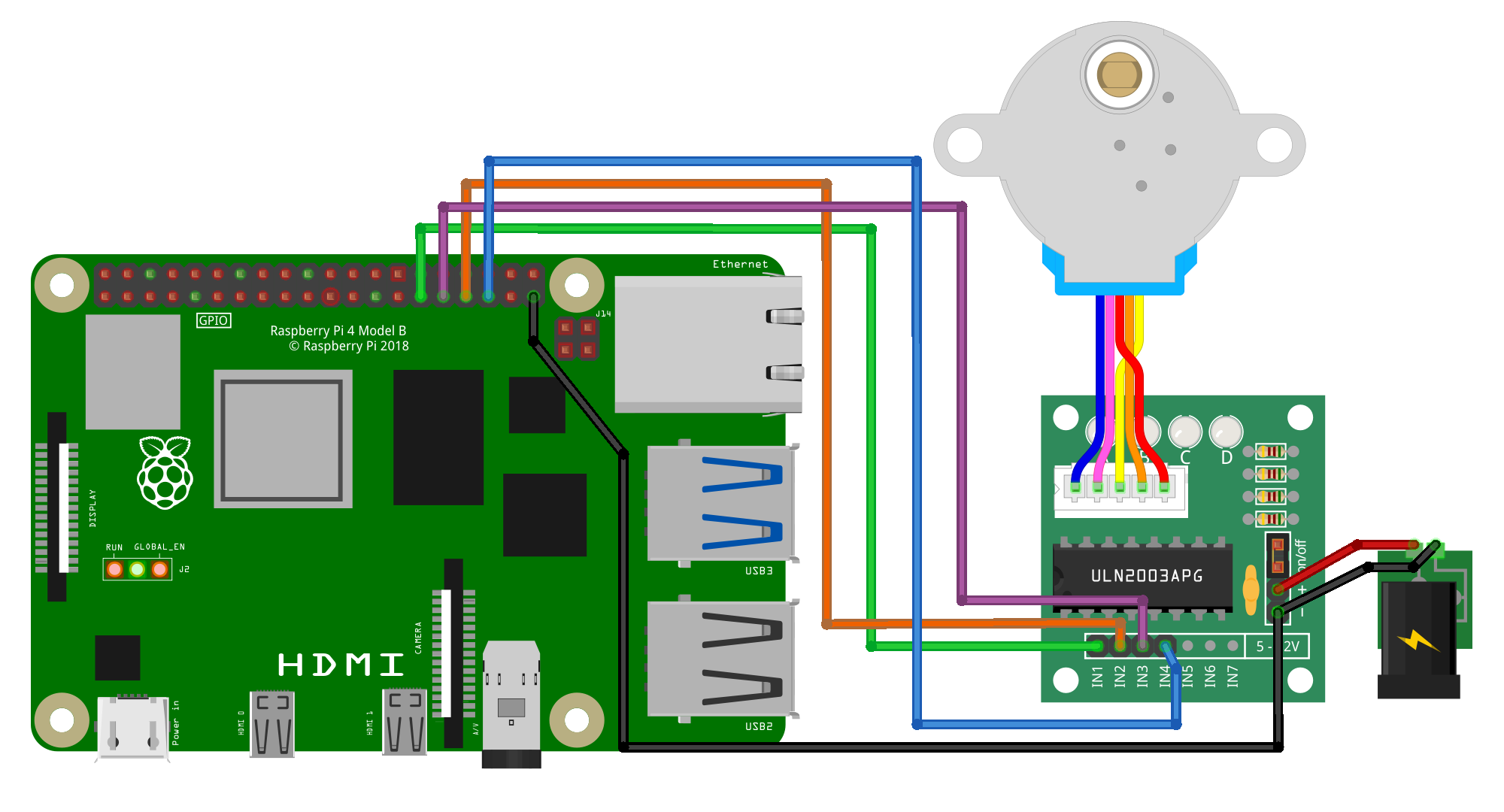
Problem: GPIO Zero lacked the ready-to-use module for stepper motors similar to what Arduino has.
Solution: a lightweight Python stepper module that is easy to install and use. It contains all necessary methods to control step motors when using modern versions of GPIO Zero.
InstallationVery simple: just drop the file of the module to your working directory. No dependencies (only gpiozero), no need to use pip.
- copy
stepper.pyfile withStepperclass into your project directory for regular applications; - copy
async_stepper.pywithAsyncStepperclass file into your project directory if you need asynchronous applications like for Bluetooth.
Create a Python file with your code, for instance:
# GPIO Zero, 4-pin Stepper Motor
from time import sleep
from stepper import Stepper

step_motor = Stepper(2048, 5, 6, 13, 19)
step_motor.set_speed(10)

try:
    while True:
        step_motor.step(1024)
        print("rotated half")
        sleep(2)
        step_motor.step(-1024)
        print("rotated half back")
        sleep(2)
except KeyboardInterrupt:
    pass
finally:
    step_motor.stop()
Wait, but this code blocks execution of the program. Can we use it so that while the stepper motor runs, the program continues and executes other commands? Yes:
# GPIO Zero, 4-pin Stepper Motor, Non-Blocking Mode
from stepper import Stepper

motor = Stepper(2048, 5, 6, 13, 19)
motor.set_speed(10)
motor.start(1024) # can call in the main loop on event like sensor data

while True:
    t = motor.tick()
    # run other code while the motor works
    # or call sleep(max(t, 0.0001)) to save CPU cycles
    if motor.steps_left <= 0:
        break
Finally, if you want an asynchronous mode:
# GPIO Zero, 4-pin Stepper Motor, Acynchronous Mode
import asyncio
from async_stepper import AsyncStepper

async def run():
    motor = AsyncStepper(2048, 5, 6, 13, 19)
    motor.set_speed(8)
    await motor.step(2048)

asyncio.run(run())
The full list of methods in these classes is available in documentation.


Comments