



Hardware components | ||||||
 |
| × | 1 | |||
| × | 1 | ||||
| × | 1 | ||||
| × | 1 | ||||
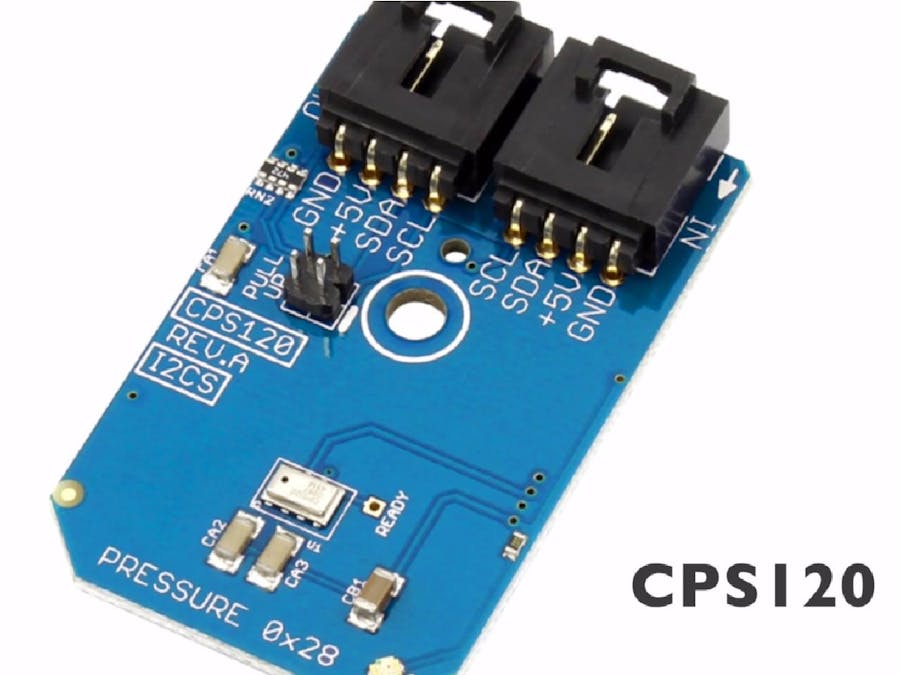
CPS120 is a high quality and low cost capacitive absolute pressure sensor with fully compensated output. It consumes far less power and comprises of an ultra small Micro-Electro-Mechanical Sensor(MEMS) for pressure measurement. A sigma-delta based ADC is also embodied in it to accomplish the requirement of compensated output.
In this tutorial the interfacing of the CPS120 sensor module with Raspberry Pi is demonstrated and its programming using Java language has also been illustrated. To read the pressure values, we have used Raspberry Pi with an I2C adapter. This I2C adapter makes the connection to the sensor module easy and more reliable.
Step 1: Hardware RequiredThe materials that we need for accomplishing our goal includes the following hardware components:
1. CPS120
2. Raspberry Pi
3. I2C Cable
4. I2C Shield For Raspberry Pi
5. Ethernet Cable
Step 2: Hardware HookupThe hardware hookup section basically explains the wiring connections required between the sensor and the Raspberry Pi. Ensuring correct connections is the basic necessity while working on any system for the desired output. So, the requisite connections are as follows:
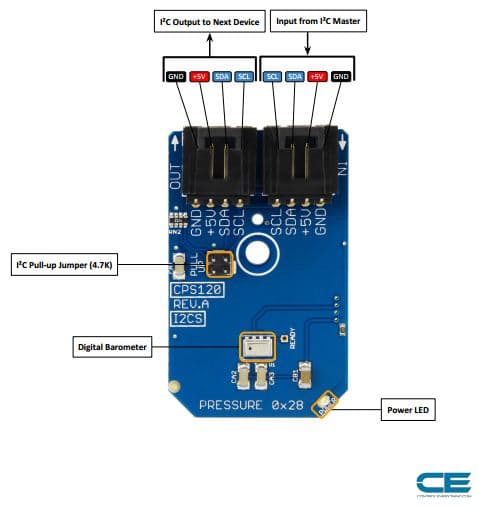
- The CPS120 will work over I2C. Here is the example wiring diagram, demonstrating how to wire up each interface of the sensor.
- Out-of-the-box, the board is configured for an I2C interface, as such we recommend using this hookup if you’re otherwise agnostic. All you need is four wires!
Only four connections are required Vcc, Gnd, SCL and SDA pins and these are connected with the help of I2C cable.
These connections are demonstrated in the pictures above.
Step 3: Code for Pressure MeasurementThe advantage of using the Raspberry Pi is that it provides you the flexibility of the programming language in which you want to program the board in order to interface the sensor with it. Harnessing this advantage of this board, we are demonstrating here its programming in the Java. The java code for CPS120 can be downloaded from our Github community, that is the Control Everything Community.
As well as for the ease of the users, we are explaining the code here also. As the first step of the coding, you need to download the pi4j
library in this case of Java, because this library supports the functions used in the code. So, to download the library you can visit the following link: http://pi4j.com/install.html
You can copy the working Java code for this sensor from here also:
import com.pi4j.io.i2c.I2CBus;
import com.pi4j.io.i2c.I2CDevice;
import com.pi4j.io.i2c.I2CFactory;
import java.io.IOException;
public class CPS120
{
public static void main(String args[]) throws Exception
{
// Create I2CBus
I2CBus bus = I2CFactory.getInstance(I2CBus.BUS_1);
// Get I2C device, CPS120 I2C address is 0x28(40)
I2CDevice device = bus.getDevice(0x28);
// Send start command
device.write(0x28, (byte)0x80);
Thread.sleep(800);
// Read 2 bytes of data, msb first
byte[] data = new byte[2];
device.read(data, 0, 2);
// Convert data to kPa
double pressure = (((data[0] & 0x3F) * 256 + data[1]) * (90 / 16384.00)) + 30;
// Output data to screen
System.out.printf("Pressure is : %.2f kPa %n",pressure);
}
}
The library which facilitates I2C communication between the sensor and the board is pi4j
, its various packages I2CBus, I2CDevice and I2CFactory help to establish the connection.
import com.pi4j.io.i2c.I2CBus;
import com.pi4j.io.i2c.I2CDevice;
import com.pi4j.io.i2c.I2CFactory;
import java.io.IOException;
write()
and read()
functions are used to write some particular commands to the sensor to make it work in a particular mode and read the sensor output respectively. The output of the sensor is also shown in the picture above.
CPS120 has a variety of applications. It can be employed in portable and stationary barometers, altimeters, etc. Pressure is an important parameter to determine weather conditions and this sensor can be installed in weather stations, too. It can be incorporated in air control systems, as well as vacuum systems.



Comments