


Hardware components | ||||||
 |
| × | 1 | |||
Software apps and online services | ||||||
 |
| |||||
Hand tools and fabrication machines | ||||||
 |
| |||||
This project is based on Chapter 8: Wake word detection: Training a model of the book TinyML: Machine Learning with TensorFlow Lite on Arduino and Ultra-Low-Power Microcontrollers.
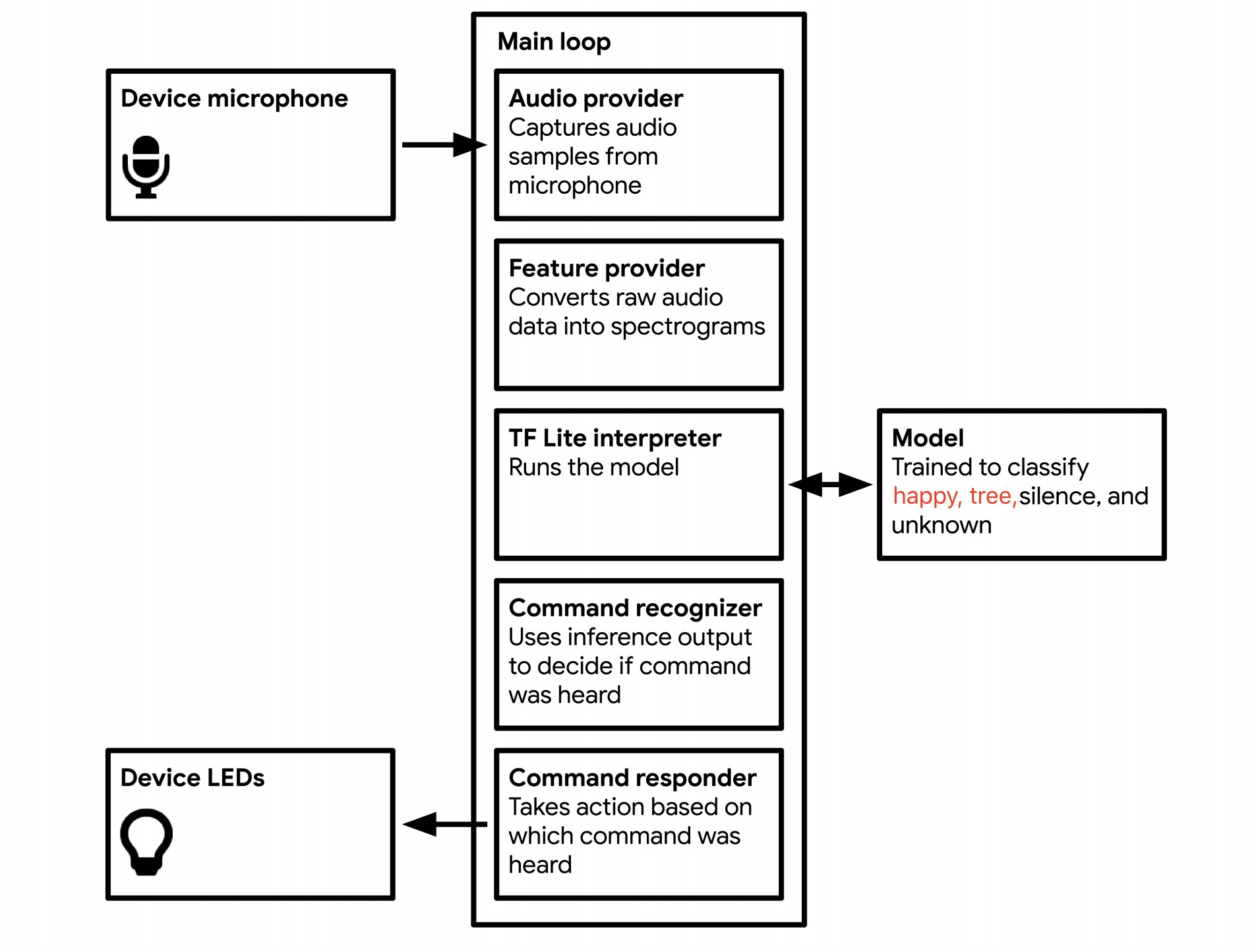
We will train a new model that can recognize different words other than "yes" or "no". Here, we choose "happy" and "tree" to train the model. Our application will listen to its surroundings with a microphone and indicate when it has detected a word by lighting an LED or displaying data on a screen, depending on the capabilities of the device.
Training Our New ModelBased on the start code, we need to change some configurations of the training.
WANTED_WORDS = "happy,tree"
TRAINING_STEPS = "15000,3000"
Then, we can start training. After about 2 hours, the training can be completed and we can see the test accuracy of the training result.
Keep running the cells. At last, we will convert a TensorFlow Lite model into a C array.
To successfully deploy the model onto the board of Arduino Nano 33 BLE Sense, we need to make sure the version of the library is the newest one.
Also, we need to modify 3 code files.
- micro_features_micro_model_settings.cpp
#include "micro_features_micro_model_settings.h"

const char* kCategoryLabels[kCategoryCount] = {
    "silence",
    "unknown",
    "happy",
    "tree",
};- micro_features_model.cpp
const unsigned char g_model[] DATA_ALIGN_ATTRIBUTE = {
  0x20, 0x00, 0x00, 0x00, 0x54, 0x46, 0x4c, 0x33, 0x00, 0x00, 0x00, 0x00,
......
  0x03, 0x00, 0x00, 0x00};
const int g_model_len = 18712;- arduino_command_responder.cpp
if (found_command[0] == 'h') {
      last_command_time = current_time;
      digitalWrite(LEDG, LOW);
    }

    if (found_command[0] == 't') {
      last_command_time = current_time;
      digitalWrite(LEDR, LOW);
    }

    if (found_command[0] == 'u') {
      last_command_time = current_time;
      digitalWrite(LEDB, LOW);
    }
  }
Now we can compile and upload the code to the Arduino device.
ResultOpen the serial monitor on the Arduino IDE.
Say the word "happy", the LED light on the Arduino will flash a green light and show the"happy" word on the serial monitor.
Say the word "tree", the LED light on the Arduino should flash the red light and show the"tree" word on the serial monitor.


Comments