



Software apps and online services | ||||||
 |
| |||||
 |
| |||||
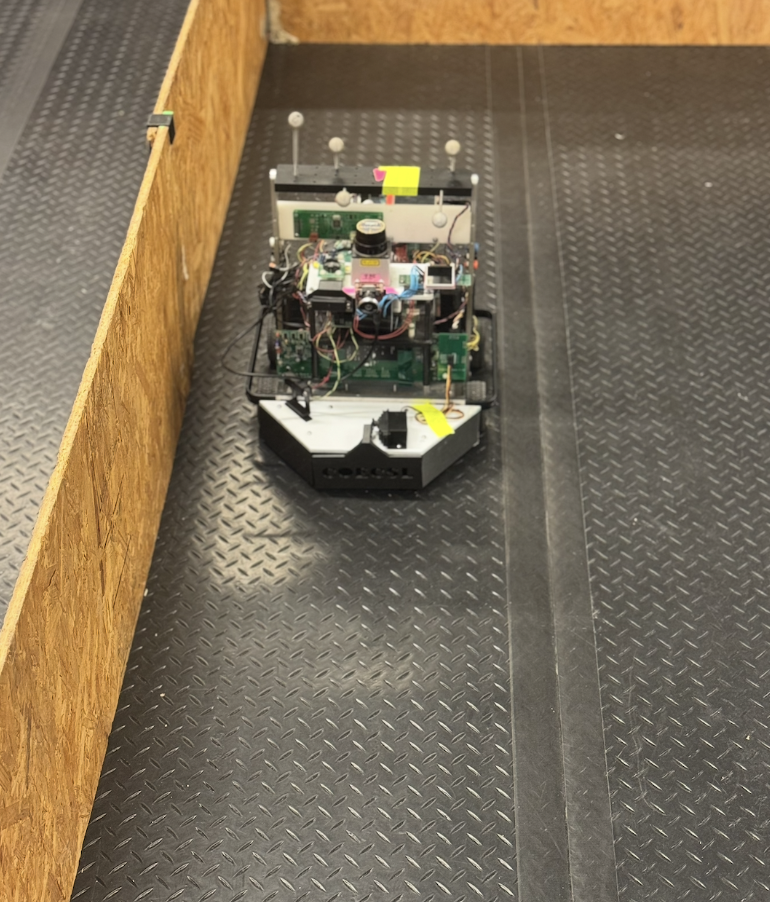
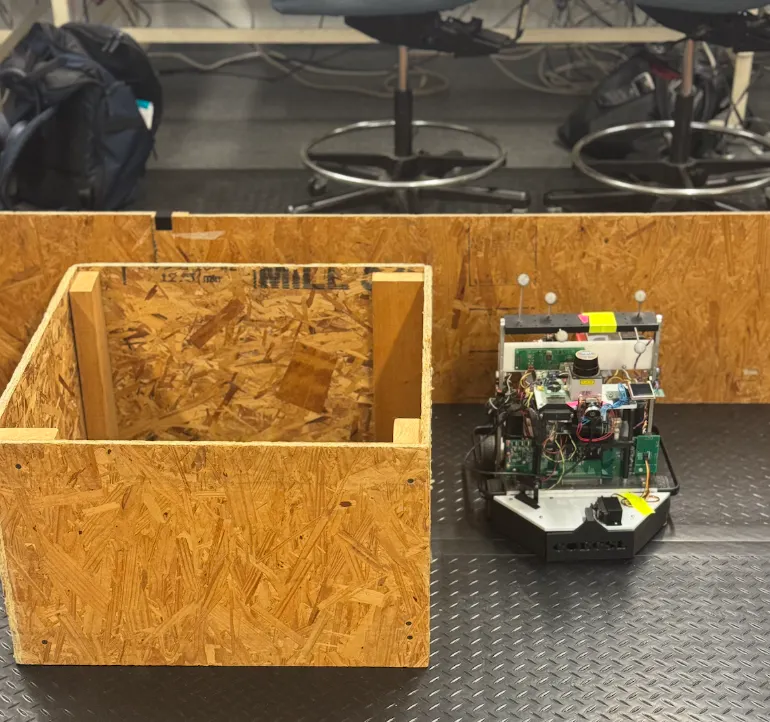
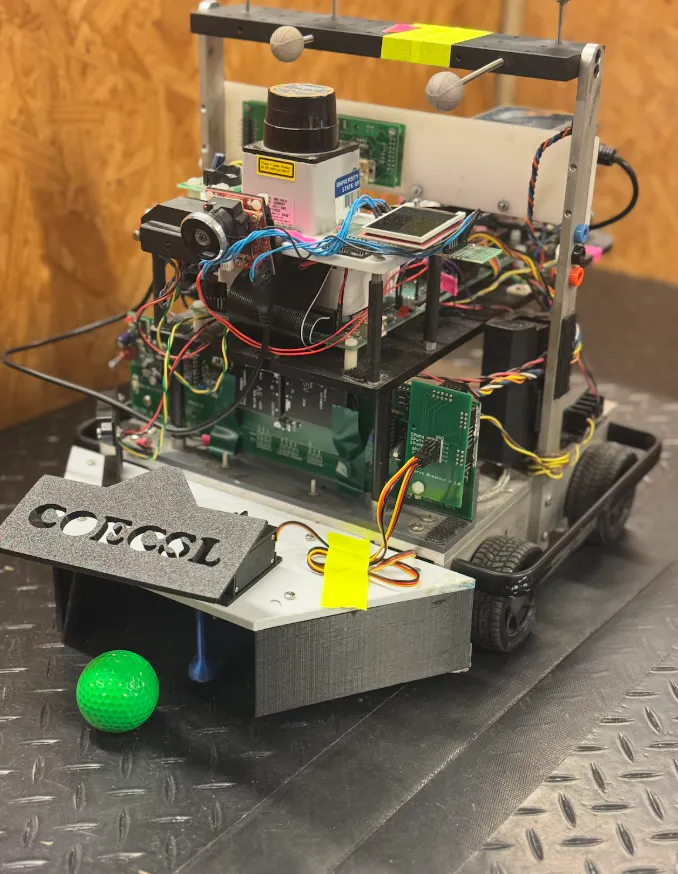
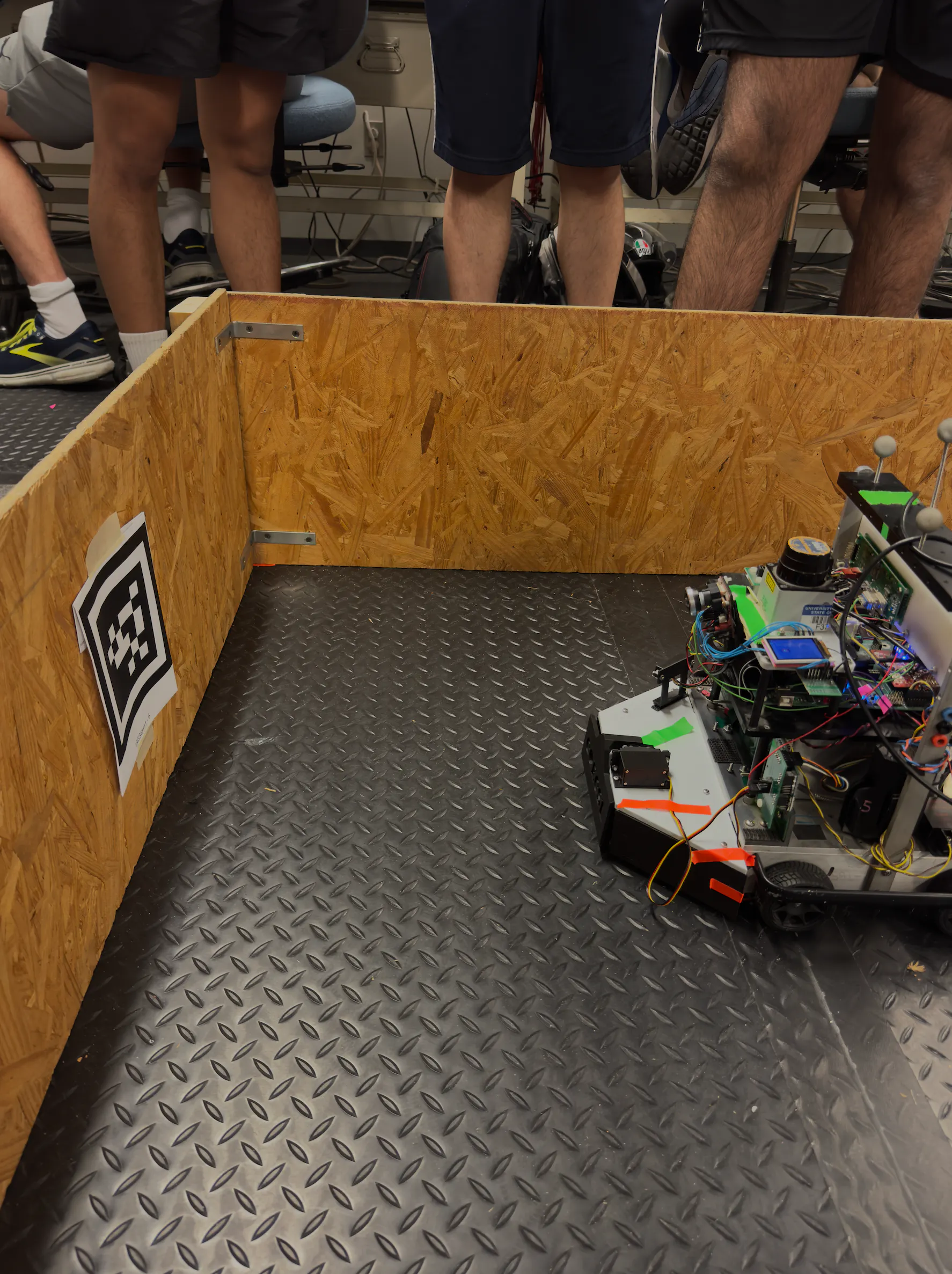
The following project consists of a robot completing various tasks. This is done by the usage and implementation of various sensors on the robot. The robot is able to move around an enclosed area, collect balls, and drop them off at a point at the end. The robot will map the locations it has been to and the obstacles located within the area.
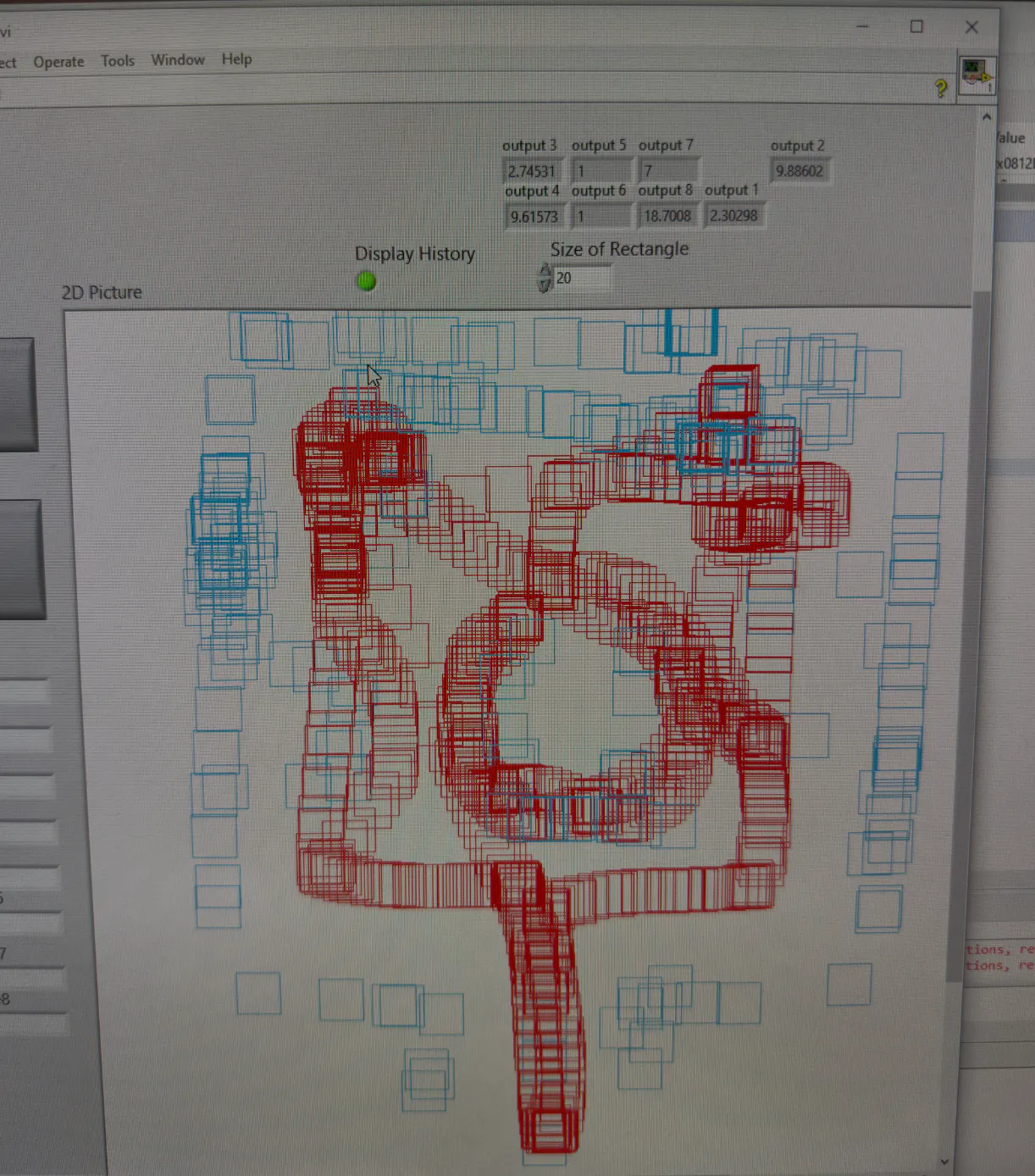
The robot uses a unique strategy to map throughout the wooden area. Way points are set throughout the area for which the robot has to reach. The robot does this using LADAR data to make a decision between using left wall follow and right wall follow. This is done by the comparison of the LADAR front right and left data. The robot continues its path consistent with decisions on which wall follow it should pursue. The robot navigates throughout the area avoiding obstacles through its wall following. As this is done, data is sent to the LabVIEW. Red squares denote the position the robot is located at. This data is consistently developed and drawn on the labview as the robot changes positions. Additionally, the robot maps obstacles on the lab view as blue squares. The robot also collects orange and green colored golf balls and after collecting three or more of a single color, then detects for an ID 6 AprilTags to orient to a golf ball drop off location. Each AprilTag detected will vary the color of golf balls dropped off.
Strategies taught throughout the semester with consistent trial and error defined the project’s development. The team had utilized the starter code provided, lecture material, and written code throughout homeworks and labs to construct the following robot. Robotic tasks were split by varying major objectives. This consisted of path planning, obstacle detection, ball collection, and april tag detection. Once each objective was completed successfully, the teams implemented the code to coincide and work amongst each other. This resulted in the construction of a robot that travels an enclosed area, avoids obstacles, collects/deposits balls, and maps all the following to LabVIEW.


Comments