varmint243
Published © GPL3+

Arduino Camshaft Measurement Tool

An Arduino camshaft measurement tool.

IntermediateShowcase (no instructions)5,399
Arduino Camshaft Measurement Tool

Things used in this project

Hardware components

Digital Dial indicator with SPI interface
×1
SPI to HID controller for indicator
×1
Nema 17 dual shaft stepper motor
×1
Stepper motor controller
×1
Solid state 5v relay board
×1
Optical end stop
×1
Incremental rotary encoder (non essential)
×1
Arduino UNO
Arduino UNO
×1
Aluminum extrusion and brackets
×1
3D printed parts and brackets
×1
Shaft couplers (modified to remove play)
×1
Breadboard (generic)
×1

Software apps and online services

Spreadsheet for creating the chart

Hand tools and fabrication machines

Basic hand tools
3D Printer (generic)

Story

Read more

Custom parts and enclosures

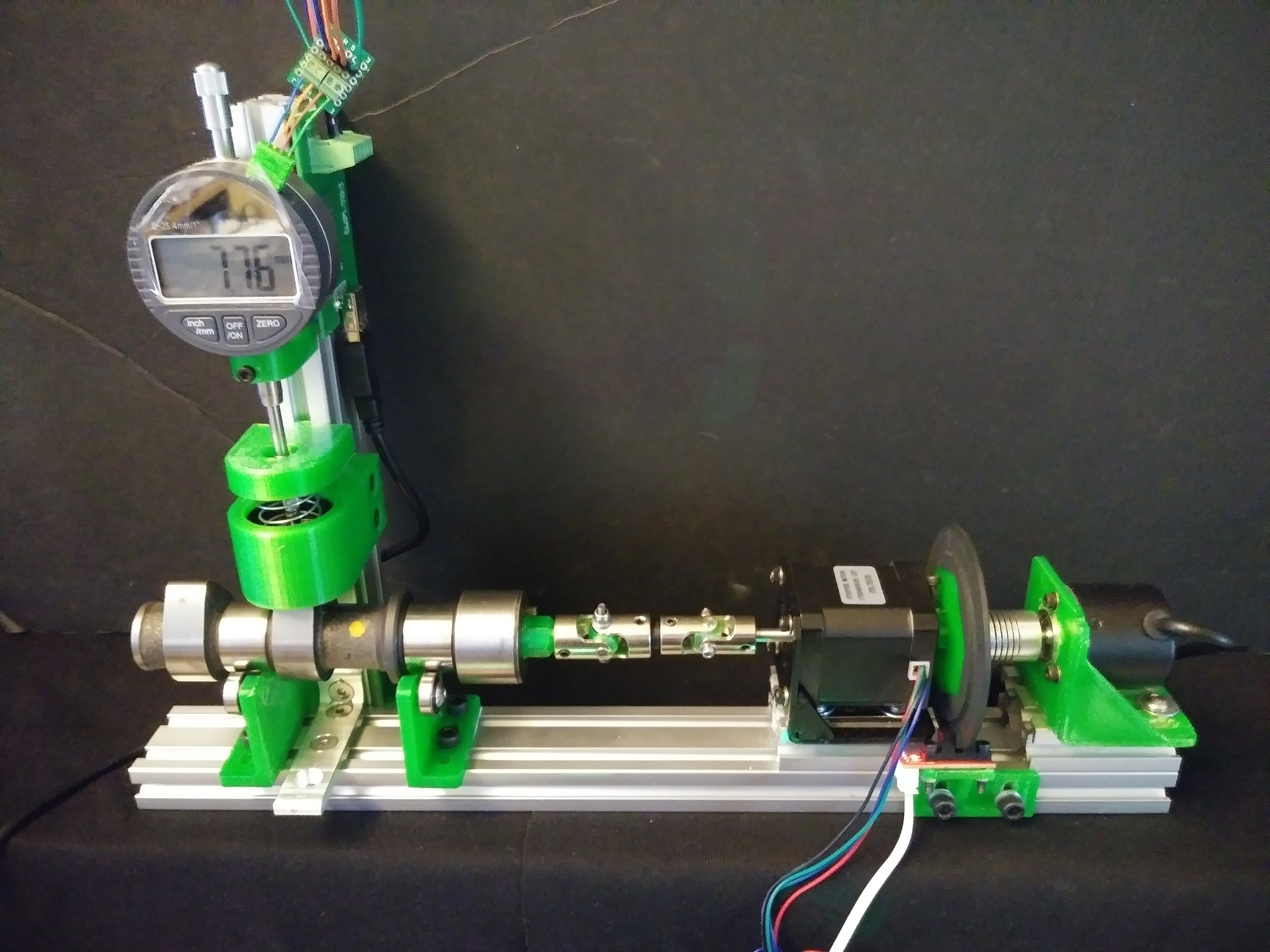
basic mechanical setup

basic mechanical setup
I posted a video of this in operation
https://www.youtube.com/watch?v=oWigCN4UOSY

Schematics

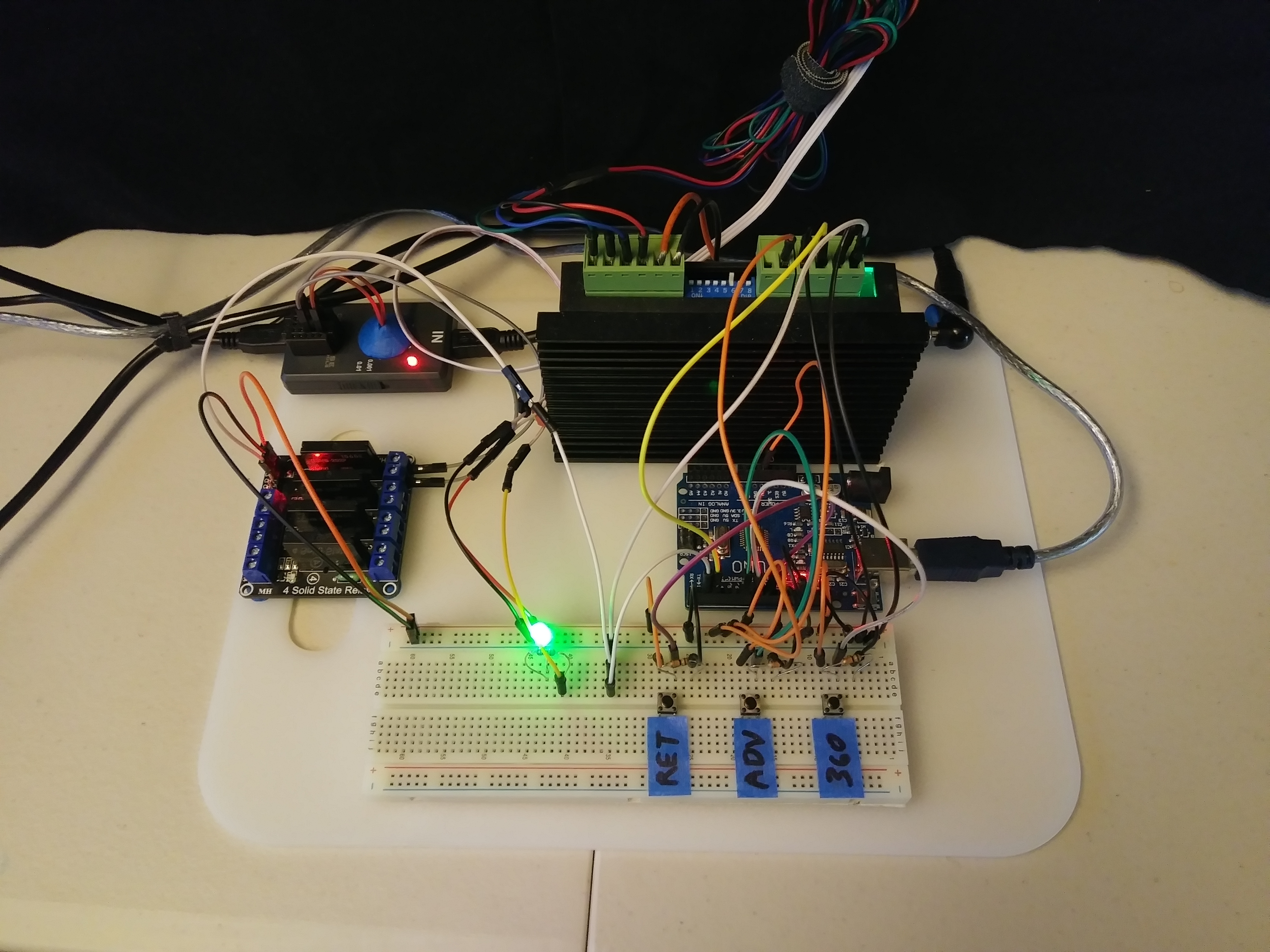
some pretty basic wiring

this is a pic of the wiring, it is very basic

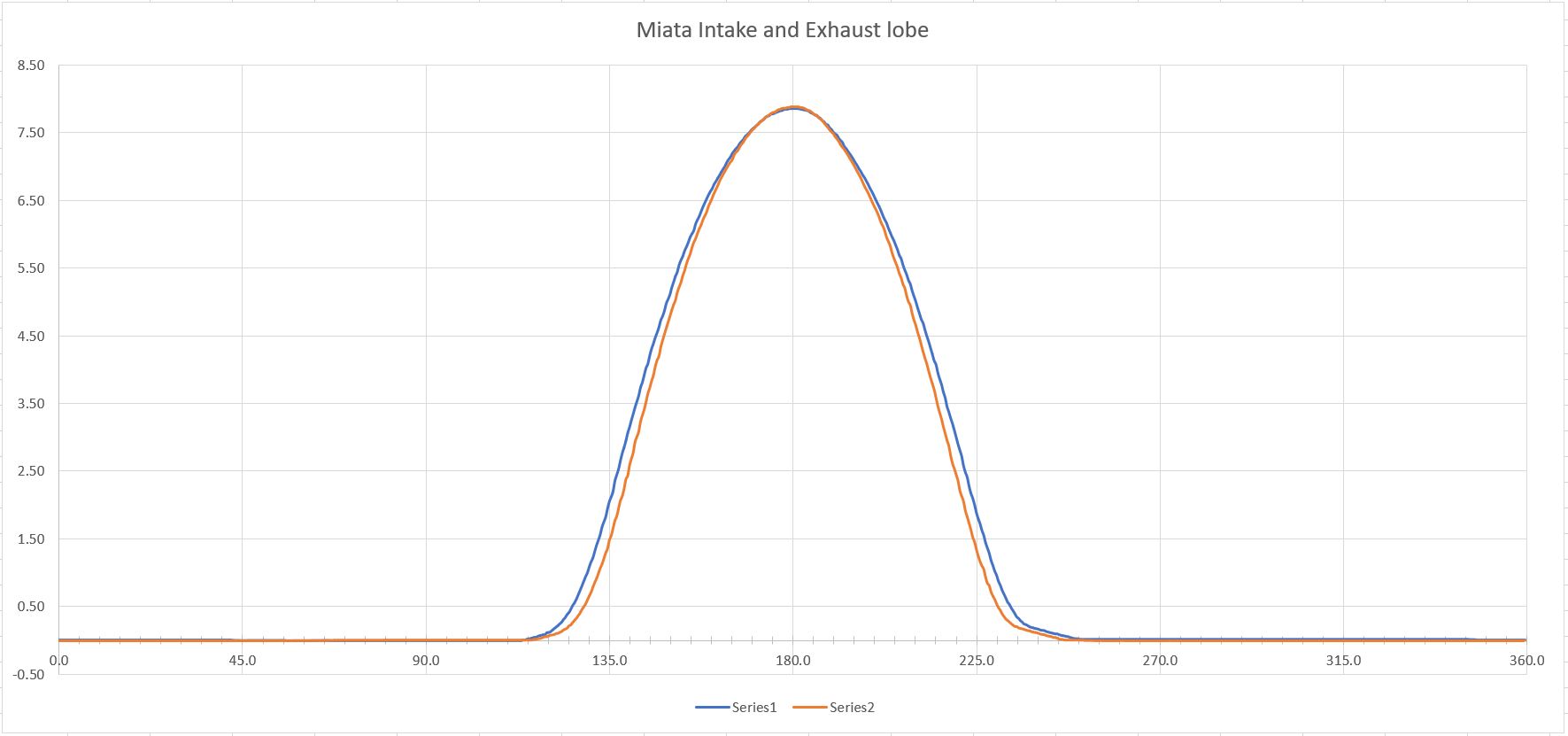
Chart showing a comparison of lobe profiles

Chart showing a comparison of lobe profiles

Code

Stepper motor pushbutton control

Arduino
This is the code to manipulate the stepper motor for aligning the camshaft and making the 360 revolution for taking the measurements. This is modified code originally taken from the web.
#define stp 2
#define dir 3
#define MS1 4
#define MS2 5
#define EN  6

const int button1Pin = 7;
const int button2Pin = 8;
const int button3Pin = 9;
const int ledPin =  13;
int button1State = 0;
int button2State = 0;
int button3State = 0;

char user_input;
int x;
int y;
int state;

void setup() {
  pinMode(ledPin, OUTPUT);
  pinMode(button1Pin, INPUT);
  pinMode(button2Pin, INPUT);
  pinMode(button3Pin, INPUT);  
    
  pinMode(stp, OUTPUT);
  pinMode(dir, OUTPUT);
  pinMode(MS1, OUTPUT);
  pinMode(MS2, OUTPUT);
  pinMode(EN, OUTPUT);
  resetEDPins();
}

void loop() {
      button1State = digitalRead(button1Pin);
      button2State = digitalRead(button2Pin);
      button3State = digitalRead(button3Pin);
      
      if (button1State == HIGH) {
        digitalWrite(EN, LOW);
        StepForward();
        resetEDPins();
        delay(250);
      } 

      if (button2State == HIGH) {
        digitalWrite(EN, LOW);
        StepBack();
        resetEDPins();
        delay(250);
      }else {
        digitalWrite(ledPin, LOW);
      }

      if (button3State == HIGH) {
        digitalWrite(EN, LOW);
        aStepBack();
        resetEDPins();
        delay(250);
      }else {
        digitalWrite(ledPin, LOW);
      }
}

void resetEDPins()
{
  digitalWrite(stp, LOW);
  digitalWrite(dir, LOW);
  digitalWrite(MS1, LOW);
  digitalWrite(MS2, LOW);
  digitalWrite(EN, HIGH);
}

void StepForward()
{
  digitalWrite(dir, LOW);

  for(x= 1; x<2; x++)
  {
        digitalWrite(stp,HIGH);
        delay(200);
        digitalWrite(stp,LOW);
        delay(200);
    }
}

void StepBack()
{
 digitalWrite(dir, HIGH);
  for(x= 1; x<801; x++)
  {
    digitalWrite(stp,HIGH);
    delay(200);
    digitalWrite(stp,LOW);
    delay(200);
  }
}  

void aStepBack()
{
 digitalWrite(dir, HIGH);
  for(x= 1; x<2; x++)
  {
    digitalWrite(stp,HIGH);
    delay(200);
    digitalWrite(stp,LOW);
    delay(200);
  }  

}

// 56.5 number for 8 reads per sec of indicator
//    delay(56.5);

Credits

varmint243
0 projects • 5 followers

Comments