


Hardware components | ||||||
 |
| × | 1 | |||
 |
| × | 1 | |||
 |
| × | 1 | |||
 |
| × | 1 | |||
Software apps and online services | ||||||
| ||||||
Air quality is an increasingly important topic, especially in classrooms and homes where children and elderly people spend most of their time. However, many commercial PM2.5 monitors are expensive or difficult to modify.I wanted to build a compact, affordable, and customizable device to visualize PM2.5 and PM10 levels — something that could be used for both personal awareness and science education.
Goals- Measure PM2.5 and PM10 levels in real time
- Display them clearly on a small built-in screen
- Ensure ease of use, even for students and teachers
- Keep the design low-cost and compact
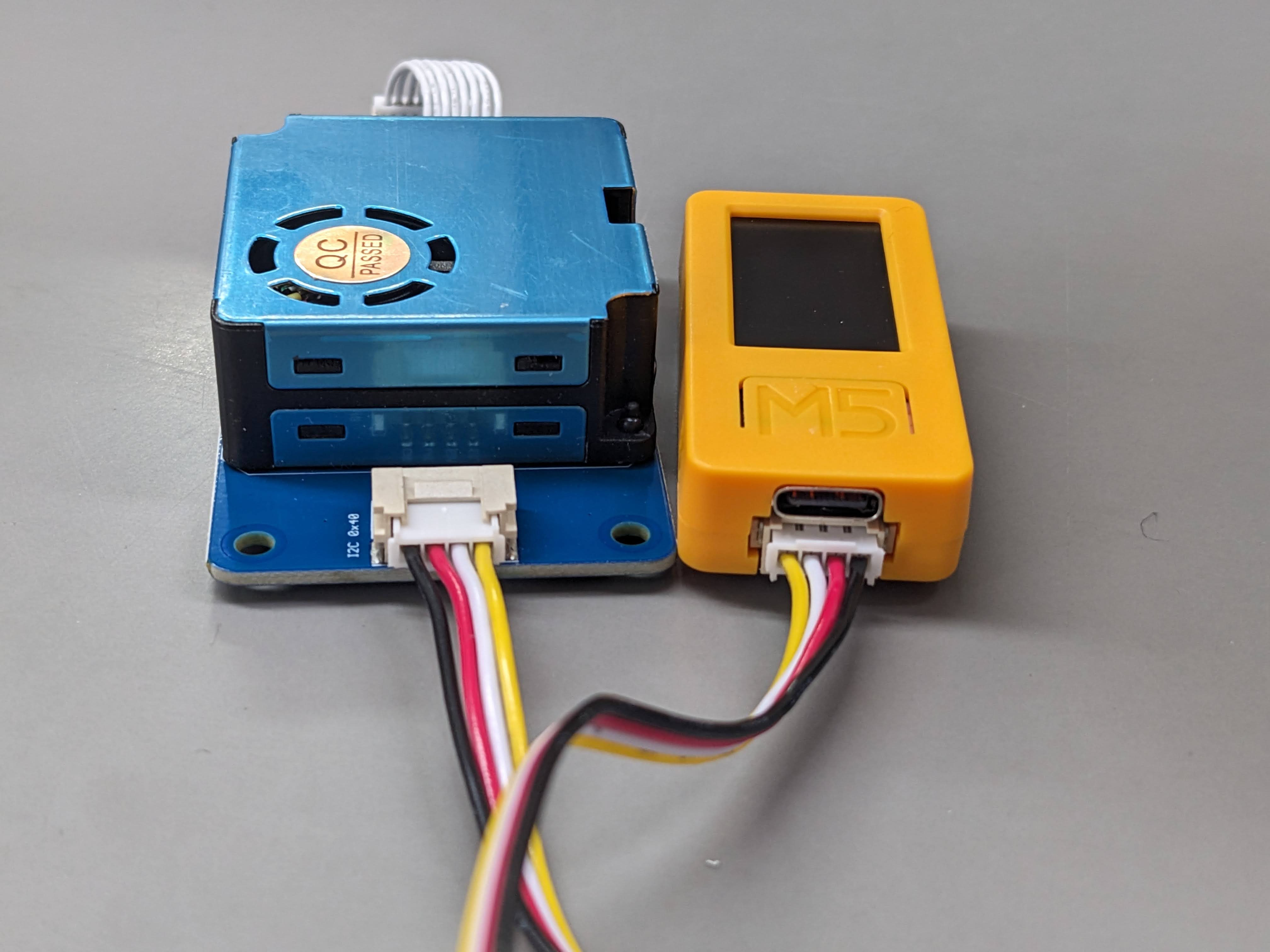
This project uses the M5StickC Plus2, a tiny ESP32-based development board with a built-in display, and a Grove Laser PM2.5 Sensor (HM3301). The sensor uses laser scattering to measure airborne particles.
The hardware setup is simple:
- The Grove sensor is connected via the Grove port (I2C interface).
- The M5StickC reads data from the sensor every second.
- PM2.5 and PM10 values (atmospheric concentration) are parsed from the data buffer.
- Values are displayed clearly in this layout:
PM2.5:  12 ug/m3
PM10:   24 ug/m3
No external server or storage is required — everything runs directly on the device.
Demo & Hardware SetupInitially, the display was too small to show both PM2.5 and PM10 values clearly. Through trial and error, I found the optimal text size and layout.
Applications- Air quality education in schools
- At-home pollution monitoring near kitchens or open windows
- Environmental research by students
- Prototyping for more advanced IoT air quality monitoring systems
Wiring Diagram: Connecting Grove PM2.5 Sensor to M5StickC PLUS 2
The sensor uses I2C communication. On the M5StickC PLUS 2, the Grove port corresponds to:
- SDA: GPIO21
- SCL: GPIO22
No additional components are required. Just plug the sensor into the Grove port.
Make sure the power is 3.3V or 5V (compatible with the sensor).


Comments