


Hardware components | ||||||
 |
| × | 1 | |||
 |
| × | 1 | |||
Software apps and online services | ||||||
 |
| |||||
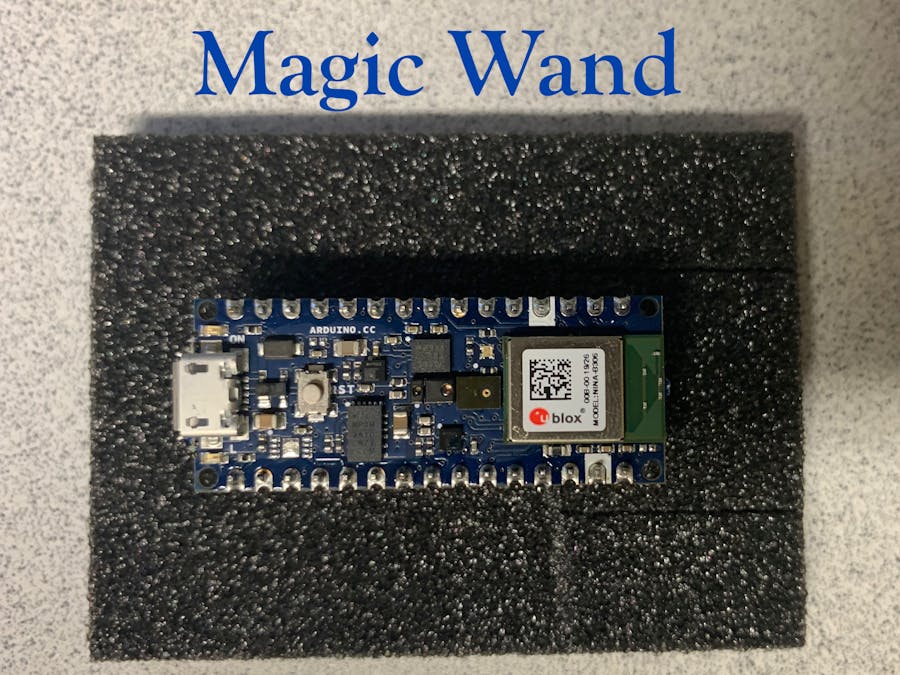
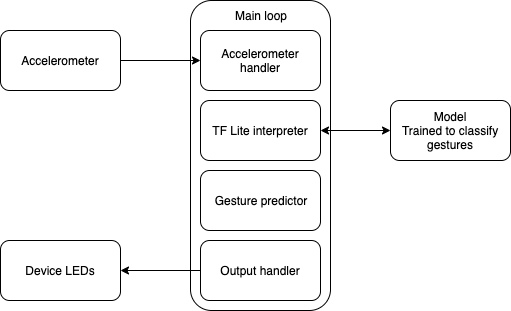
This is the implementation of the Magic Wand example from Tensorflow. It is implemented to run on an Arduino Nano 33 BLE Sense board. With this model running, you are able to move the Arduino board in specific motions, which are recognized and shown on your computer screen.
For this project, I used the Arduino Nano 33 BLE Sense board and the Arduino IDE installed in Ubuntu 18.04.
I followed the Magic Wand example from Chapter 11 of TinyML:Machine Learning with TensorFlow on Arduino and Ultra-Low Power Micro-Controllers.
The steps involved are outlined below.
Step 1: Open the magic_wand example
In the Arduino IDE, select File -> Examples -> Arduino_TensorFlowLite -> magic_wand
It will appear in a new window.
Step 2: Install libraries
In the Arduino IDE, go to Tools -> Manage Libraries...
Search for Arduino_LSM9DS1 and install version 1.0.0 of the driver.
We need to patch a source file in this driver. Open the file Arduino_LSM9DS1/src/LSM9DS1.cpp.
At the end of the function named LSM9DS1Class:begin(), insert the following code before the return statement.
Then edit the function named LSM9DS1Class:accelerationAvailable() like so
Save the file.
Step 3: Set up the example
Select Tools -> Board -> Arduino Nano 33 BLE
Select Tools -> Port -> /dev/ttyACM0 (Arduino Nano 33 BLE)
The specific port may change based on which USB port the board is plugged into.
Running the exampleNow is the moment of truth. First, I opened the serial monitor in Tools -> Serial Monitor
Then, I pressed the upload button.
When the program is done uploading, the yellow LED on the board start sto flash, and the serial monitor displays the message "Magic Starts!"
I successfully used the board as a wand to create these gestures. The computer screen shows results like the image below.
This video shows the "Wing" gesture and the result.


Comments