#include <LiquidCrystal.h>
long randNumber;
int Led = 13; //define LED port
int Shock = 2; //define shock port
int val;//define digital variable val
// initialize the library with the numbers of the interface pins
LiquidCrystal lcd(7, 8, 9, 10, 11, 12 );
byte customChar[] = {
  B00000,
  B00000,
  B11111,
  B11001,
  B10101,
  B10011,
  B11111,
  B00000
};
void  setup()
{

  lcd.begin(16, 2);
  lcd.createChar(0, customChar);
  lcd.home();
  pinMode(Led, OUTPUT); //define LED as a output port
  randomSeed(analogRead(0));
  pinMode(Shock, INPUT); //define shock sensor as a output port
  lcd.write(byte( 0));
  lcd.print("Digital dice");
  lcd.write(byte( 0));
  delay(1000);
}

void  loop()
{

  val = digitalRead(Shock); //read the value of the digital interface 3 assigned to val
  if (val == LOW) //when the shock sensor have signal do the following
  {
     lcd.clear();
     lcd.print("Rolling dice...");
     delay(4000);
     lcd.clear();
     lcd.setCursor(0, 0);
     randNumber = random(1,7);
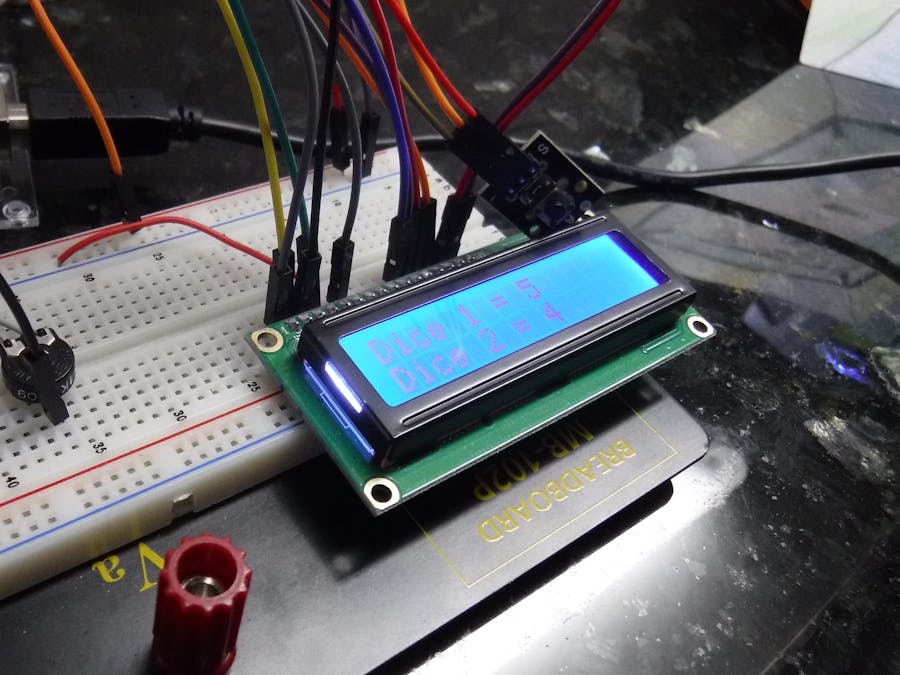
     lcd.print("Dice 1 = ");
     lcd.print(randNumber);

     lcd.setCursor(0, 1);
     randNumber = random(1,7);
     lcd.print("Dice 2 = ");
     lcd.print(randNumber);

  }

 delay(150);
}








Comments