Team Peach's Sumo Bot Dance Pads

Final Dance Pads UCF-Fall-2025-DIG-3602C-Davis Team Peach

IntermediateFull instructions provided11 hours36
Team Peach's Sumo Bot Dance Pads

Things used in this project

Hardware components

Arduino UNO
Arduino UNO
×2
Breadboard (generic)
×2
LED (generic)
LED (generic)
×8
Jumper wires (generic)
×16
Alligator Clips
Alligator Clips
×16
Resistor 10k ohm
Resistor 10k ohm
×8
Resistor 330 ohm
Resistor 330 ohm
×8

Software apps and online services

Arduino IDE
Arduino IDE

Hand tools and fabrication machines

Hot glue gun (generic)
Tape, Duct
Tape, Duct
Conductive Tape, Copper Foil

Story

Read more

Schematics

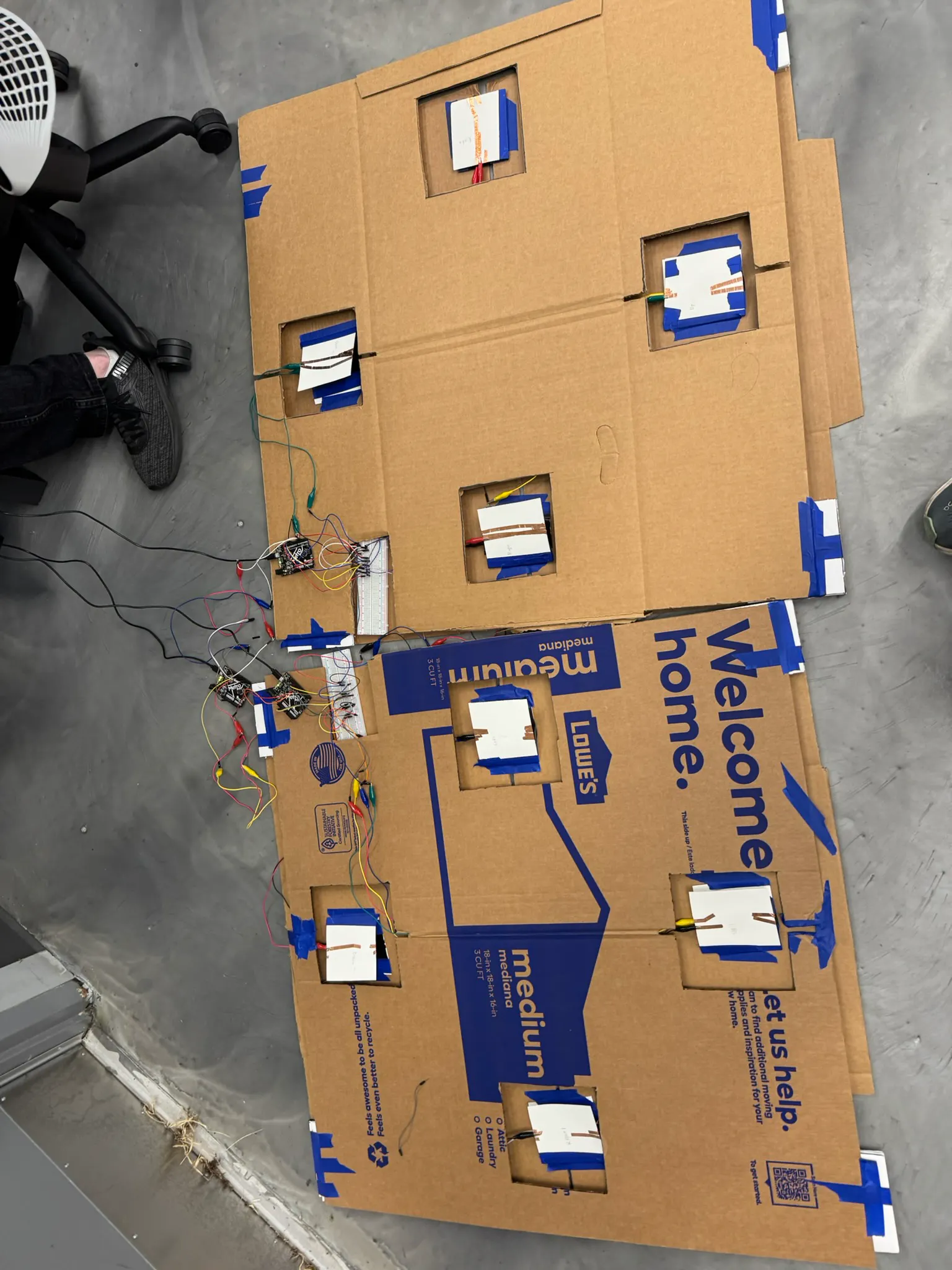
img_3333_Jq9jUlXWVD.JPEG

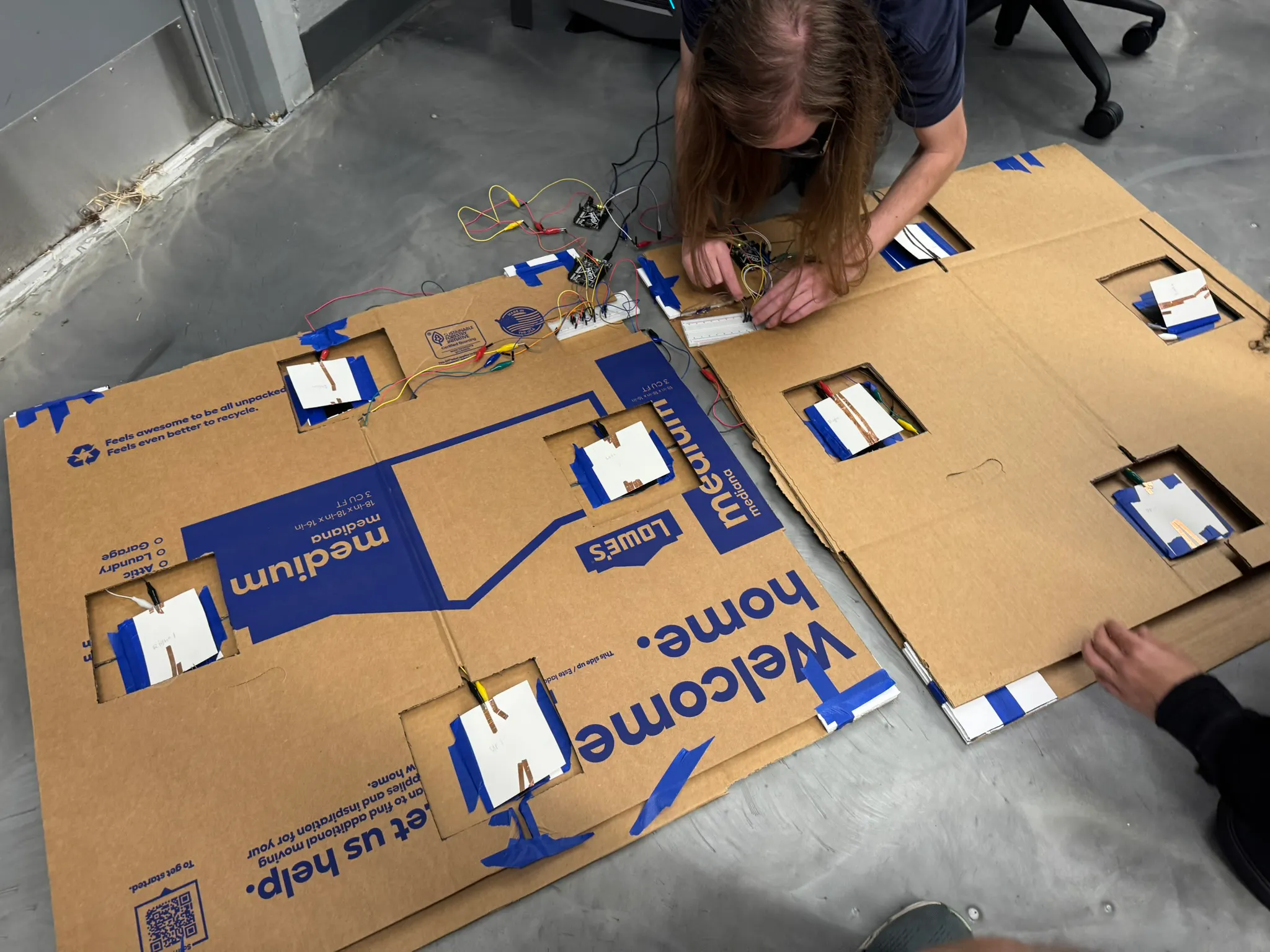
img_3334_pqcGrRIp9L.JPEG

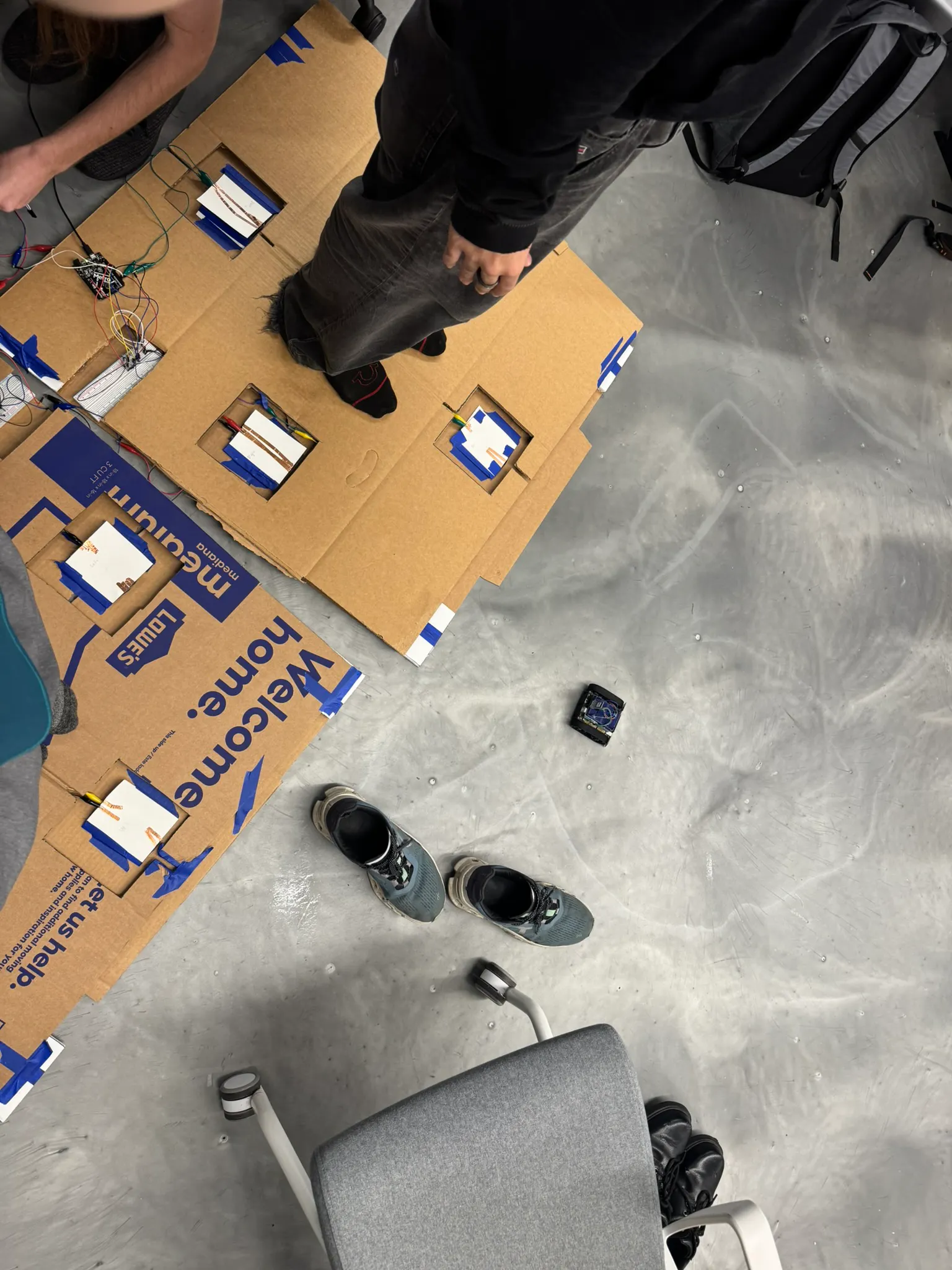
img_3335_ItH7QQeUgo.JPEG

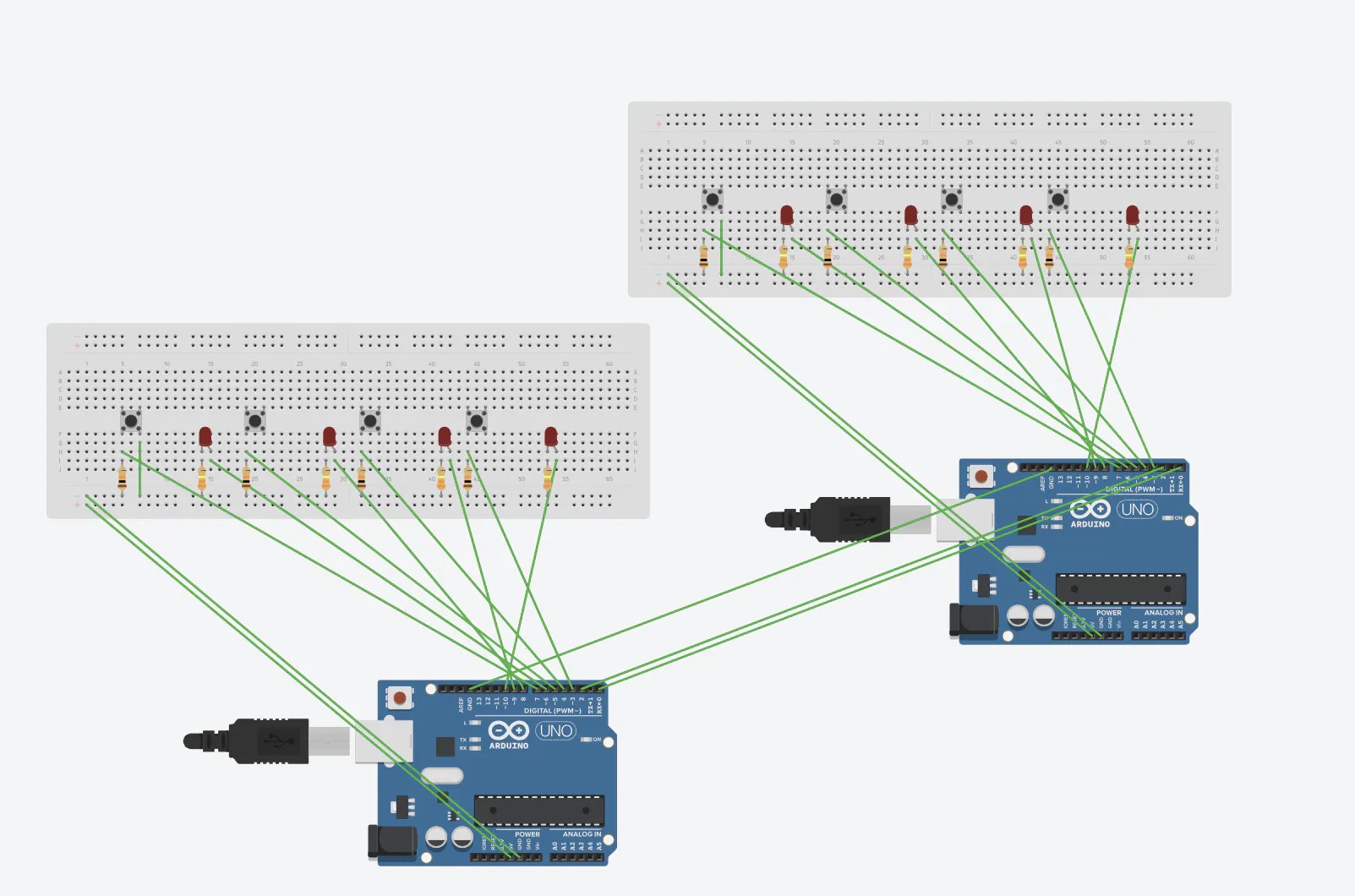
Arduino Schematic

vid 1

vid 2

Code

PRIMARY ARDUINO CODE.txt

C/C++
//PRIMARY ARDUINO CODE

#include <SoftwareSerial.h>
#include <AltSoftSerial.h>

// Output serial (Bluetooth, etc.)
SoftwareSerial mySerial(2, 3);          // RX, TX

// Dance pad connections:
AltSoftSerial ControllerSerial1;        // Left pad (AltSoftSerial: RX=8, TX=9)
SoftwareSerial ControllerSerial2(6, 7); // Right pad (RX, TX)

// Last commands from pads
char leftPad  = '0';
char rightPad = '0';
char lastSent = '0'; // to avoid spamming the same command over and over

void setup() {
  Serial.begin(9600);         // debug to Serial Monitor

  mySerial.begin(38400);      // match your Bluetooth / target device
  ControllerSerial1.begin(9600);
  ControllerSerial2.begin(9600);
}

void loop() {
  // Read from LEFT pad (AltSoftSerial)
  while (ControllerSerial1.available() > 0) {
    char c = ControllerSerial1.read();
    if (c == '\r' || c == '\n') 
    {
      // ignore line endings
    } else {
      leftPad = c;
    }
  }
  
  // Read from RIGHT pad (SoftwareSerial)
  while (ControllerSerial2.available() > 0) {
    char c = ControllerSerial2.read();
    if (c == '\r'|| c == '\n') {
      // ignore line endings
    } else {
      rightPad = c;
    }
  }

  // Debug pad states
  Serial.print("Left: ");
  Serial.println(leftPad);
  Serial.print("Right: ");
  Serial.println(rightPad);
  Serial.println(lastSent);

  // Only act when both pads match and the command is valid
  if (leftPad == rightPad && (leftPad == 'F' || leftPad == 'B' || leftPad == 'L' || leftPad == 'R')) {
    
    if (leftPad != lastSent) {
      Serial.print("Match: ");
      Serial.println(leftPad);

      // Send that command out to Bluetooth / motor controller
      mySerial.write(leftPad);
      mySerial.write('\n'); // optional, only if the receiver expects line-based commands

      //lastSent = leftPad;
    }
  } else {
    // Reset latch when they don't match
    lastSent = '0';
  }

  delay(20); // small delay to keep serial spam readable
}

RIGHT PAD CODE.txt

C/C++
//RIGHT PAD CODE

#include <SoftwareSerial.h>

// Button pins
const int ButtonUp    = 8;
const int ButtonDown  = 9;
const int ButtonRight = 10;
const int ButtonLeft  = 11;

// SoftwareSerial(RX, TX)
SoftwareSerial ControllerSerial(3, 2); // RX = 3, TX = 2

void setup() {
  pinMode(ButtonUp,    INPUT_PULLUP);
  pinMode(ButtonDown,  INPUT_PULLUP); 
  pinMode(ButtonRight, INPUT_PULLUP); 
  pinMode(ButtonLeft,  INPUT_PULLUP);

  ControllerSerial.begin(9600); // MUST match primary's ControllerSerial2
  Serial.begin(9600);           // debug
}

void loop() {
  int upButton    = digitalRead(ButtonUp);
  int downButton  = digitalRead(ButtonDown);
  int rightButton = digitalRead(ButtonRight);
  int leftButton  = digitalRead(ButtonLeft); 

  // With INPUT_PULLUP, pressed == LOW
  if (upButton == HIGH) {
    ControllerSerial.write('F');
    Serial.println("Up");
    delay(100);
  }
  if (downButton == HIGH) {
    ControllerSerial.write('B');
    Serial.println("Down");
    delay(100);
  }
  if (leftButton == HIGH) {
    ControllerSerial.write('L');
    Serial.println("Left");
    delay(100);
  }
  if (rightButton == HIGH) {
    ControllerSerial.write('R');
    Serial.println("Right");
    delay(100);
  }
}

LEFT PAD.txt

C/C++
//LEFT PAD
#include <AltSoftSerial.h>

// Button pins
const int ButtonUp    = 10;
const int ButtonDown  = 11;
const int ButtonRight = 12;
const int ButtonLeft  = 13;

AltSoftSerial ControllerSerial; // TX = 9, RX = 8 on ATmega328 boards

void setup() {
  pinMode(ButtonUp,    INPUT_PULLUP);
  pinMode(ButtonDown,  INPUT_PULLUP); 
  pinMode(ButtonRight, INPUT_PULLUP); 
  pinMode(ButtonLeft,  INPUT_PULLUP);

  ControllerSerial.begin(9600); // MUST match primary's ControllerSerial1
  Serial.begin(9600);           // just for debugging this pad
}

void loop() {
  int upButton    = digitalRead(ButtonUp);
  int downButton  = digitalRead(ButtonDown);
  int rightButton = digitalRead(ButtonRight);
  int leftButton  = digitalRead(ButtonLeft);

  // With INPUT_PULLUP, pressed == LOW
  if (upButton == HIGH) {
    ControllerSerial.write('F');   // send a single char
    Serial.println("Up");
    delay(100); // simple debounce so it doesn't spam like crazy
  }
  if (downButton == HIGH) {
    ControllerSerial.write('B');
    Serial.println("Down");
    delay(100);
  }
  if (leftButton == HIGH) {
    ControllerSerial.write('L');
    Serial.println("Left");
    delay(100);
  }
  if (rightButton == HIGH) {
    ControllerSerial.write('R');
    Serial.println("Right");
    delay(100);
  }
}

Credits

Shawn Oosterbaan
1 project • 0 followers
Alexander Lynn
2 projects • 0 followers
Jonathan Story
1 project • 0 followers
Bryan Cunha
2 projects • 0 followers
Lucas Pereyra
0 projects • 0 followers
Jonathan Soirilus
0 projects • 0 followers

Comments