




Hardware components | ||||||
 |
| × | 1 | |||
 |
| × | 1 | |||
 |
| × | 1 | |||
 |
| × | 1 | |||
Hand tools and fabrication machines | ||||||
| ||||||
We used a Particle Photon and a HC05 Bluetooth sensor to record the Bluetooth device information of nearby and passing devices in a high traffic area of a high school, looking for any arising patterns.
The device was placed into a laser cut acrylic box for protection.
The device
Acrylic Box Enclosure
In order to make the box, we first had to make a prototype to make sure we don't waste material and to make sure the sensor fit perfectly inside the box. After our prototype was complete, we realized that the box was too big so we cut down on our measurements. We also had to make a small space in the box so that the usb cable can go thru the box and connect to the laptop.
We chose our box to be acrylic because we wanted to be able to see the sensor and to make sure it is working properly and all lights on the sensor to be visible.
We chose our box to be acrylic because we wanted to be able to see the sensor and to make sure it is working properly and all lights on the sensor to be visible.
_56DJnvMat5.jpg)
_56DJnvMat5.jpg)
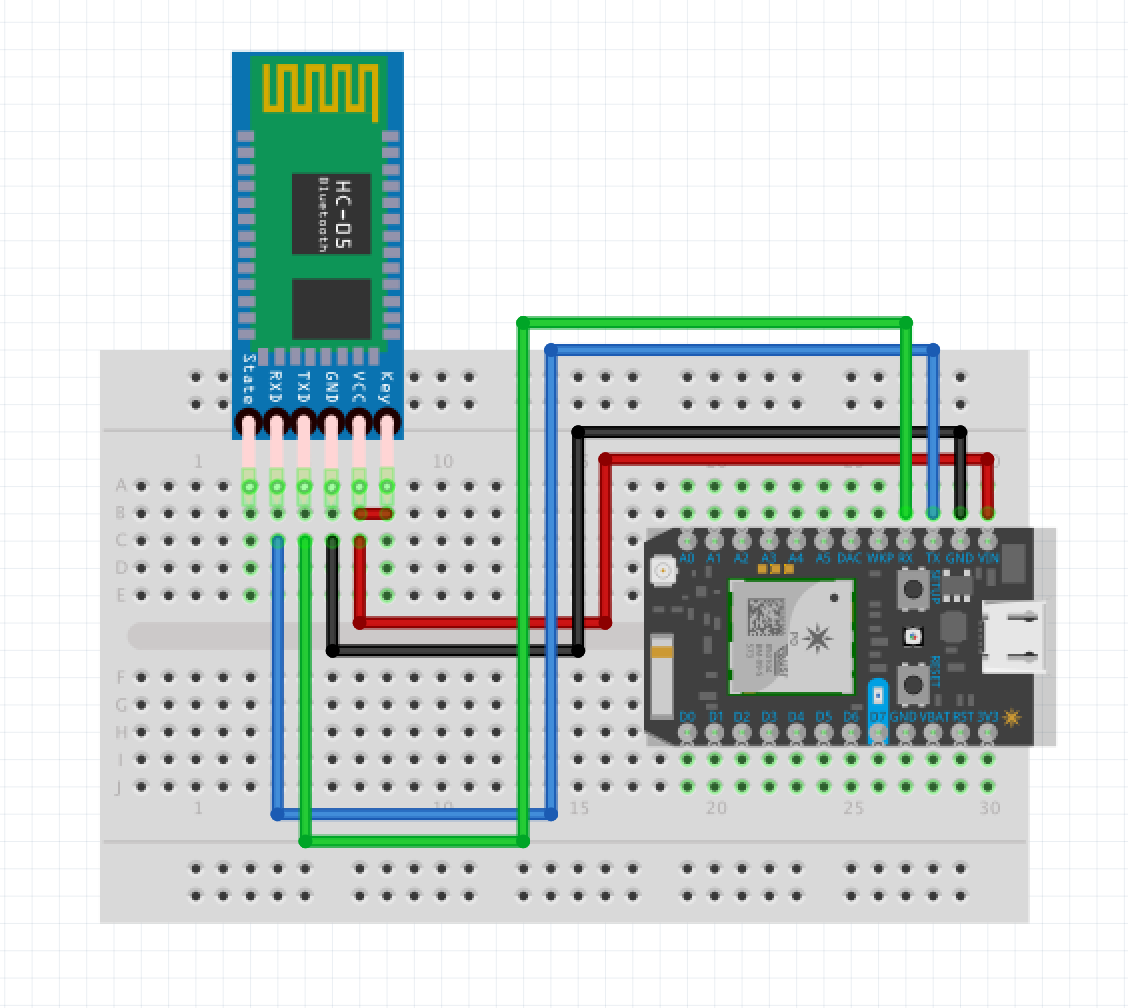
Fritzing Diagram
Please note the white wire bridging between the VCC pin near the HC05 to the STATE pin of the HC05, this is necessary as when put into inquiry mode with "AT+INQ", the HC05 will leave AT mode, which is required for the Photon to be able to communicate with the HC05, the wire bridging VCC and STATE brings the HC05 immediately back into AT mode.


Comments