



History
I was trying to make a music box with a microcontroller, started from another project and found I had trouble understanding the source code. Long story
short it didn't work, so I made some experiments on my computer instead
of the micro, it's easier to debug and it's faster to tinker with the
parameters.
The file yamb-float.zip contains the resulting code, it uses floating point variables to do the maths.
Then I tried porting on Arduino and MSP430 Launchpad, I had to decrease the output sample rate to 6250Hz on the arduino for 6 channels and down to 7812Hz on the launchpad and use fixed point numbers with 4 bits after the point, sound was not good enough to my taste.
Then I made some tests playing samples directly from an SD card on the Arduino, playing 31250Hz 8bits sound worked great.
The final product uses a standalone MSP430G2452 which reads samples from an AT25DF32 SPI flash memory, sound is played by a PWM driving a transistor at 62500Hz.
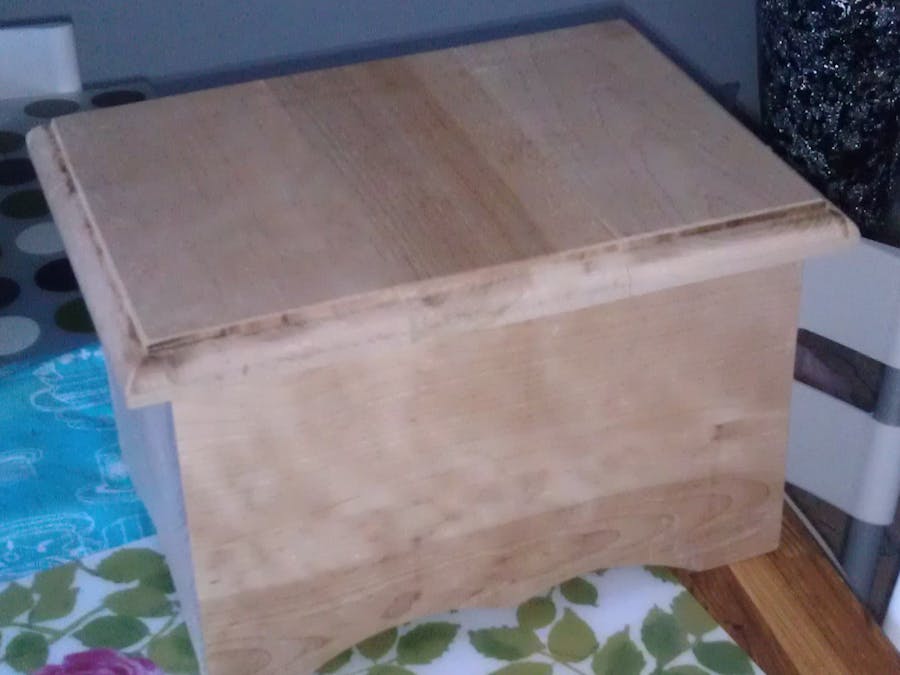
Everything's hidden in the side of a homemade wooden box. Mains voltage
is held off by the switch unless the top of the box is open.
Source code
PCB
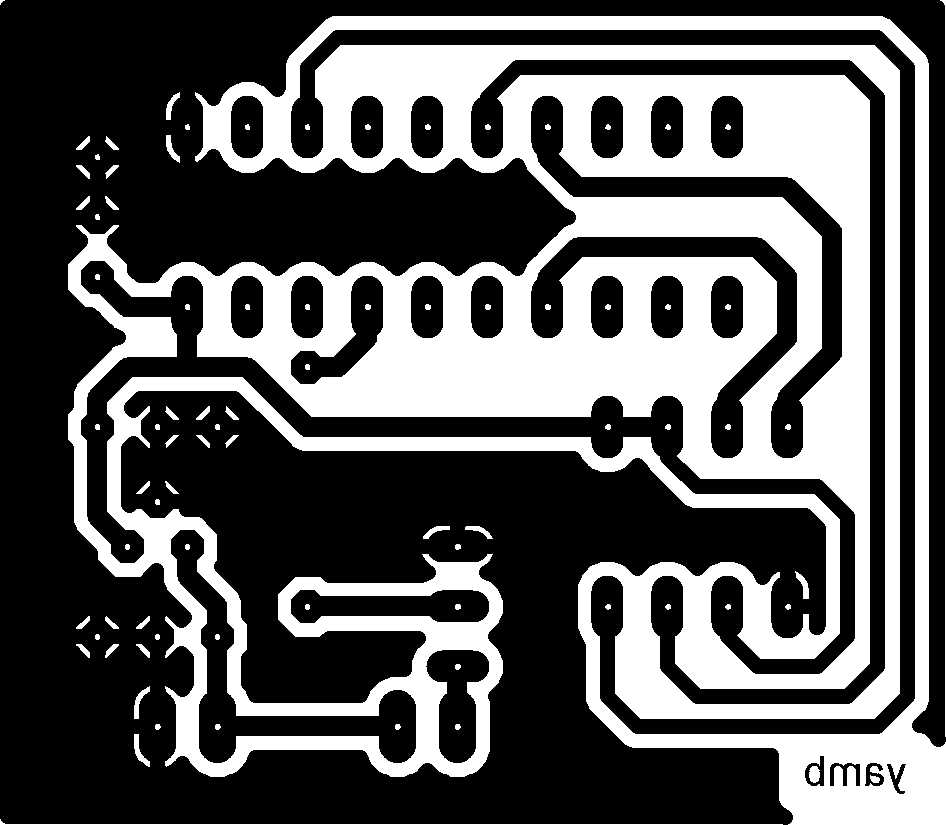
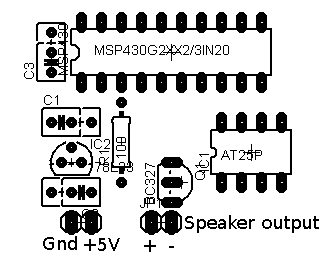
Notes about the PCB
Errata: the MSP430 MCU needs a resistor between reset and VCC, it's missing on the PCB, so one must be added between pin 16 and pin 1, 47K is a good value to keep the current low but you can use lower values.
The speaker used was 50Ohms .5W.
You need a low drop voltage regulator to get the 3.3V Vcc, I was in a hurry and used 2 1N4001 diodes to drop the 5V to about 3.6V (that's the smaller PCB just above the yellow capacitor on the pictures)
Bill of materials
Music played by the box
Pictures
Video
Using the floating point software
What you need:
A gnu C compiler (cygwin or mingw).
SOX
If you want to change the wavetable:
Python and SOX
If you want to change the tune:
Python
This was made on a windows computer, you may need to change the paths in the scripts.
To generate a new wavetable (needs to be a 48.57Hz sample):
Go into the wavetable_tune folder.
Run the wav2raw.bat script (it uses sox to transform p1_48.57Hz.wav into attack.raw).
Run the raw2txt.bat script (it runs the raw2txt.py python script to turn the attack.raw file into a wavetable.h C header file)
Copy the wavetable.h file into the parent folder.
To change the tune:
Choose a midi file and overwrite tune.mid in the wavetable_tune folder.
Run the midi2h.bat script (it runs the midi2h.py python script to turn the midi file into the tune.h C header file, it contains the note pitches and times at which to play them).
Copy the tune.h file into the parent folder.
To generate the tune:
do "make sound" and hopefully the software will be built, run and convert the raw output to a test.wav file.
wavetable.h is the note attack sound, sustain is a one period sine that's repeated after the attack, envelop.h contains a log decay envelop that's applied to the sound volume after the attack.
scales.h contains the frequency of each note, lower values are bad because int were used, but bass sounds are not used on music boxes (if you need them, you can generate a floating point version).
main.old.c is a version that uses integers instead of floating points.
tune.old.h is the original tune from the original music box project.

Comments