



In the realm of embedded systems, having a robust and intuitive graphical user interface (GUI) can significantly enhance user interaction and functionality. Leveraging the capabilities of LVGL (Light and Versatile Graphics Library) on the MH1905 Evaluation Board (EVB) running Ubuntu, developers can create dynamic and responsive GUIs tailored for a variety of industrial and IoT applications. This guide provides detailed steps on how to set up and implement LVGL on MH1905, taking full advantage of its touchscreen display.
LVGL is a popular open-source library designed for use in embedded systems, known for its lightweight nature and its ability to operate with minimal hardware resources. It supports a wide array of graphical elements and animations, making it an ideal choice for creating sophisticated user interfaces on devices with limited processing power and memory.
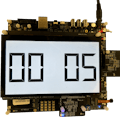
Integrating LVGL with MH1905The MH1905 EVB is equipped with a touchscreen display that perfectly complements the graphical capabilities of LVGL, allowing for interactive and visually appealing designs. The simple compilation process from a standard Ubuntu system on PC makes this combination especially attractive for developers aiming to streamline their GUI development process.
Preparing the Environment for LVGL ImplementationHardware Requirements:
- A Linux PC (Ubuntu 22.04)
- USB drive to transfer files
- MH1905 EVB
- RS232 cable and power cable
Software Requirements:
- Original LVGL library files from LVGL's official GitHub page
- MH1905-specific LVGL files from MH1905's GitHub repository
- SecureCRT serial terminal for MH1905
Required Tools and Commands:
- GCC (ARM version for Linux), Make, Flex, Bison
Steps for Successful LVGL Installation on MH1905
Obtain Necessary Files and Toolchain:
- Download the MH1905-adapted LVGL library and the appropriate toolchain to ensure the software is compatible with the MH1905 architecture.
export CC=Your own directoy/toolchain/arm-linux-gnueabihf-7.3/bin/arm-linux-gnueabihf-gcc

export AS=Your own directoy/toolchain/arm-linux-gnueabihf-7.3/bin/arm-linux-gnueabihf-gcc
Extract and Configure:
- Unpack the LVGL library files on your Ubuntu PC.
- Ensure all required commands (GCC, Make) are ready to compile the LVGL files for the MH1905
Customization and Compilation:
- Edit main.c within the LVGL directory to select or modify the GUI shells provided (Widget, Music, and basic demos).
- Use Make to compile your customized GUI into an executable suitable for the MH1905.
Transfer and Execute:
- Copy the compiled executable onto a USB drive.
- Connect the USB to the MH1905 and load the executable onto the boar
Launch and Test the GUI:
- Execute the GUI application from the MH1905 to display your newly created interface on the touchscreen.
- Interact with the GUI to ensure all elements function as expected.
Conclusion
Implementing LVGL on the MH1905 EVB enables developers to produce high-quality, interactive GUIs that are both efficient and visually appealing. This setup not only facilitates the development of advanced applications but also ensures a smooth user experience. By following this guide, developers can leverage the full potential of LVGL and MH1905 to deliver superior embedded solutions that stand out in the market.


Comments