// A basic everyday NeoPixel strip test program.

// NEOPIXEL BEST PRACTICES for most reliable operation:
// - Add 1000 uF CAPACITOR between NeoPixel strip's + and - connections.
// - MINIMIZE WIRING LENGTH between microcontroller board and first pixel.
// - NeoPixel strip's DATA-IN should pass through a 300-500 OHM RESISTOR.
// - AVOID connecting NeoPixels on a LIVE CIRCUIT. If you must, ALWAYS
//   connect GROUND (-) first, then +, then data.
// - When using a 3.3V microcontroller with a 5V-powered NeoPixel strip,
//   a LOGIC-LEVEL CONVERTER on the data line is STRONGLY RECOMMENDED.
// (Skipping these may work OK on your workbench but can fail in the field)

#include <Adafruit_NeoPixel.h>
#ifdef __AVR__
#include <avr/power.h> // Required for 16 MHz Adafruit Trinket
#endif

// Which pin on the Arduino is connected to the NeoPixels?
// On a Trinket or Gemma we suggest changing this to 1:
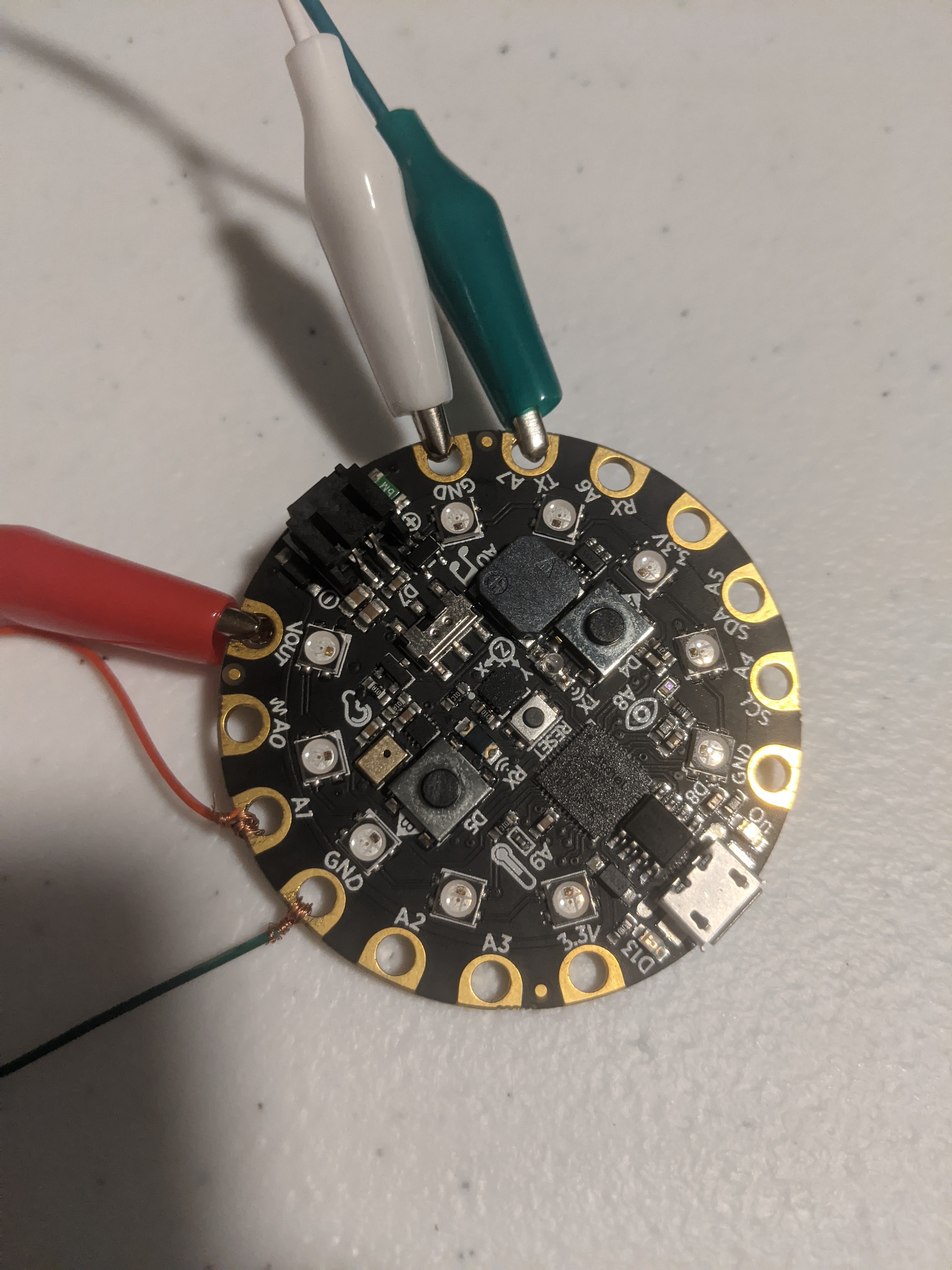
#define LED_PIN    A7

// How many NeoPixels are attached to the Arduino?
#define LED_COUNT 64


#include <Adafruit_CircuitPlayground.h>


// Declare our NeoPixel strip object:
Adafruit_NeoPixel strip(LED_COUNT, LED_PIN, NEO_GRB + NEO_KHZ800);
// Argument 1 = Number of pixels in NeoPixel strip
// Argument 2 = Arduino pin number (most are valid)
// Argument 3 = Pixel type flags, add together as needed:
//   NEO_KHZ800  800 KHz bitstream (most NeoPixel products w/WS2812 LEDs)
//   NEO_KHZ400  400 KHz (classic 'v1' (not v2) FLORA pixels, WS2811 drivers)
//   NEO_GRB     Pixels are wired for GRB bitstream (most NeoPixel products)
//   NEO_RGB     Pixels are wired for RGB bitstream (v1 FLORA pixels, not v2)
//   NEO_RGBW    Pixels are wired for RGBW bitstream (NeoPixel RGBW products)

//Colors
uint32_t white = strip.Color(255, 255, 255);
uint32_t blue = strip.Color(50, 100, 255);
uint32_t teal = strip.Color(50, 255, 100);
uint32_t green = strip.Color(100, 255, 50);
uint32_t yellow = strip.Color(200, 100, 20);
uint32_t orange = strip.Color(255, 50, 0);
uint32_t red = strip.Color(255, 10, 0);


int happiness = 0;
float sound;
int i;
// setup() function -- runs once at startup --------------------------------

void setup()
{
  Serial.begin(9600);
  CircuitPlayground.begin();
  CircuitPlayground.setBrightness(100);

  pinMode(A1, INPUT_PULLUP);
  // These lines are specifically to support the Adafruit Trinket 5V 16 MHz.
  // Any other board, you can remove this part (but no harm leaving it):
#if defined(__AVR_ATtiny85__) && (F_CPU == 16000000)
  clock_prescale_set(clock_div_1);
#endif
  // END of Trinket-specific code.

  strip.begin();           // INITIALIZE NeoPixel strip object (REQUIRED)
  strip.clear();
  strip.show();            // Turn OFF all pixels ASAP
  strip.setBrightness(50); // Set BRIGHTNESS to about 1/5 (max = 255)

  happiness = 6000;


}


// loop() function -- runs repeatedly as long as board is on ---------------

void loop()
{


  if ( ! digitalRead(A1))
  {

    //Serial.println("Clearing Pixels");
    CircuitPlayground.clearPixels();
    strip.clear();
    strip.show();

  }

  if (digitalRead(A1))
  {

    for (int i = 0; i < LED_COUNT ; i ++)
    {

      strip.setPixelColor(i, 255, 110, 10);

    }
    strip.show();

  }
}




Comments