


Hardware components | ||||||
| × | 1 | ||||
| × | 1 | ||||
Software apps and online services | ||||||
 |
| |||||
Getting start: Display Data with Ameba
More resources:
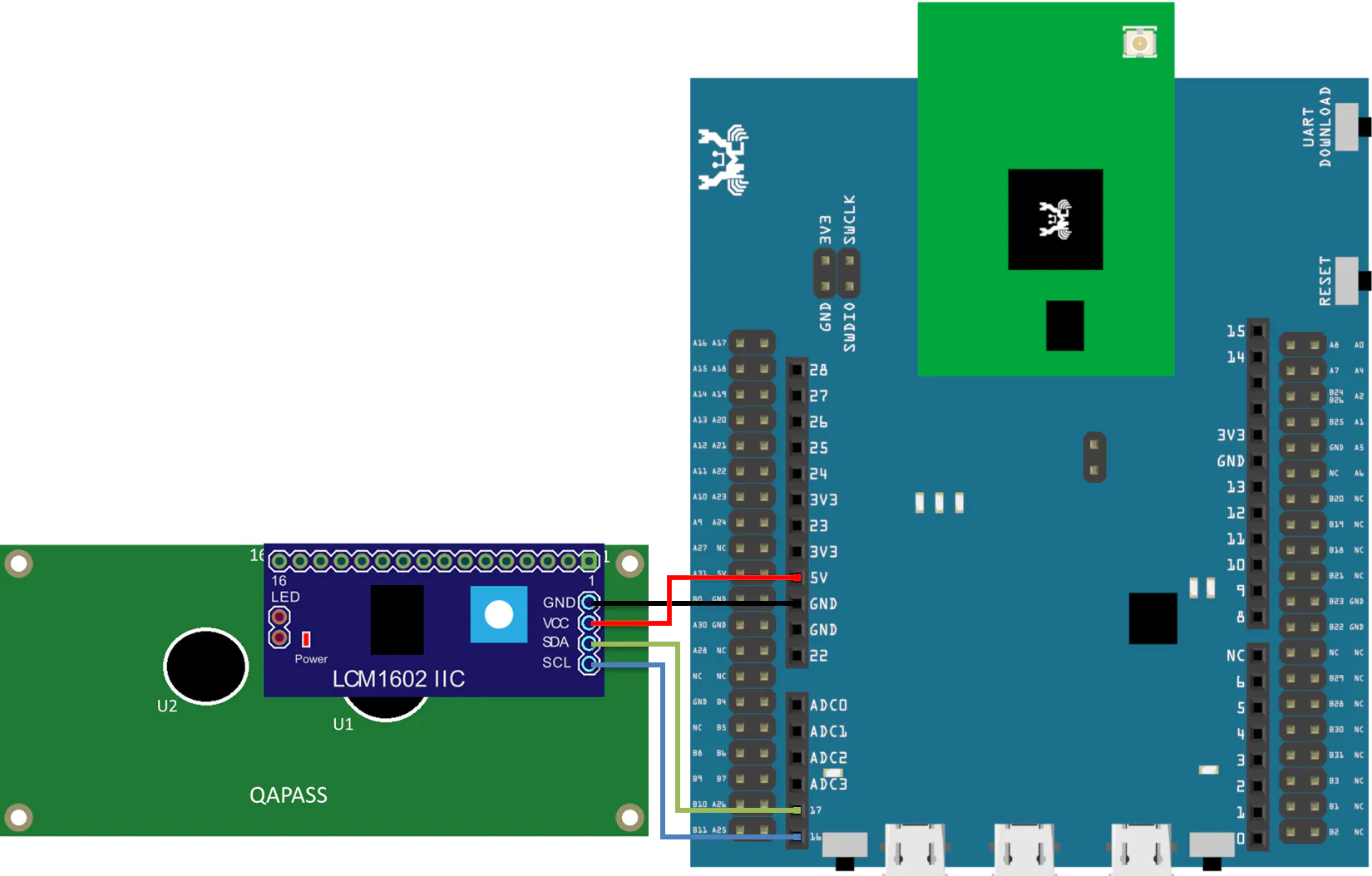
Read moreAn LCD display can be equipped with an additional processing chip to process the data. The processing chip can connect to a microcontroller using the I2C interface.
AMB21/ AMB22 wiring diagram
Open the example in “File” -> “Examples” -> “AmebaWire” -> “LCD_HelloWorld”.Compile and upload to Ameba, then press the reset button.Then you can see “Hello World” in the first line, and “Ameba” in the second line displayed on the LCD screen.
After 8 seconds, you can input to the Serial Monitor the string you would like to display on the LCD.
For example, we enter “123456789” and press “Send”:
For more information on the example: https://www.amebaiot.com/en/amebad-arduino-i2c-lcd/
If you are interested to know more about Ameba, do visit the Ameba official website or join the Facebook page or Forum for more discussion!
- Ameba Official Website: https://www.amebaiot.com/en/
- Ameba Facebook Group: https://www.facebook.com/groups/amebaioten
- Ameba Forum: https://forum.amebaiot.com/
Realtek AmebaIoT
Posted by  Pammy Leong
Pammy Leong

Comments