



Hardware components | ||||||
 |
| × | 1 | |||
 |
| × | 1 | |||
 |
| × | 1 | |||
Software apps and online services | ||||||
 |
| |||||
 |
| |||||
| ||||||
Why not create a light automation system that can be used in the place at any given time and makes the place bright? It can be done by using a Bolt Wi-Fi Module and an Integromat. This project works by setting up a scenario on the Integromat service that automatically activates the light connected to your Bolt device at a given time.
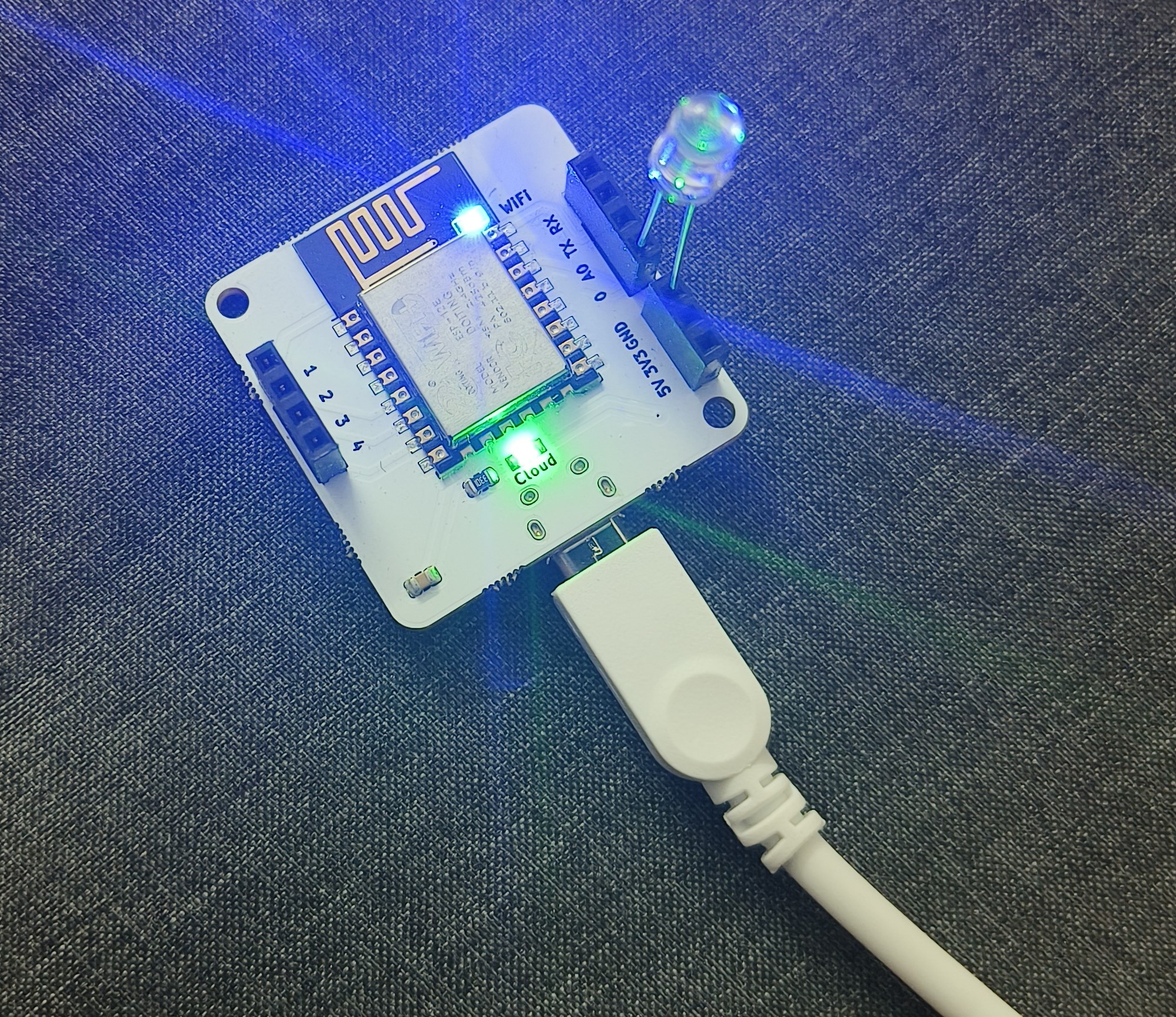
Light Automation Hardware Connections
1. Connect the longer end (positive end) of the LED to Pin 0 of the Bolt Wi-Fi Module.
2. Connect the shorter end (negative end) of the LED to the GND Pin of the Bolt Wi-Fi Module.
3. Power on the Bolt Wi-Fi Module using a USB cable.
2. Connect the shorter end (negative end) of the LED to the GND Pin of the Bolt Wi-Fi Module.
3. Power on the Bolt Wi-Fi Module using a USB cable.
Light Automation in Integromat
1. Register Bolt Wi-Fi device to the Bolt cloud.
2. Create a free account on Integromat and Log in.
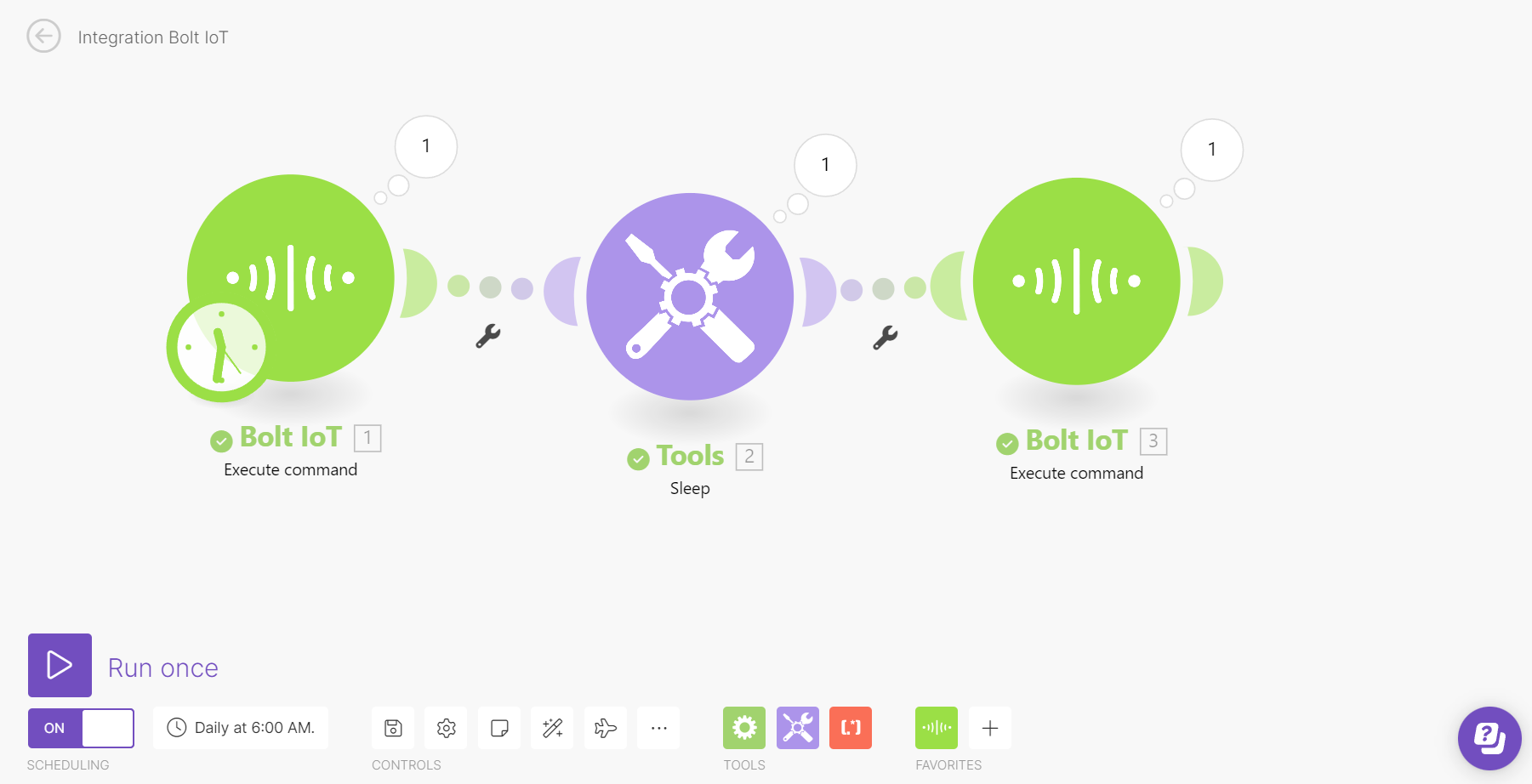
3. Click on Create a new scenario in Integromat then Search and select "Bolt IoT".
4. Click on Add Button and enter your API key.
5. Enter the Device ID and select Pin 0, as the LED will be connected to this pin, and choose the state as HIGH, as we want the LED to turn ON.
6. Next, click on the tools option and select sleep to add the delay to turn off the LED and enter the duration for which the LED should be turned on. For example, add 5 seconds to any given time.
7. Click on Add a New Module and choose Bolt IoT again to turn OFF the LED by setting the state to LOW.
8. Click on the clock icon on the first Bolt module to set the time to turn ON the LED, and then click OK.
9. Finally, save the scenario.
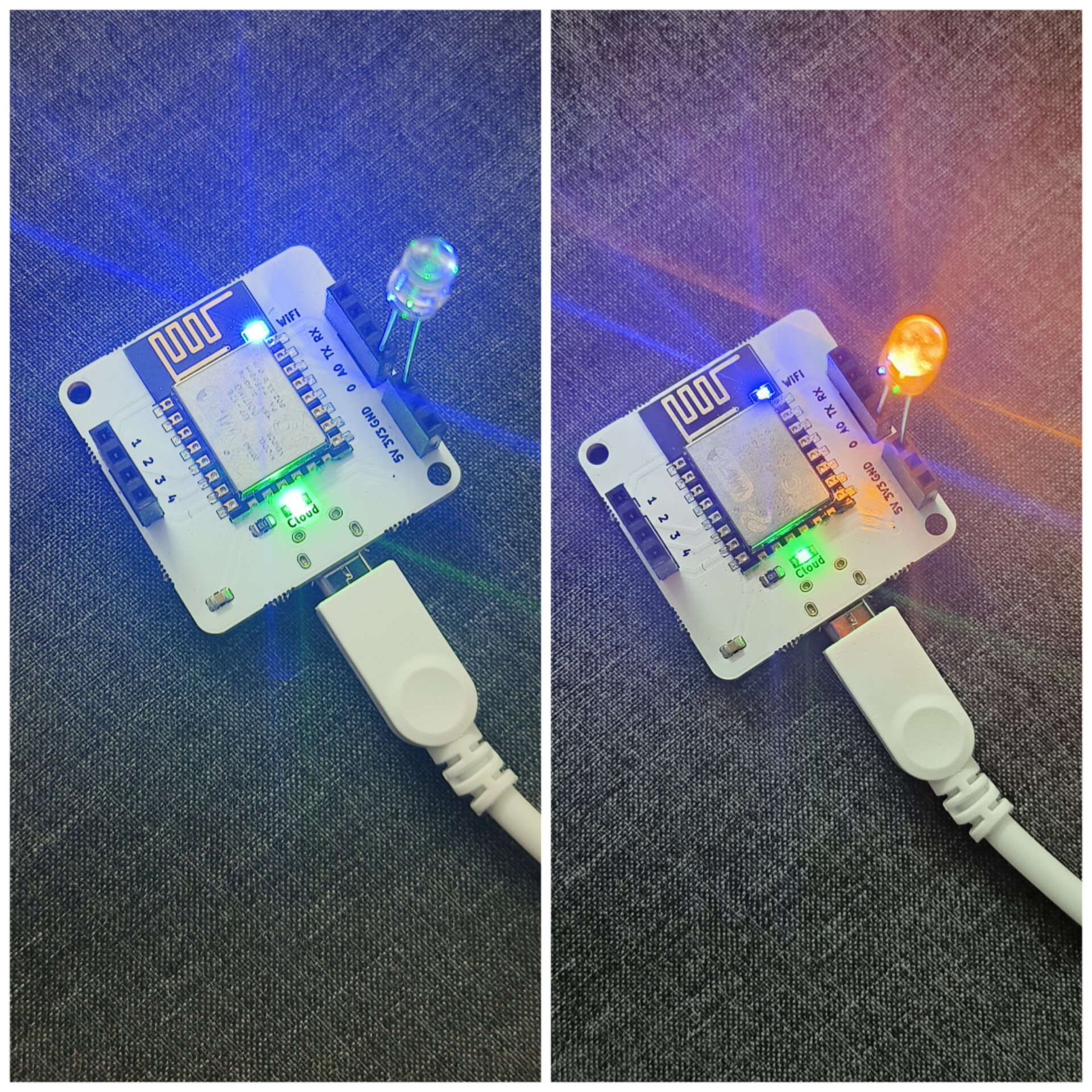
10. To test, click on the "Run Once" button. The LED should turn on for a given time. For example, turn on for 5 seconds and then turn off.
2. Create a free account on Integromat and Log in.
3. Click on Create a new scenario in Integromat then Search and select "Bolt IoT".
4. Click on Add Button and enter your API key.
5. Enter the Device ID and select Pin 0, as the LED will be connected to this pin, and choose the state as HIGH, as we want the LED to turn ON.
6. Next, click on the tools option and select sleep to add the delay to turn off the LED and enter the duration for which the LED should be turned on. For example, add 5 seconds to any given time.
7. Click on Add a New Module and choose Bolt IoT again to turn OFF the LED by setting the state to LOW.
8. Click on the clock icon on the first Bolt module to set the time to turn ON the LED, and then click OK.
9. Finally, save the scenario.
10. To test, click on the "Run Once" button. The LED should turn on for a given time. For example, turn on for 5 seconds and then turn off.


Comments