



Hardware components | ||||||
 |
| × | 1 | |||
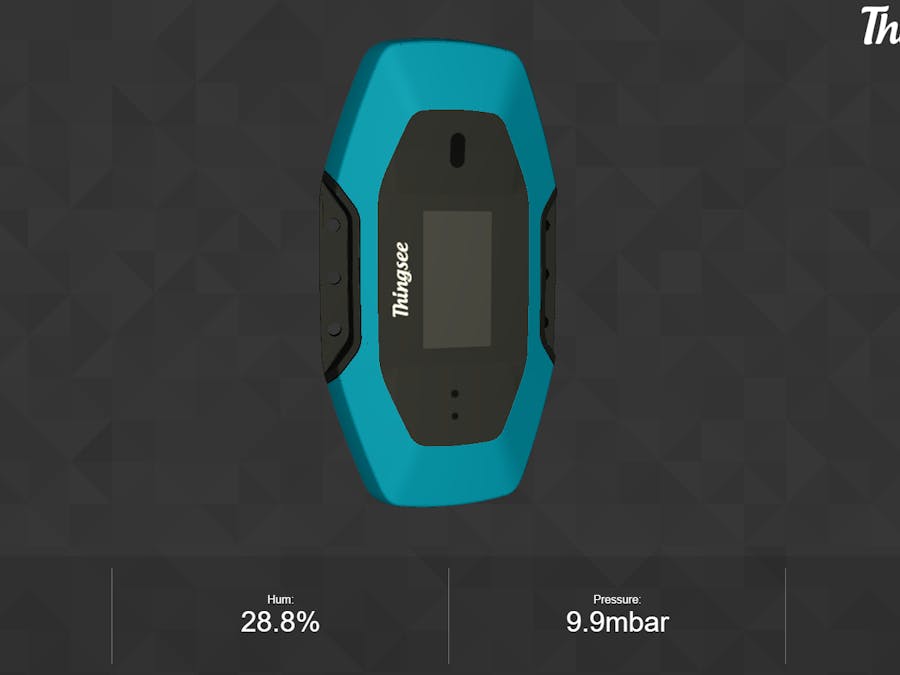
This projects started as a way to present the accelerometer capabilities of Thingsee One device. Things to consider: you need to have already a CLOUD.JSN file in your device.
In other words, you need to have registered your device at least once in Thingsee Creator since the CLOUD.JSN file is created while you are on the process of registering the device.
Instructions:
- Turn on your device, in case it's not already;
- Connect it to a computer with a micro-USB cable;
- Thingsee device's folder should open automatically with the name THINGSEE;
- Open the file COULD (a json file) with a code editor (wordpad or similar app will suffice too)
- Search for
"deviceAuthUuid"and copy the code between quotation marks. E.g. from code line"deviceAuthUuid": "p44a5940-5ulo-11l5-8op-4e65433s56", you should copy p44a5940-5ulo-11l5-8op-4e65433s56;
- Open a new tab in a web browser and paste the above code after the link http://3d.thingsee.com/#. E.g. http://3d.thingsee.com/#p44a5940-5ulo-11l5-8op-4e65433s56;
- Do one of the two options:
- (1) Download the PROFILE.JSON file attached in code section to your device's folder. Delete the file PROFILE.JSN (if existent - note the difference in the extensions' name) and from the recently downloaded file delete the "O" from .JSON so that it stays .JSN instead;
- or (2) copy the code from the code section and replace the current code in PROFILE.JSN with it;
- Eject the device from the computer;
- Wait for it to restart;
- Once it's turned on go to your custom link (i.e. http://3d.thingsee.com/#...) and move your device.
NOTE: Due to limitations on the connectivity's speed it might take some time before you actually observe your device's position changing.
In addition, bear in mind that you are not observing the device's absolute position, but only the variation of its position i.e. the device is not using the gyroscope, but just the accelerometer sensor; thus, it will detect your device's acceleration and calculate with a simple algorithm the expected end position.


Comments