It has been proven that if you study or do homework for shorter amounts of time with small breaks instead of trying to power through for hours in a row, you end up being able to concentrate for longer in the long term!
I can use my phone or laptop to do this, but not having it displayed in front of me isn’t helpful. Also, sometimes I just need my phone to be away from me (out of sight, out of mind!) so having it on a device that isn’t attached to my phone would be helpful! So that's how I decided to make this Pomodoro Study timer in physical form inspired by the actual website version that can be found here.
Operation Instructions
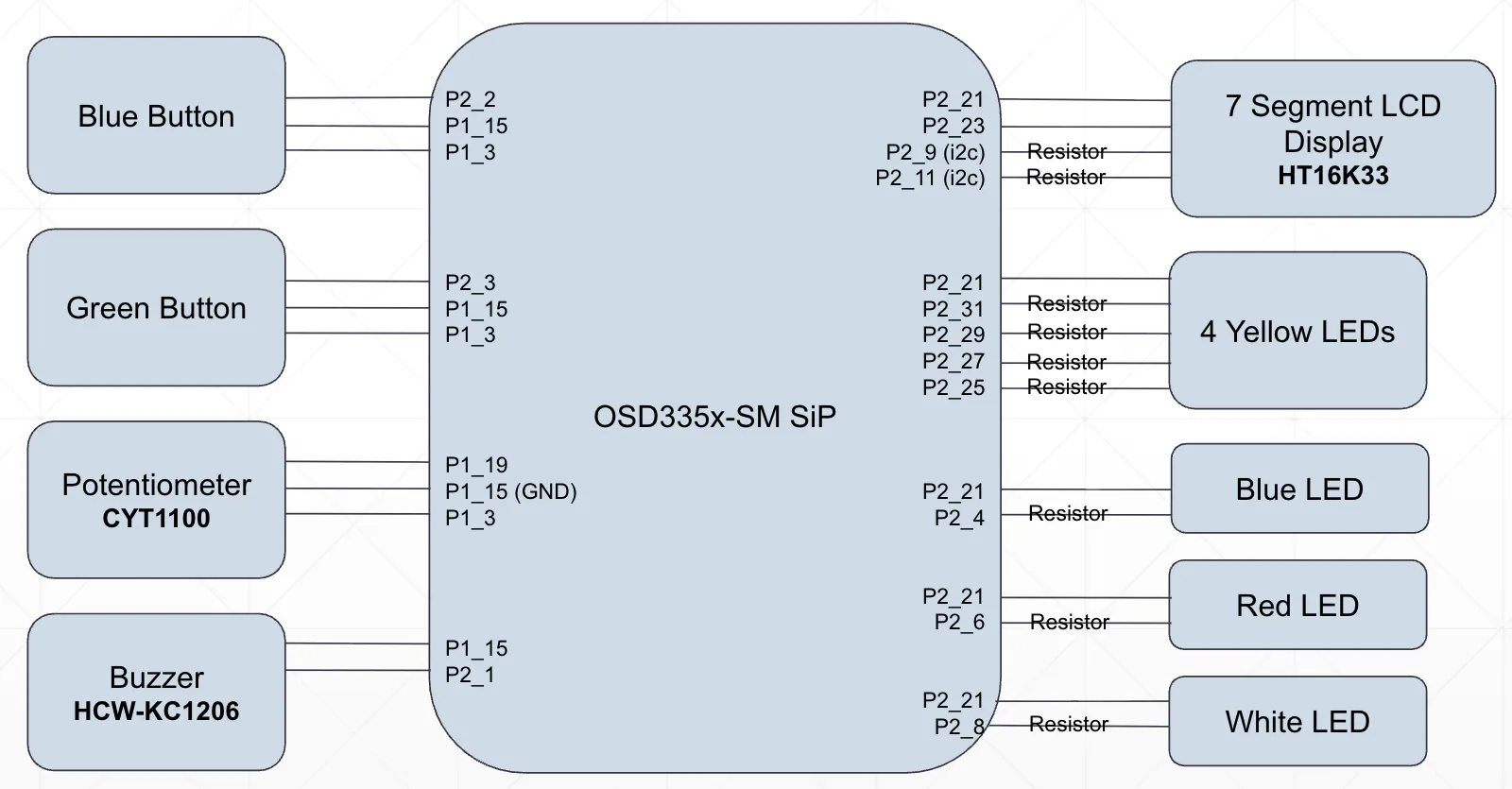
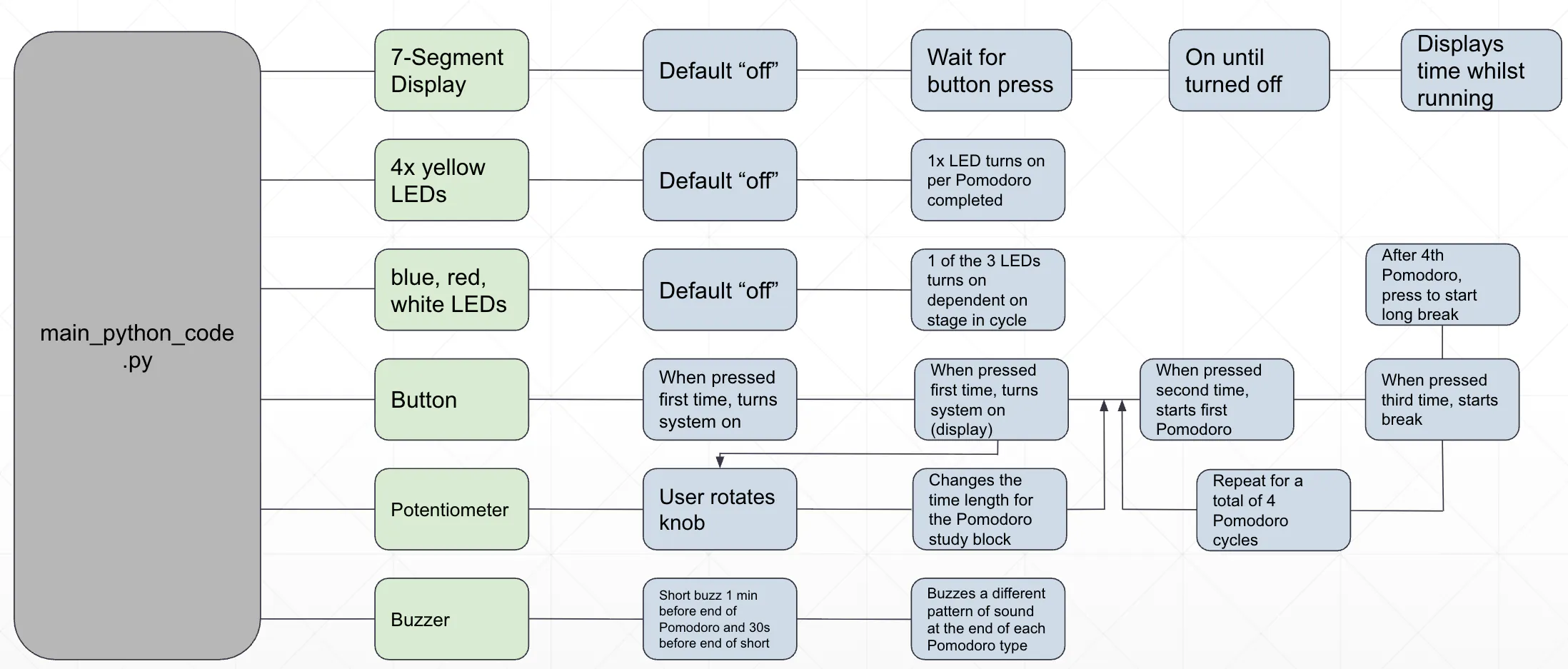
To implement this idea, I used a BeagleBone board with a 7-Segment Display, 2 buttons, a series of LEDS, a potentiometer, and a buzzer. When the system is booted, all the LEDs are off and the screen displays the Pomodoro time. The user can choose to change this time for their study sessions within the 25-45 minute range by turning the potentiometer knob.
When the user is ready to start their first study session, they press the blue button which turns on the blue LED indicating "study mode" and the display starts to count down the time. Additionally, the buzzer will make a single beep to signal the start of the session. 1 minute before the study session is over, the user will hear another beep warning them about the end.
If the timer is allowed to run all the way down, it will automatically transition into a short break. Alternatively, if the user presses the blue button to end their session early, it will transition early. Once in "short break mode" a red LED will turn on and the user will hear two short beeps and a 5-minute count down timer will begin. The user will hear a beep 30 seconds before the end of their short break.
The system will transition back into "study mode" and repeat the cycle between study and short break 3 times. After each Pomodoro is completed, a yellow LED will turn on, showing the user their progress in their study session depending on how many LEDs are on. After the fourth Pomodoro, the system moves into "long break mode, " allowing the user to have a 10 minute break.
Once all four Pomodoros and breaks have been completed, the user can choose to reset the system using the green button to repeat the process.






_3u05Tpwasz.png?auto=compress%2Cformat&w=40&h=40&fit=fillmax&bg=fff&dpr=2)
Comments