



Hardware components | ||||||
 |
| × | 1 | |||
| × | 1 | ||||
| × | 2 | ||||
| × | 1 | ||||
 |
| × | 1 | |||
| × | 1 | ||||
 |
| × | 1 | |||
Hand tools and fabrication machines | ||||||
 |
| |||||
For individuals who are both blind and deaf, the world is experienced almost entirely through touch. Traditional Braille learning tools often rely on audio cues to supplement tactile feedback, which leaves deaf-blind learners behind. My project, developed as part of my EDES 301 curriculum, aims to bridge this gap by creating an interactive, haptic-first system that assists in learning Braille through direct physical interaction.
Why I Built ItThe motivation behind this project was to create a "proof of concept" for a portable, interactive Braille reading and learning device. By focusing on a tactile-to-haptic loop, I wanted to provide a tool that could eventually scale into a full literacy system. While the project includes audio for instructors or blind-only users, its core strength lies in the synchronized solenoid feedback for haptic learning.
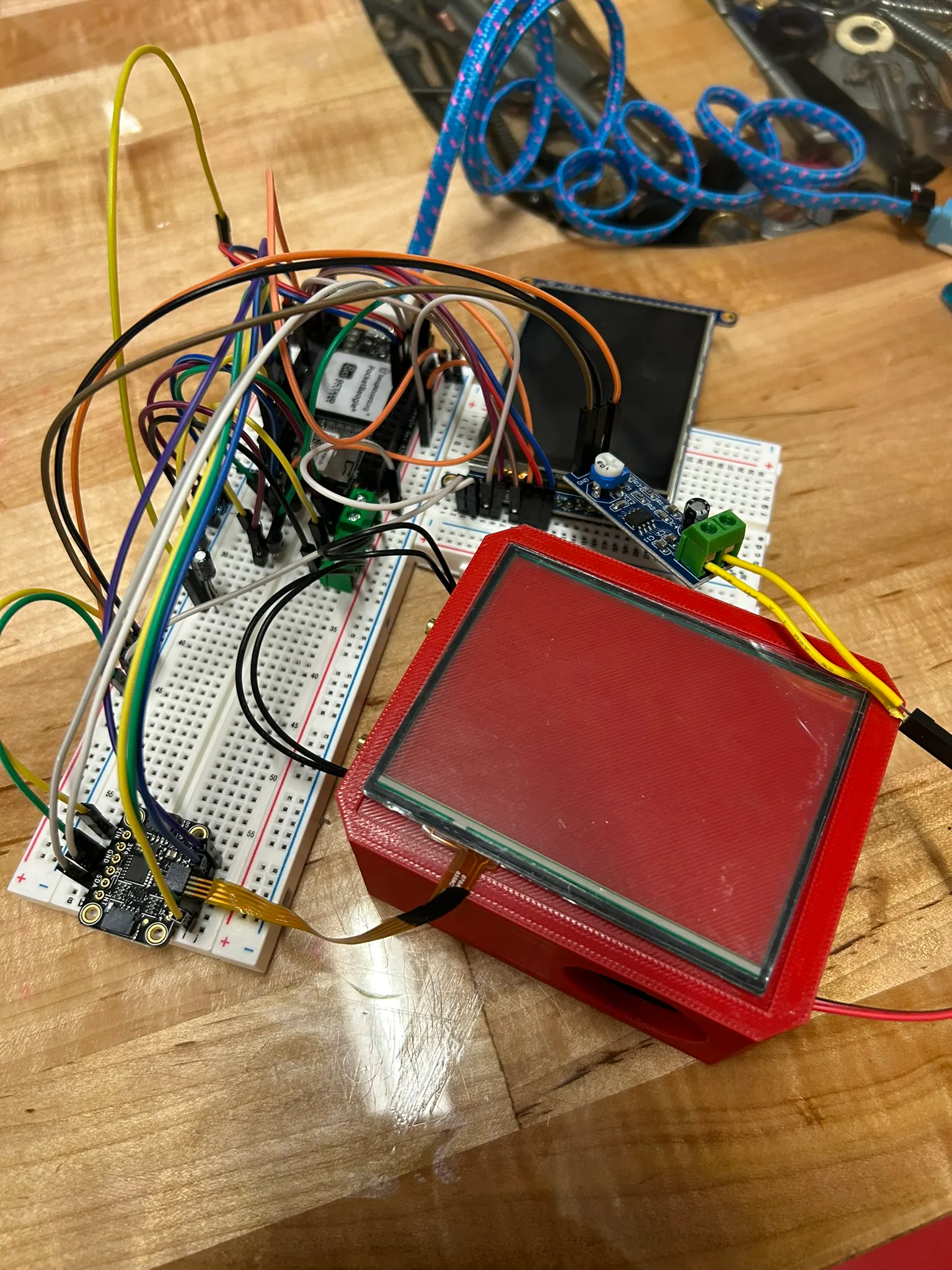
How It Works: The Technical CoreThe system is built on the PocketBeagle platform (pinout diagram below) and integrates several hardware layers to create a cohesive learning experience:
Spatial Interaction: I utilized a resistive touch screen with a dedicated controller to track a user's finger position. The screen is logically divided into a 2x2 grid corresponding to the letters 'w', 'a', 's', and 'd'.
- Spatial Interaction: I utilized a resistive touch screen with a dedicated controller to track a user's finger position. The screen is logically divided into a 2x2 grid corresponding to the letters 'w', 'a', 's', and 'd'.
Haptic Feedback: When a user touches a specific quadrant on the grid, the system actuates a two-solenoid pattern. These solenoids are placed side-by-side to mimic the dots of a Braille cell, allowing the user to "feel" the letter they are currently touching.
- Haptic Feedback: When a user touches a specific quadrant on the grid, the system actuates a two-solenoid pattern. These solenoids are placed side-by-side to mimic the dots of a Braille cell, allowing the user to "feel" the letter they are currently touching.
Visual and Audio Cues: A TFT LCD screen provides visual confirmation for instructors, while a speaker powered by an LM386 audio amplifier module plays a corresponding audio file for each position.
- Visual and Audio Cues: A TFT LCD screen provides visual confirmation for instructors, while a speaker powered by an LM386 audio amplifier module plays a corresponding audio file for each position.
Sequence Tracking: As the user interacts with different positions, the software appends each letter to a sequence, essentially "typing" out words or letters that can be reviewed later.
- Sequence Tracking: As the user interacts with different positions, the software appends each letter to a sequence, essentially "typing" out words or letters that can be reviewed later.
The project’s physical form is housed in a custom-designed enclosure, for which I developed a 3D model titled braille_box v1.stl.
Lessons Learned and The Path AheadThis project was part of a broader academic effort in Electrical Engineering and Embedded Systems, involving complex tasks like mechanical drawing and potential PCB integration. Because I was managing a significantly larger project at the same time, I wasn't able to commit as much time to the Braille box as I had originally hoped.
As a result, this project is very much a "work in progress." However, I am not done! This summer, I plan to refine the design into a more polished consumer-ready product. My immediate roadmap includes:
Microprocessor Upgrade: Moving from the PocketBeagle to a different microcontroller to optimize power consumption and form factor.
- Microprocessor Upgrade: Moving from the PocketBeagle to a different microcontroller to optimize power consumption and form factor.
Expanded Cell Support: Moving beyond the 2x2 grid to support full 6-dot Braille cells.
- Expanded Cell Support: Moving beyond the 2x2 grid to support full 6-dot Braille cells.
Code Optimization: Refactoring the Python-based logic currently hosted on my GitHub to handle faster haptic response times.
- Code Optimization: Refactoring the Python-based logic currently hosted on my GitHub to handle faster haptic response times.
Stay tuned for updates as I continue to develop this tool for a more inclusive future!


Comments