Leesounghoongledel
Published

Arduino(2) (FabLab)

I learned how to use 'if', 'digitalRead', 'analogread' and I used this to create the code that control the LED.

BeginnerProtip1 hour724
Arduino(2) (FabLab)

Things used in this project

Story

Read more

Schematics

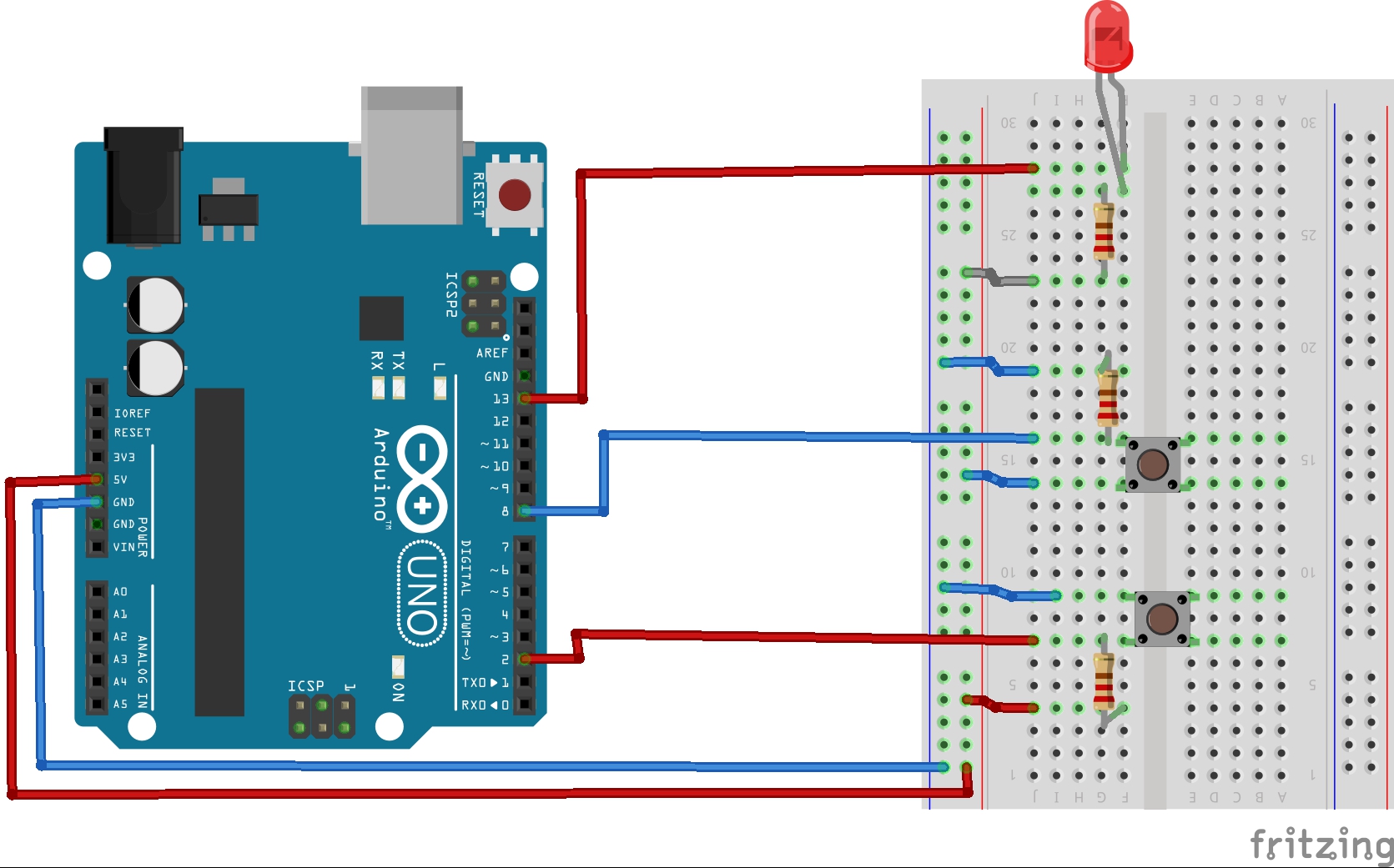
control LED

Use the button to turn on the LED

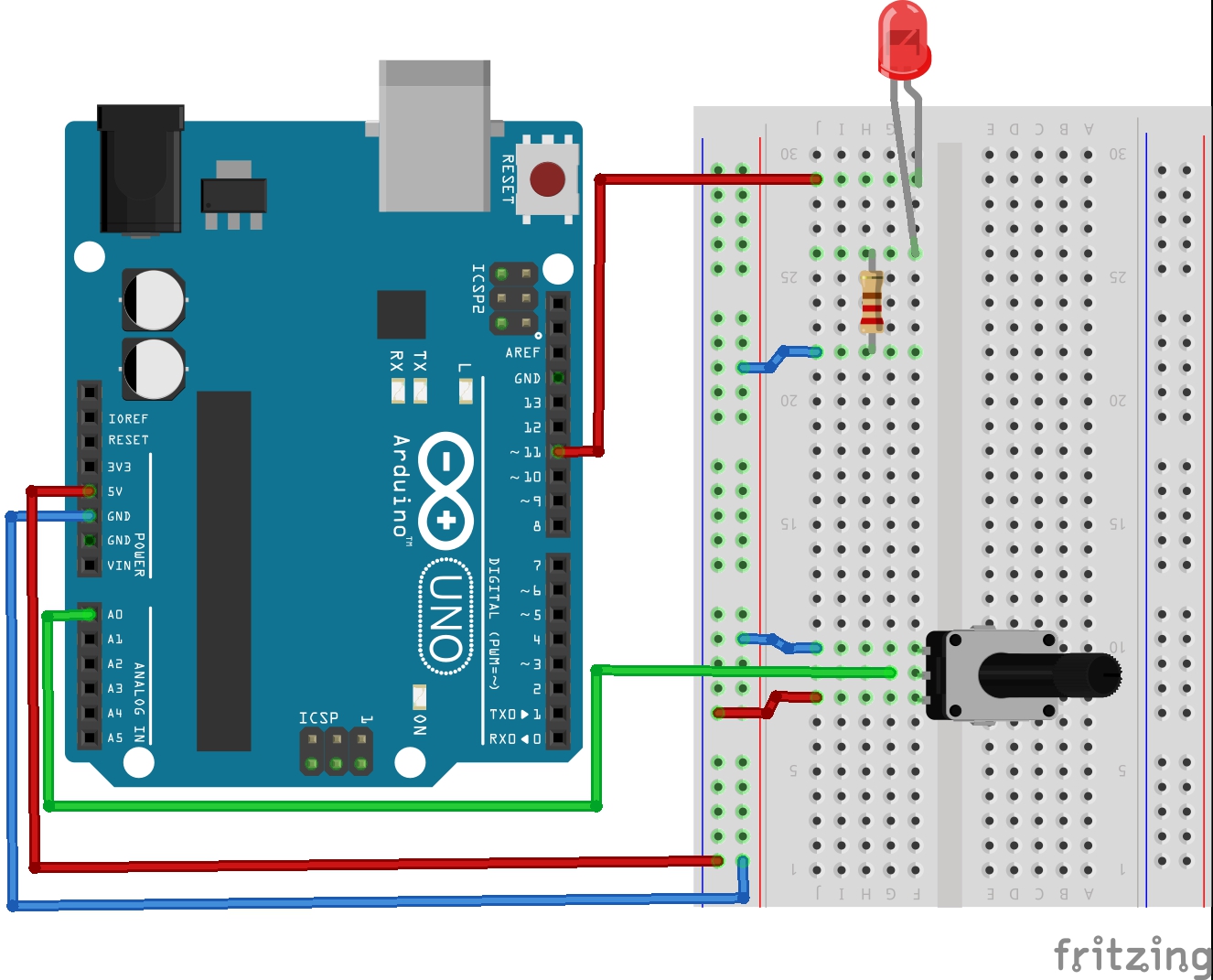
control LED-2

Use variable resistor to adjust LED brightness

Code

control LED-2

Arduino
This adjusts the brightness of the LED
int led_pin = 11;
int input_value;
int brightness;

void setup() {
  // put your setup code here, to run once:
Serial.begin(9600);
pinMode(led_pin, OUTPUT);
}

void loop() {
  // put your main code here, to run repeatedly:
input_value = analogRead(A0);
brightness = map(input_value, 0, 1023, 0, 255);
analogWrite(led_pin, brightness);
Serial.println("input_value : "+String(input_value));
Serial.println("brightness : "+String(brightness));
}

control LED

Arduino
It use to turn on the LED
int led_pin = 13;
int sw_pin1 = 2;
int sw_pin2 = 8;
int sw1_value;
int sw2_value;

void setup() {
  // put your setup code here, to run once:
pinMode(led_pin, OUTPUT);
pinMode(sw_pin1, INPUT);
pinMode(sw_pin2, INPUT);
}

void loop() {
  // put your main code here, to run repeatedly:
sw1_value = digitalRead(sw_pin1);
sw2_value = digitalRead(sw_pin2);
if(sw1_value == LOW){ digitalWrite(led_pin, HIGH);
}
if(sw2_value == HIGH){ digitalWrite(led_pin, HIGH);
}
digitalWrite(led_pin, LOW);

}

Credits

Leesounghoon
9 projects • 4 followers
Hi my name is sung hoon lee. I`m a student at Bongilcheon High School. I want to learn 3D Printing and how to use arduino code(+python code)

gledel
100 projects • 116 followers
Looking back on my childhood, I was happy when I was making something and I was proud of myself. "Making is instinct!"

Comments