/**
 *  PEQ modeded x-way on off toggle switch
 *  July 6, 2015
 *
 *	This SmartApp uses a modified PEQ Door open/close sensor wired to SPDT (3-way) switch to toggle on and off
 *  a switch, a GE Link Light or similar light or switch.   The intent is to have a simple and inexpensive battery
 *  operated replacement for a standard wall switch to operate a single, 3-way or x-way zigbee or zwave light or
 *  switch.
 *
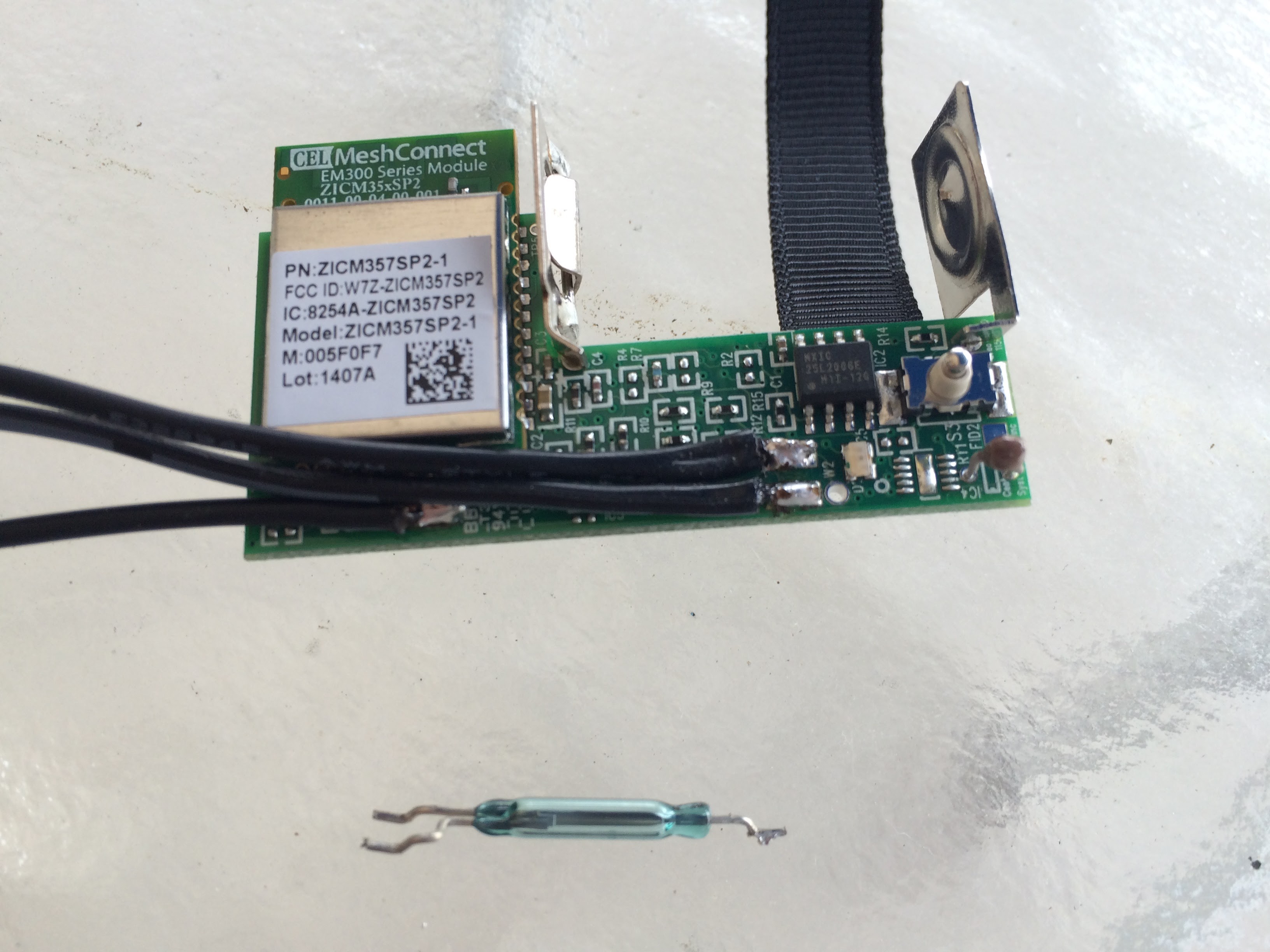
 *  The PEQ Door open/close sensor can be easily modded and wired to a 3-way switch by replacing the magnetic reed relay
 *  with 3 wires soldered to the 1 reed common and 2 reed contacts on the PCB.  I will be posting a HOW-TO for
 *  modification of the PEQ Sensor on the Smartthings community board shortly
 *
 *  A future version will be published to toggle on/off multiple switches simultaneously, and to set the dimmer level.
 *
 *  Copyright (c) 2015 Joel Goldwein (goldwein at gmail.com)
 *
 *  Licensed under the Apache License, Version 2.0 (the "License"); you may not use this file except
 *  in compliance with the License. You may obtain a copy of the License at:
 *
 *      http://www.apache.org/licenses/LICENSE-2.0
 *
 *  Unless required by applicable law or agreed to in writing, software distributed under the License is distributed
 *  on an "AS IS" BASIS, WITHOUT WARRANTIES OR CONDITIONS OF ANY KIND, either express or implied. See the License
 *  for the specific language governing permissions and limitations under the License.
 *
 */
definition(
    name: "x-way on/off toggle switch for modded PEQ Door Open/Close Sensor",
    namespace: "JWGThings",
    author: "Joel Goldwein (goldwein at gmail.com)",
    description: "PEQ On Off Switch",
    category: "My Apps",
    iconUrl: "https://s3.amazonaws.com/smartapp-icons/Convenience/Cat-Convenience.png",
    iconX2Url: "https://s3.amazonaws.com/smartapp-icons/Convenience/[email protected]",
    iconX3Url: "https://s3.amazonaws.com/smartapp-icons/Convenience/[email protected]")


preferences {
	section("PEQ sensor switches") {
		input "contact1", "capability.contactSensor", title: "Which Switches?", required: true, multiple: true, submitOnChange: true
    }
	// What light should this app be configured for?
   	section("Turn on/off a GE Link Light...") {
//    	input "switch1", "capability.switch", title: "Which Light"
		input "switch1", "capability.switch", title: "Which Light and Level", required: true, multiple: false
//		input "switch1", "capability.switchLevel", title: "Which Light and Level", required: true, multiple: true

    }
}

def installed() {
	log.debug "Installed with settings: ${settings}"
	initialize()
}

def updated() {
	log.debug "Updated with settings: ${settings}"
	unsubscribe()
	initialize()
}

def initialize() {
    subscribe(contact1, "contact", contactHandler)
}

def contactHandler(evt) {
//    log.debug "PEQ switch was $evt.value and Light was $switch1.currentSwitch"
// The contactSensor capability can be either "open" or "closed"
// If it's "open", turn ON the light if it is off, or OFF the light if it is on!
// If it's "closed" turn ON the light if it is off, or OFF the light if it is on!
    if("open" == evt.value && "on" == switch1.currentSwitch )  {
		switch1.off()
	} else if ("open" == evt.value && "off" == switch1.currentSwitch ) {
		switch1.on()
    }
    else if ("closed" == evt.value && "on" == switch1.currentSwitch )  {
		switch1.off()
	} else if ("closed" == evt.value && "off" == switch1.currentSwitch ) {
		switch1.on()
    }
	// I'm going to try doing this with a SPST switch
	else if (null == evt.value && "on" == switch1.currentSwitch )  {
		switch1.off()
	} else if (null == evt.value && "off" == switch1.currentSwitch ) {
		switch1.on()
    }
   	def cname = "${contact1.displayName}"
    def lname = "${switch1.displayName}"
	log.info "PEQ switch $cname is now $evt.value and $lname is now $switch1.currentSwitch"
//	log.info "PEQ switch $cname of $contact1.currentContact is now $evt.value and Light is now $switch1.currentSwitch"
}




Comments