What is this project about?Road accidents caused by driver fatigue and microsleep are a serious safety concern, especially during long-distance driving and night travel. This project presents an Anti-Sleep Camera-Based Alarm System that continuously monitors the driver’s eyes using a camera and computer vision techniques. When signs of drowsiness are detected, the system immediately triggers an audible and visual alert to wake the driver and prevent potential accidents.
The system is designed to be low-cost, non-intrusive, and easy to implement, making it suitable for academic learning, prototype development, and future real-world applications.
Why did I decide to make this project?Many existing drowsiness detection systems rely on infrared (IR) sensors, wearable devices, or expensive embedded hardware, which increases complexity and cost. As a student working in embedded systems and computer vision, I wanted to build a simple yet effective safety system using commonly available components.
This project was developed with the aim of:
Understanding real-time computer vision using OpenCV
- Understanding real-time computer vision using OpenCV
- Integrating software-based detection with microcontroller hardware
- Creating an affordable safety solution without using IR sensors
The project also serves as a practical demonstration of how Arduino and Python can work together in real-time applications.
How does it work?- A webcam continuously captures the driver’s face in real time.
- The video stream is processed using Python and OpenCV.
- Haar cascade classifiers are used to detect the face and eyes.
- If the eyes remain closed beyond a predefined time threshold, the system identifies a drowsy condition.
- A serial command is sent to the Arduino UNO.
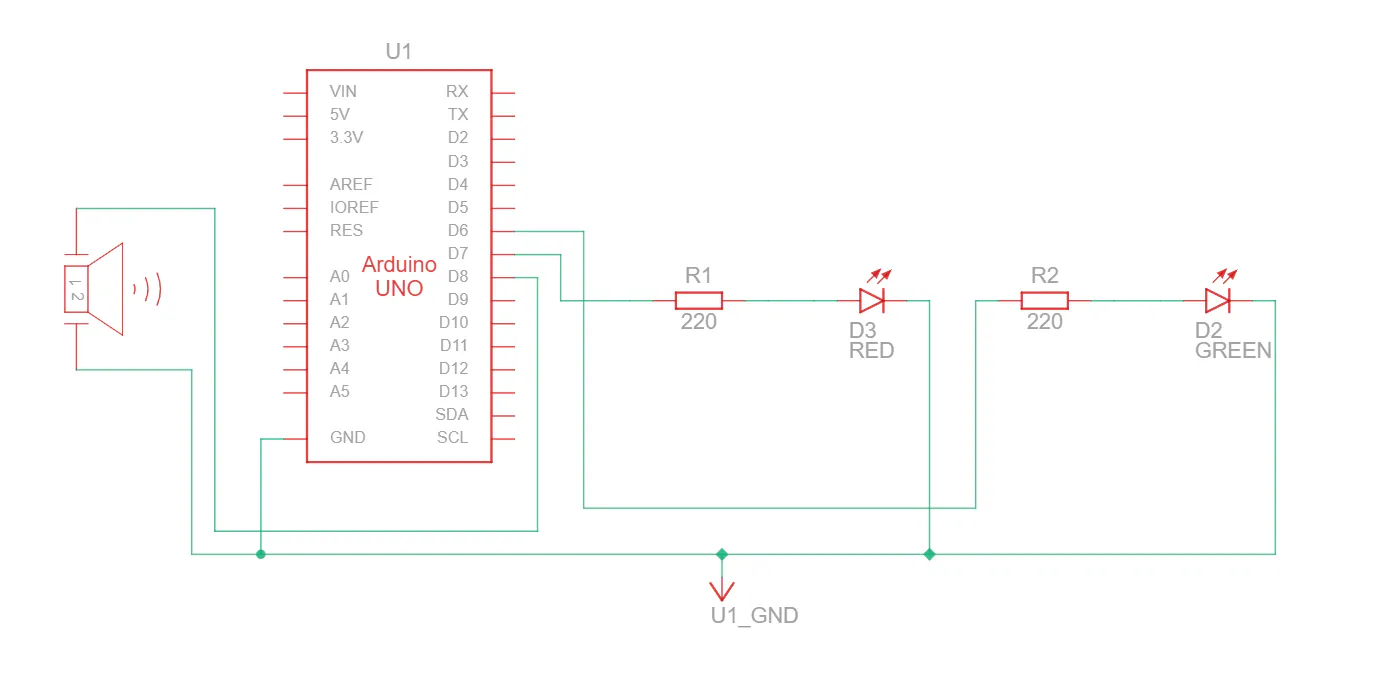
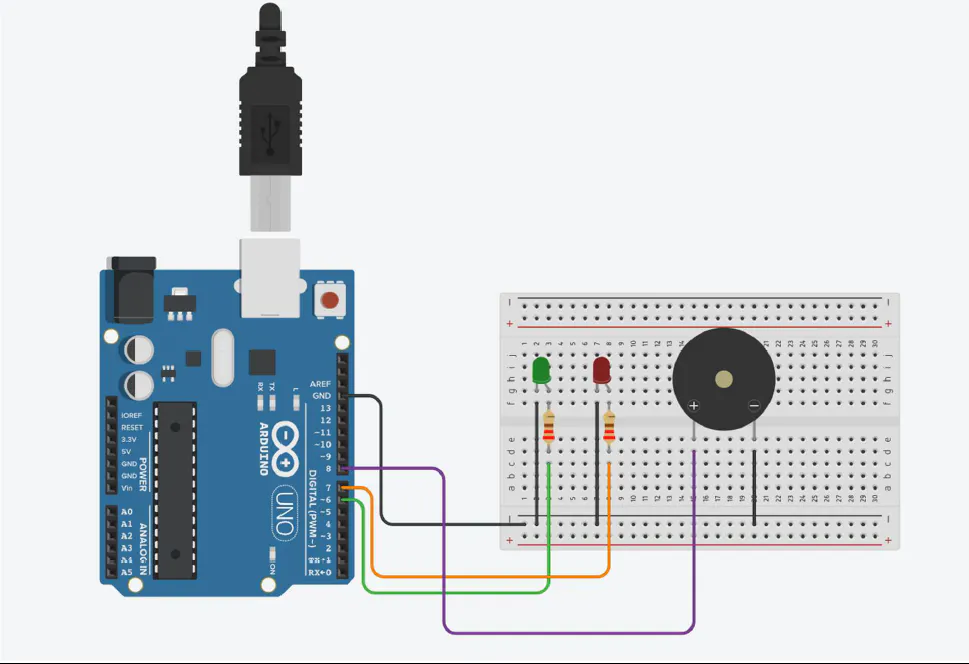
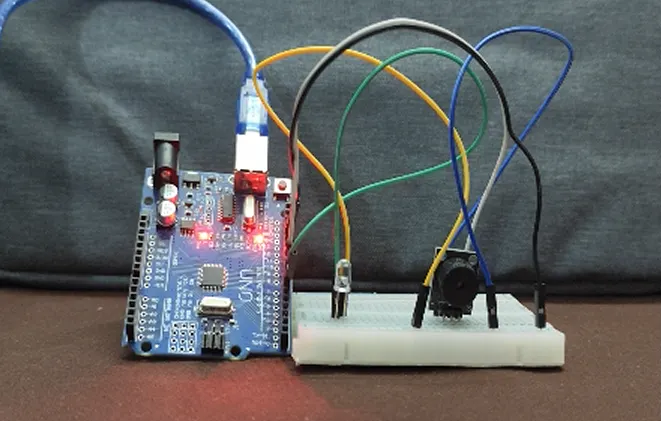
- The Arduino activates a buzzer and red LED as an alert.
- When the driver’s eyes are open and alert, a green LED remains ON.
This entire process runs continuously and responds in real time.






Comments