


Demo video
Photos
Prebuilt MicroSD Card Image
About
For full step-by-step instructions, please visit my page: http://icculus.org/~hendersa/android
Android::Introduction()
The BeagleBone Black hardware platform is well suited to acting as a prototying platform and learning tool for exploring the Android OS. The Rowboat project currently has support for building Android for the BBB, but there is a problem: Rowboat builds Android for a 3.2 Linux kernel, and the BBB uses a 3.8 Linux kernel. This means that the following limitations are present in the Rowboat build:
- There is no Device Tree support, which allows BBB users to configure the multiplexing of pins for GPIO and Capebus boards.
- Audio and video output must go through external cape boards, rather than the built in HDMI "cape" that is built into the BBB itself.
- Any patches to the 3.8 Linux kernel tree must be retrofitted for the 3.2 kernel, which is a lot of work.
After a lot of research and tinkering, I've managed to build Android with a 3.8 Linux kernel. This page will give an overview of the process and (hopefully) help you in creating your own Android builds for the BBB.
Android::Overview()
Before we get started, you might like to try a pre-built image of Android for the BBB that I have already made. You can download it here (about 700 MB in size), decompress it with bunzip2, and dd it onto a microSD card of at least 4 GB in size. Put the microSD card into your BBB, power it on, and Android will boot and come up. Use a USB mouse (and a USB keyboard, too, if you'd like) connected to the BBB's host USB port to interact with the system. Audio and video will be sent over the HDMI connection.
The CircuitCo wiki has step-by-step instructions for installing this pre-built image. The first boot of your Android system using the image will take about three minutes, since there is some "first time" system setup that takes place. On subsequent boots, it will only take about a minute before you are up and running.
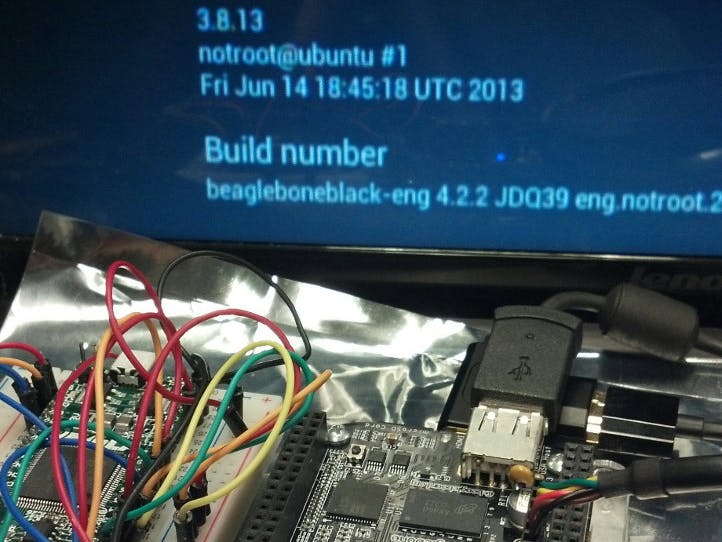
Android 4.2.2 (Jellybean) running on the BBB with a 3.8.13 kernel
Building Android will involve the following steps:
- Setup the build environment for your system for building Android.
- Fetch the Android source.
- Fetch and build the 3.8 Linux kernel, along with the necessary patches.
- Fetch and build the U-Boot bootloader source.
- Build the Android rootfs.
- Copy everything to a microSD card.
- Configure your Android system properly for the BBB.


Comments