#include <SD.h>
#include <Wire.h>

int16_t accelerometer_x, accelerometer_y, accelerometer_z;
int16_t gyro_x, gyro_y, gyro_z;

void setup() {
  Serial.begin(9600);
  Wire.begin();
  Wire.beginTransmission(MPU_ADDRESS);
  Wire.write(0x6B);
  Wire.write(0);
  Wire.endTransmission(true);
  if (SD.begin(4)) {}
  else if (!SD.begin(4)) {
    Serial.println("ESD:404");
    return;
  }
}

void loop() {
  Wire.beginTransmission(MPU_ADDRESS);
  Wire.write(0x3B);
  Wire.endTransmission(false);
  Wire.requestFrom(MPU_ADDR, 7 * 2, true);
  accelerometer_x = Wire.read() << 8 | Wire.read();
  accelerometer_y = Wire.read() << 8 | Wire.read();
  accelerometer_z = Wire.read() << 8 | Wire.read();
  temperature = Wire.read() << 8 | Wire.read();
  gyro_x = Wire.read() << 8 | Wire.read();
  gyro_y = Wire.read() << 8 | Wire.read();
  gyro_z = Wire.read() << 8 | Wire.read();
  Serial.println("BOOT1");
  if(Serial.available() > 0){
    for(int i =0;i < Serial.available();i++){
      buffer += Serial.read();
    }
    if(buffer == "X"){
      buffer = ""
      Serial.println(analogRead(A0));
    }else if(buffer == "Y"){
      buffer = ""
      Serial.println(analogRead(A1));
    }
  }
}




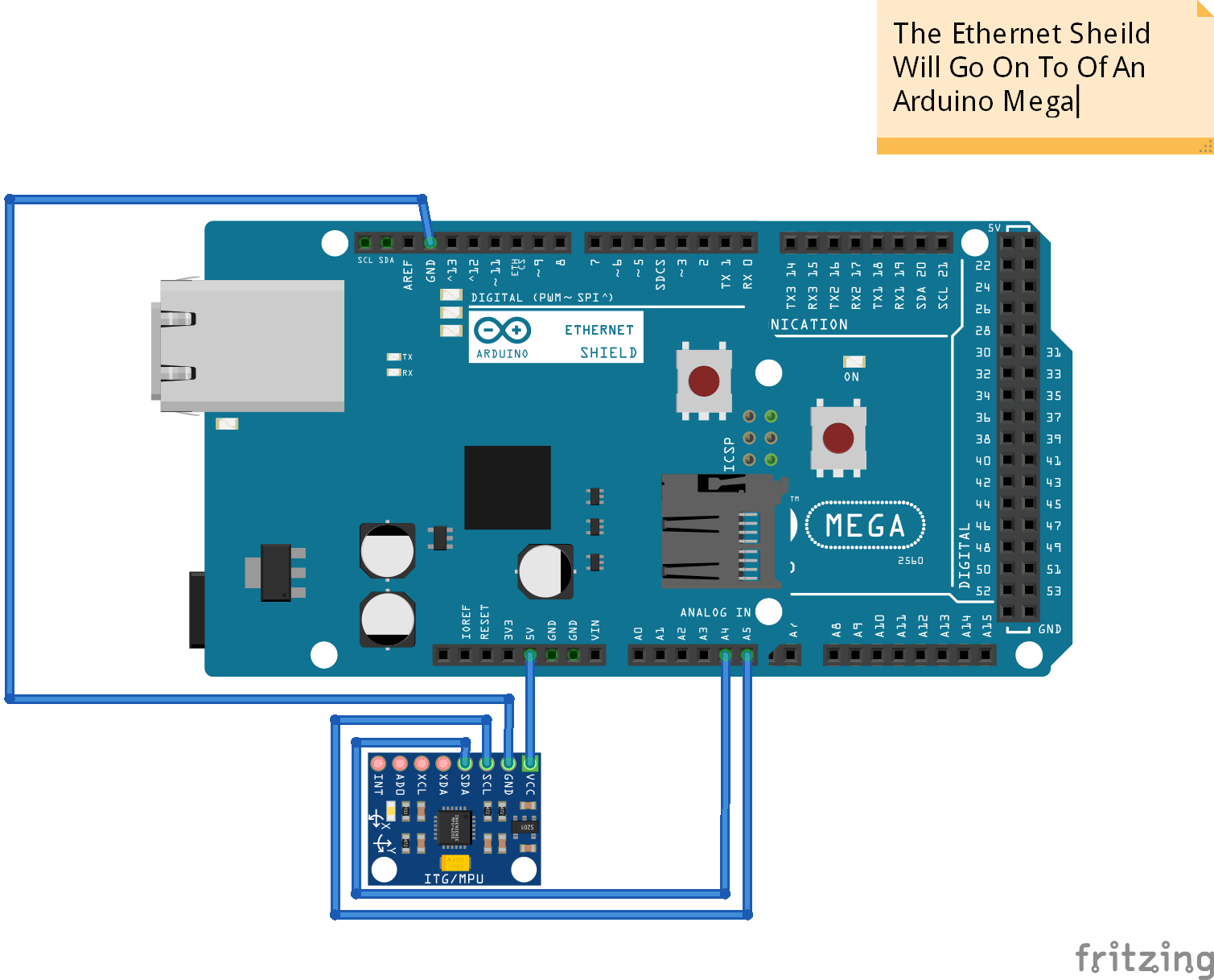
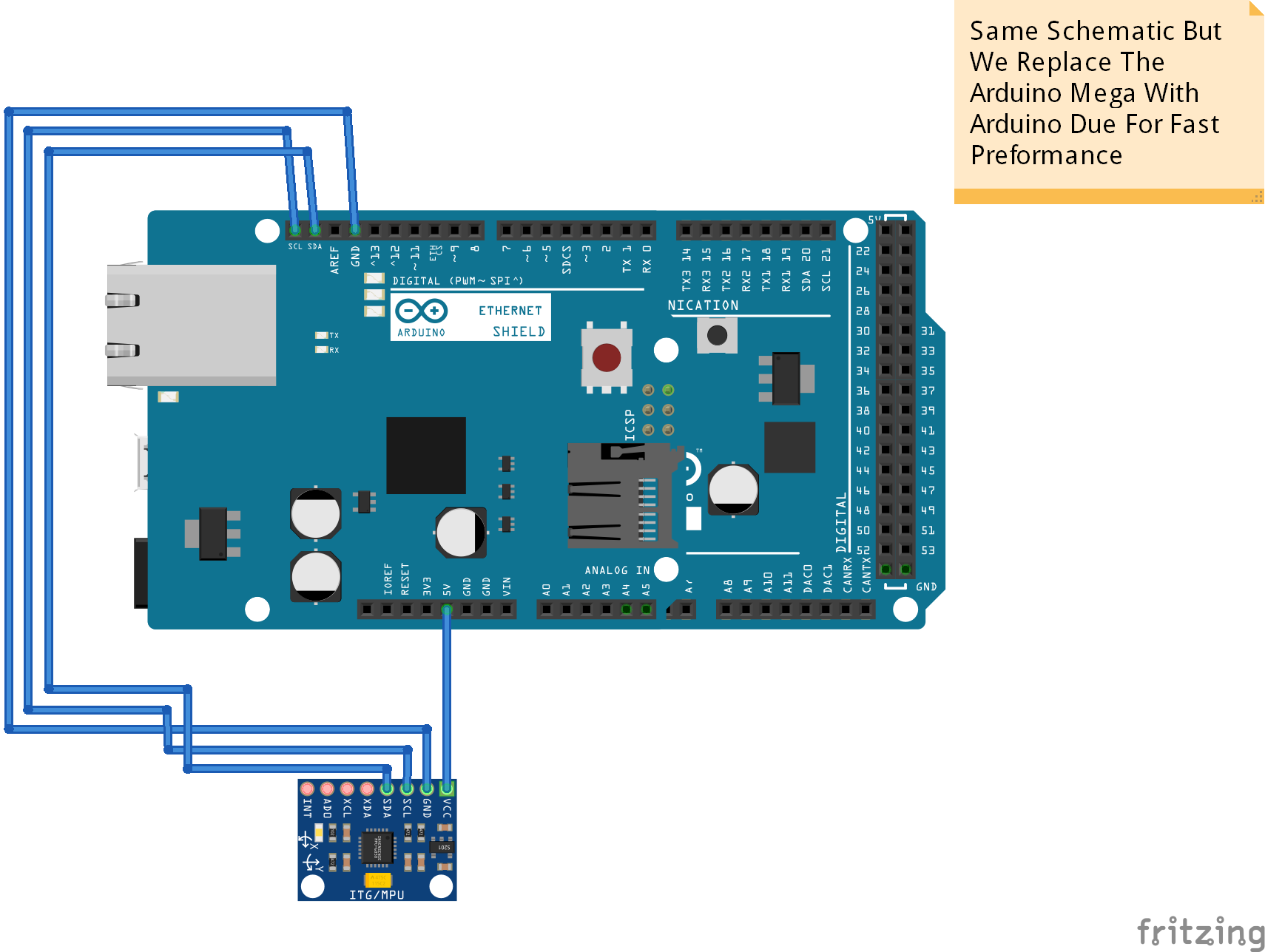



Comments