MotivationIt is hard for me to always find the fan remote and adjust the fan speed. The remote is missing every time I need it. The only thing that stays with me almost always is my smartphone. So if I could adjust the speed of my fan with my smartphone, this problem would be solved. This was the motivation behind this project.
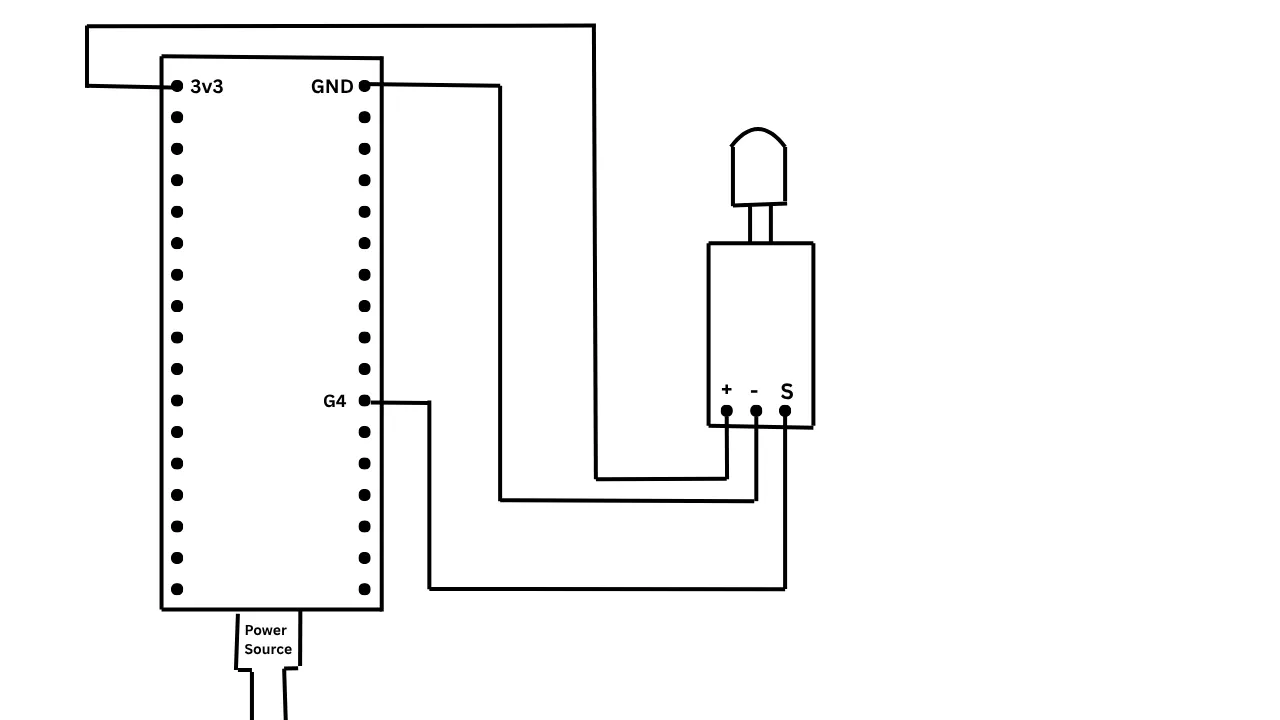
OverviewThis project allows you to control IR-based devices (like a fan) via a web interface using an ESP32 or through the Serial Monitor with an Arduino UNO. In simple terms, it helps make your IR devices smart.
The project consists of three main files:
- IR Signal Properties Detector - Used to detect the IR protocol and hexadecimal codes from your existing remote.
- Smart IR Web UI Using The ESPUI Library - A web-based interface using the ESPUI library that lets you control your device using buttons. You can modify the IR hex codes in this file to match your device.
- Controlling IR Device using Arduino UNO - Demonstrates controlling a Luker fan using an Arduino UNO via the Serial Monitor. This is included since most Arduino UNO boards do not have built-in WiFi or Bluetooth like the ESP32.
Components- ESP32
- Arduino UNO
- HW-489 IR Transmitter
- IR Receiver Module (you can also use an IR sensor if you correctly adjust the sensitivity.)
Libraries- IRremoteESP8266
- IRsend
- WiFi
- ESPUI
- IRremote
- IRrecv
- IRutils
Notes- You can customize the IR hex codes in the Smart IR UI file to work with any IR-based device.
- This project was built to make a web UI for a Luker IR fan, but it can be adapted for TVs, ACs, and other IR devices.
Medium Article of this project




_ztBMuBhMHo.jpg?auto=compress%2Cformat&w=48&h=48&fit=fill&bg=ffffff)



Comments