BEASTIDREES62greatscott
Published

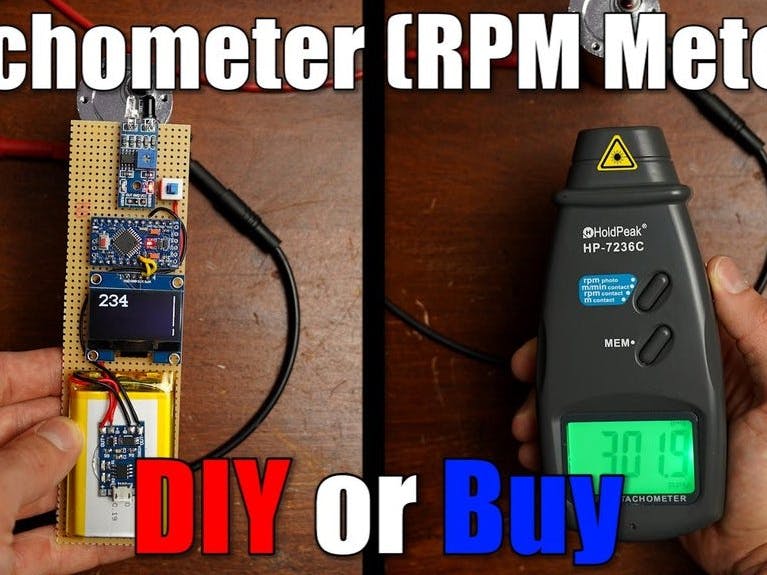
DIY Tachometer (RPM Meter)

In this project, I will show you how we can use a 3€ IR distance sensor to build a proper DIY tachometer that functions properly.

IntermediateFull instructions provided35,048
DIY Tachometer (RPM Meter)

Things used in this project

Hardware components

Arduino Pro Mini 328 - 3.3V/8MHz
SparkFun Arduino Pro Mini 328 - 3.3V/8MHz
×1
Graphic OLED, 128 x 64
×1
IR Distance Sensor
×1
TP4056 Lithium Battery Charger Module
×1
Li-Ion Battery 1000mAh
×1
Slide Switch
Slide Switch
×1

Hand tools and fabrication machines

Soldering iron (generic)

Story

Read more

Schematics

Schematics

CODE:

Code

CODE:

C/C++
#include <Arduino.h>
#include <U8x8lib.h>
#include <SPI.h>
#include <Wire.h>
U8X8_SSD1306_128X64_NONAME_HW_I2C u8x8(/* reset=*/ U8X8_PIN_NONE);
unsigned long rpmtime;
float rpmfloat;
unsigned int rpm;
bool tooslow = 1;

void setup() {
  u8x8.begin();
  u8x8.setFont(u8x8_font_profont29_2x3_f);
  TCCR1A = 0;
  TCCR1B = 0;
  TCCR1B |= (1 << CS12); //Prescaler 256
  TIMSK1 |= (1 << TOIE1); //enable timer overflow
  pinMode(2, INPUT);
  attachInterrupt(0, RPM, FALLING);
}

ISR(TIMER1_OVF_vect) {
  tooslow = 1;
}

void loop() {
  delay(1000);
  if (tooslow == 1) {
    u8x8.clear();
    u8x8.drawString(1, 0, "SLOW!");
  }
  else {
    rpmfloat = 120 / (rpmtime/ 31250.00);
    rpm = round(rpmfloat);
    u8x8.clear();
    u8x8.setCursor(1,0);
    u8x8.print(rpm);
  }
}

void RPM () {
  rpmtime = TCNT1;
  TCNT1 = 0;
  tooslow = 0;
}

Credits

GreatScottLab

Posted by BEASTIDREES62

Comments