


Software apps and online services | ||||||
 |
| |||||
## Why I built this
I wanted a circuit simulator I could open in a browser tab and start building immediately — no install, no account wall, no desktop software from 2009. Most free options are either flat 2D schematic tools (great for accuracy, rough on beginners) or heavily gated freemium products.
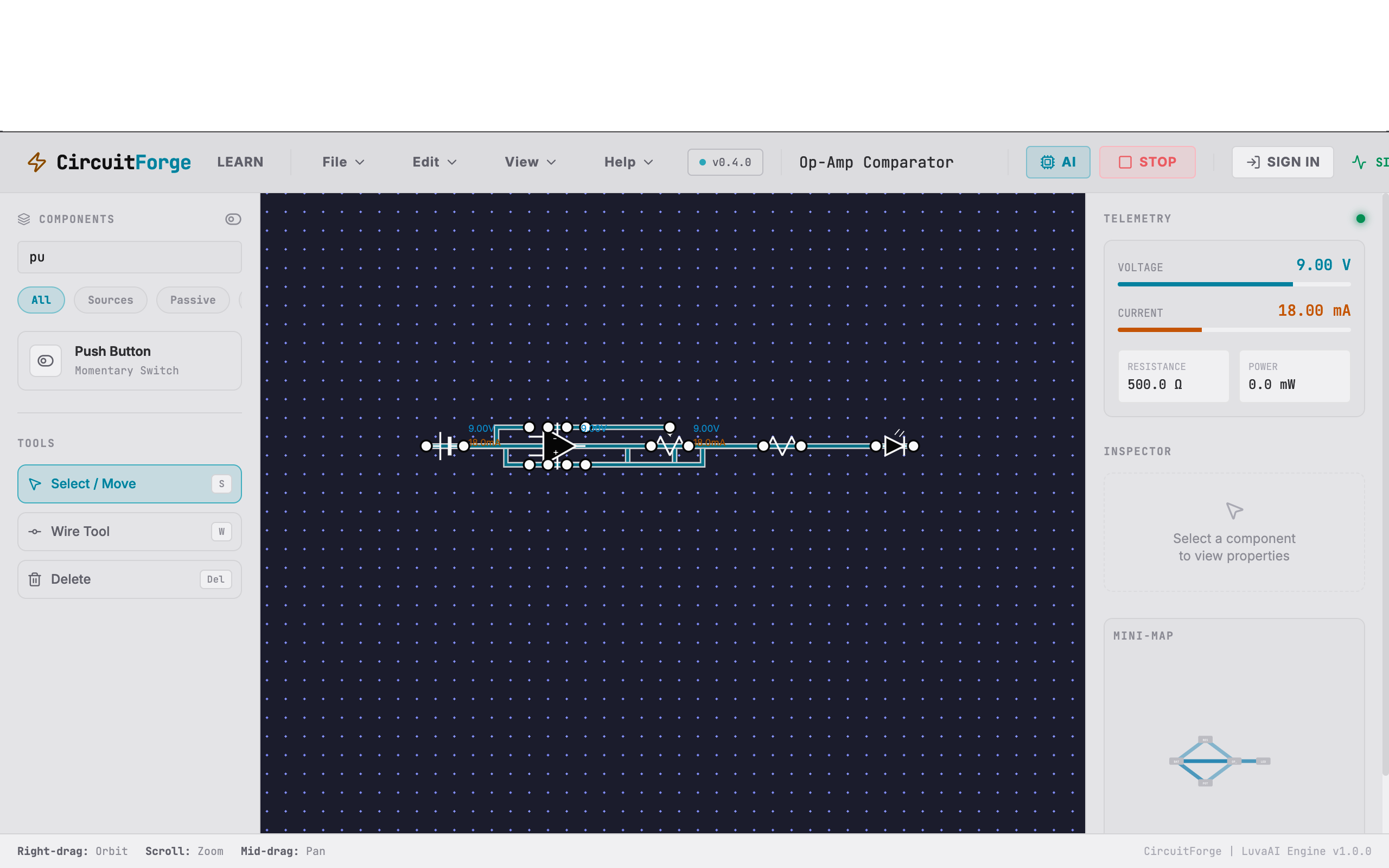
So I built CircuitForge: a 3D breadboard-style workspace where you place real components, wire them up visually, and simulate DC circuit behavior in real time.
## What it does
- Full 3D workspace — orbit, zoom, and place components like you're looking at a real breadboard
- Wire components together and run live simulation
- A real Modified Nodal Analysis (MNA) solver computes exact node voltages and branch currents — the same underlying technique professional SPICE tools use, not an animation or approximation
- Components include resistors, LEDs, batteries, switches, capacitors, inductors, diodes, and transistors
- An AI assistant (powered by Gemini 3.6 Flash) that looks at your circuit state and helps explain why something isn't working
- Save and share circuits with Google sign-in
## How it's built
**Frontend:** React 19, TypeScript, and Vite. Three.js handles the 3D canvas, camera controls, and raycasting for placing and selecting components. State is managed with Zustand — Redux felt like overkill for this scale of app.
**Backend:** Express hosted on Render, proxying Gemini 3.6 Flash so the API key never touches the client. Firebase handles Google auth and Firestore stores saved circuit designs.
**SEO/Crawling:** I wrote a build-time pre-renderer (`scripts/prerender.tsx`) so tutorial pages generate real static HTML instead of shipping a blank SPA shell to search crawlers.
## What it can't do (yet)
To be upfront: this is not a SPICE-level simulator. It handles DC steady-state analysis well, but it doesn't do full transient or AC frequency-domain analysis the way LTspice or ngspice do. The component library is still growing — every new part needs a custom 3D model and wired-up connection points, which takes time solo. Touch controls for wiring on mobile are also still rough.
## Try it
It's live and free at luvaai.in — no signup needed to start building. If you're into 3D web rendering, circuit simulation, or just want to poke holes in the wire-routing UX, I'd genuinely like the feedback.


Comments