



Hardware components | ||||||
 |
| × | 1 | |||
 |
| × | 1 | |||
| × | 1 | ||||
 |
| × | 1 | |||
 |
| × | 1 | |||
| × | 1 | ||||
Software apps and online services | ||||||
 |
| |||||
Like any parent of a toddler, I have a two-year-old who is endlessly curious about everything. To help satisfy that curiosity in a healthy, screen-free way, I wanted to create an AI-powered device that could act as a personal tutor, explaining the world on his terms.
The project, which I call "The Curious Frame, " had to meet a few key requirements to be successful for a child between two and seven years old:
- No Screen: To avoid the negative effects of screen time on young children. All feedback had to be vocal.
- Simple Input: Since a young child's speech is still developing and they can't read, the input method needed to be visual and intuitive.
- Portable & Offline: It had to be usable anywhere, from the living room to the backyard, without relying on a Wi-Fi connection.
- Multilingual: It needed to speak our family's language (French) but also be adaptable.
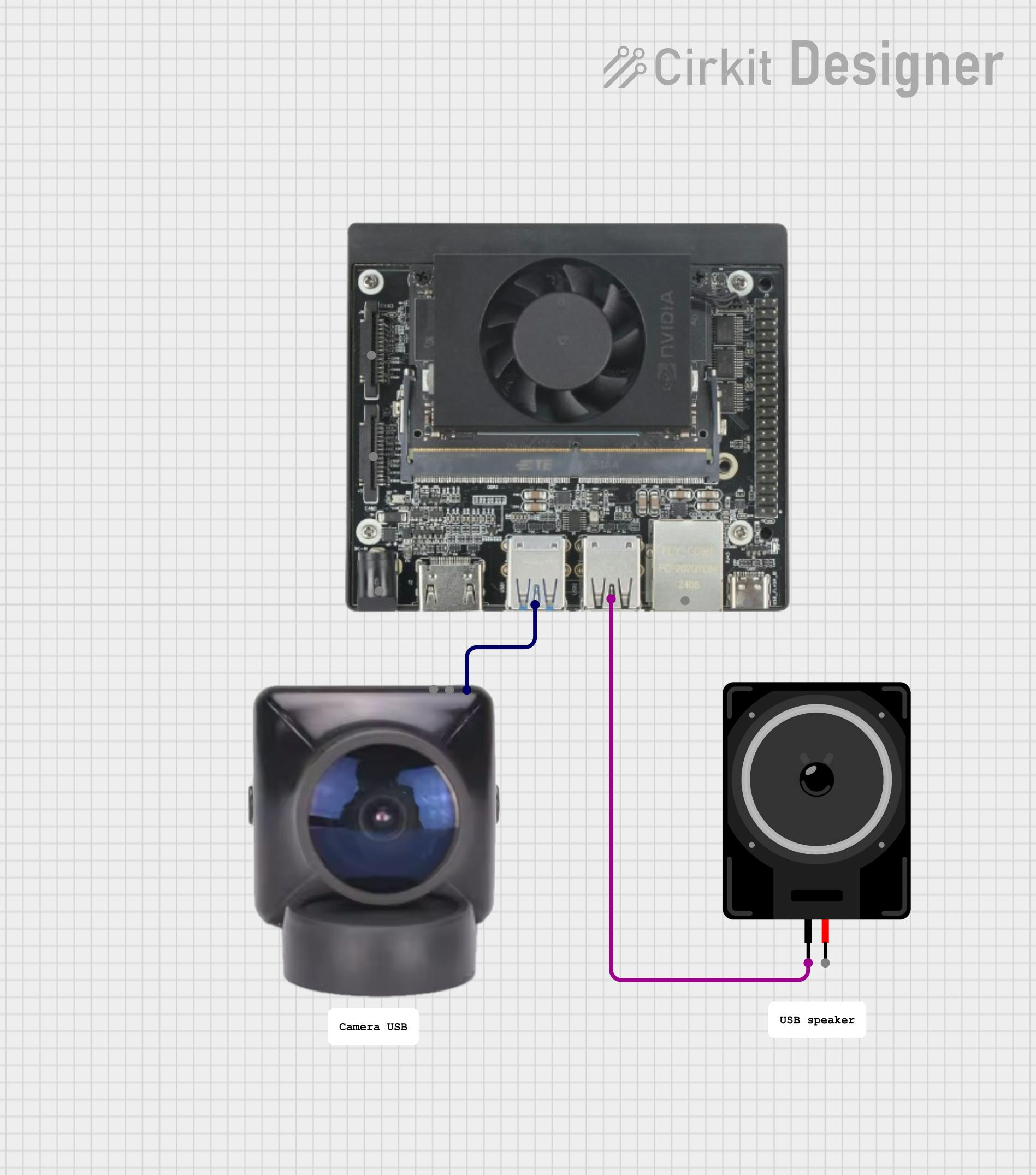
The solution is a handheld cardboard frame that the child points at an object. A camera, connected to a powerful single-board computer, analyzes what's in the frame, and a speaker provides a simple explanation.
To achieve this, I chose the NVIDIA Jetson Orin Nano for its offline AI processing power in a small form factor. For the "brains, " Google's Gemma3n model was the perfect choice. It's efficient enough to run on the Nano, it can handle translation tasks for providing French output, and it has been evaluated for child safety.
The final piece of the puzzle was the interaction. Instead of complex voice commands, the child simply "frames" an object of interest. As a bonus feature, I added a small, foldable French flag to the frame. When the camera sees the flag, the device switches its language from English to French, turning it into a fun language-learning tool.
This project was a journey of problem-solving, particularly in getting powerful AI models to run smoothly on a compact, offline device. I'm proud of the working prototype and excited to share how you can build one, too.
SchematicsThe system architecture is composed of three main software services running on the Jetson Orin Nano, orchestrated by a central Python application.
Sequence of Operations:
The main application loop follows these steps:
1. Capture Image: The curious_frame Python application captures a snapshot from the USB camera using OpenCV.
2. Detect Objects: The raw image is sent to the moondream2 model to find objects within the cardboard frame's view. (Note: I used moondream2 for this step because I was unable to create a quantized Gemma3n model that supported image prompts and fit on the Nano's memory alongside the other services).
3. Check for Language Flag: The application checks if a French flag is among the detected objects. If so, it sets the output language to French.
4. Generate Description: For the first two objects found, the application asks the gemma-3n model (running in Ollama) to describe the objects and their use.
5. Translate (if needed): If the language is set to French, the English description is passed back to gemma-3n with a translation prompt.
6. Synthesize Speech: The final text description is sent to the Piper TTS server, which converts it into a WAV audio file.
7. Play Audio: The application plays the generated WAV file on the USB speaker.
8. Loop/Timeout: The process repeats. If no new objects are detected for 10 minutes, the application stops.
Assembling the ProjectStep 1: Building the Frame
The frame is the primary interface for the child. It helps guide the camera's focus.
1. Cut the Cardboard: Using the dimensions below, cut out the main frame from a piece of cardboard. You can adjust these dimensions to fit your materials as the software will adapt.
2. Print and Attach the Flag: Print the French flag image provided in the project's GitHub repository. Glue it to a foldable tab on the frame so it can be hidden or shown to the camera at will.
Step 2: Setting up the Jetson Nano Orin
1. Flash JetPack: Follow the official NVIDIA tutorial to flash JetPack 6.2.1 onto your microSD card and boot the Jetson Nano Orin for the first time.
2. Mount NVMe SSD: Install the NVMe SSD onto the board. Once the system is running, format and mount the SSD. Configure Docker to use the SSD for its data directory to save space on the microSD card.
3. Optimize RAM: The 8GB of RAM on the board is a key constraint. To manage it, create and activate a SWAP file on the fast NVMe SSD. Additionally, disable the desktop GUI to free up several hundred megabytes of RAM. See more tips there.
# To turn off the desktop GUI
sudo systemctl set-default multi-user.target
# To re-enable it if needed
# sudo systemctl set-default graphical.target
Step 3: Setting up the USB Camera
For this prototype, I converted a Raspberry Pi Camera v2 into a standard USB Webcam (UVC) using a Raspberry Pi Zero. This is a project in itself, and you can follow that excellent online tutorial to achieve this. Alternatively, any standard UVC-compatible USB webcam will work.
CodeThe complete code, including Dockerfiles and setup scripts, is available in the project's GitHub repository.
Installation and Deployment
To make reproducibility as simple as possible, I have created a setup script that automates the entire software installation.
1. Clone the Repository:
git clone https://github.com/webscit/curious-frame.git
cd curious-frame
2. Run the Setup Script:
sudo ./setup.shThis script will:
- Install Ollama on the Jetson board.
- Build the Docker containers for the Piper TTS server and the main
curious_frameapplication. - Set up a
systemdservice to automatically start the application on boot.
3. Reboot: Once the script is finished, reboot the Jetson board. The Curious Frame application will start automatically.
Key Code Snippet
The core logic is in the src/curious_frame/main.py file. Here is a simplified look at the main loop:
# (Simplified for clarity)
from curious_frame.audio import Audio
from curious_frame.camera import Camera
from curious_frame.language import Language
from curious_frame.vision import Vision

def main_loop():
    camera = Camera()
    vlm = Vision()
    llm = Language()
    tts = Audio(
        language_model=llm
    )
    language = "en"  # English
    while True:
        frame = camera.get_frame()
        objects = vlm.find_objects(frame)
        if "french flag" in objects:
            language = "fr"  # French
        else:
            language = "en"

        if objects:
            description = llm.chat(", ".join(objects))

            # `audio.speak` will translate the description if needed
            # It will also take care of playing the sound.
            audio.speak(description, language)
This snippet shows the orchestration: capturing an image, detecting objects, setting the language, generating the description, and finally converting it to speech after translating it optionally.
Final Thoughts and Next StepsI am thrilled that this prototype successfully fulfills the initial vision. The biggest challenges were entirely performance-related: first, finding a way to get good object detection from the camera feed, and second, squeezing the various AI models and services onto the Jetson Nano's 8GB of RAM. The switch from a single-model (Gemma3n with vision) to a dual-model approach (moondream2 + Gemma3n) was the key breakthrough.
With more time, I would focus on two main improvements:
1. Consolidate to a single Gemma3n model: As more efficient, quantized vision-capable models become available, I would love to simplify the architecture back to using only Gemma3n.
2. Add "Action Cards": I imagine creating other cards the child could attach to the frame, with symbols that trigger different requests. For example, a "storybook" card could ask the LLM to generate a short story based on the objects in the frame, or a "gears" card could ask how the object is made.
This project was incredibly rewarding. If you find it interesting, please feel free to raise an issue or pull request on GitHub. Let's join forces and make it even better.


Comments