#include <ESP8266WiFi.h>

WiFiClient client;

String MakerIFTTT_Key ;
String MakerIFTTT_Event;
char *append_str(char *here, String s) {  int i=0; while (*here++ = s[i]){i++;};return here-1;}
char *append_ul(char *here, unsigned long u) { char buf[20]; return append_str(here, ultoa(u, buf, 10));}
char post_rqst[256];char *p;char *content_length_here;char *json_start;int compi;

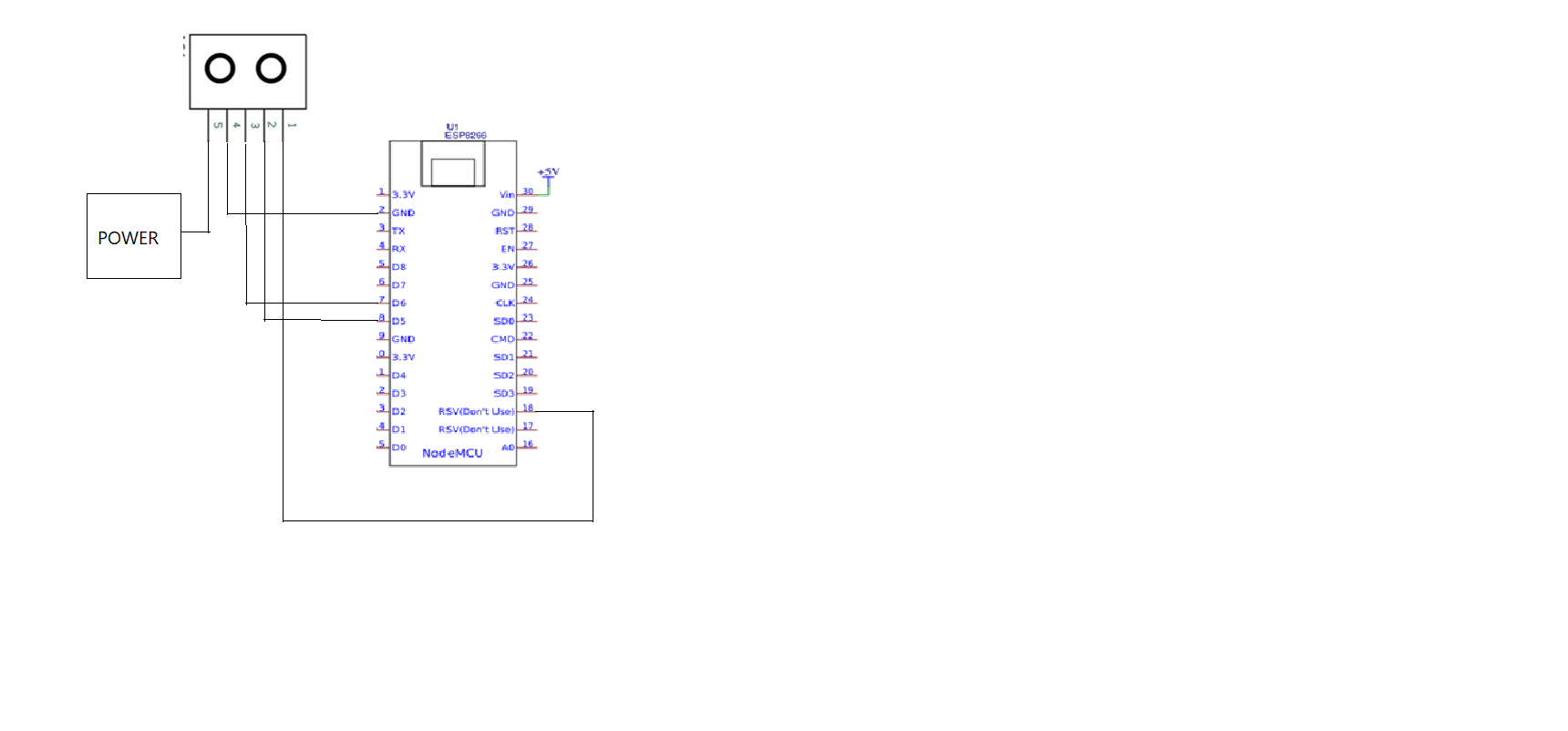
const int trigPin = 2;  //D4
const int echoPin = 0;  //D3
const int ledred = 14;  //D5
const int ledgreen = 12;  //D6
const int ledblue = 13;  //D7

// defines variables
long duration;
int distance;


void setup()
{
pinMode(trigPin, OUTPUT); // Sets the trigPin as an Output
pinMode(echoPin, INPUT); // Sets the echoPin as an Input
Serial.begin(9600); // Starts the serial communication
pinMode(ledred, OUTPUT);
pinMode(ledgreen, OUTPUT);
pinMode(ledblue, OUTPUT);
}


void loop()
{
digitalWrite(ledblue , LOW);
digitalWrite(ledgreen , LOW);
digitalWrite(ledred , LOW);
digitalWrite(trigPin, LOW);
delayMicroseconds(2);

// Sets the trigPin on HIGH state for 10 micro seconds
digitalWrite(trigPin, HIGH);
delayMicroseconds(10);
digitalWrite(trigPin, LOW);

// Reads the echoPin, returns the sound wave travel time in microseconds
duration = pulseIn(echoPin, HIGH);

// Calculating the distance
distance= duration*0.034/2;
// Prints the distance on the Serial Monitor
Serial.print("Distance: ");
Serial.println(distance);
delay(2000);

if(distance<40){
  digitalWrite(ledblue , HIGH);
  delay(1000);

}
if(distance<25){
  digitalWrite(ledgreen , HIGH);
  delay(1000);

}
if(distance<15){
  digitalWrite(ledred , HIGH);
  delay(1000);

WiFi.disconnect();
  delay(3000);
  Serial.println("START");
   WiFi.begin("flood","flood123");
  while ((!(WiFi.status() == WL_CONNECTED))){
    delay(300);
    Serial.print("..");

  }
  Serial.println("Connected");
  Serial.println("Your IP is");
  Serial.println((WiFi.localIP().toString()));
  if (client.connect("maker.ifttt.com",80)) {
    MakerIFTTT_Key ="jpfhqnUuTJfyLRYLltvb3EHr5PZhmxfdhWjz9fev1Rs";
    MakerIFTTT_Event ="sms";
    p = post_rqst;
    p = append_str(p, "POST /trigger/");
    p = append_str(p, MakerIFTTT_Event);
    p = append_str(p, "/with/key/");
    p = append_str(p, MakerIFTTT_Key);
    p = append_str(p, " HTTP/1.1\r\n");
    p = append_str(p, "Host: maker.ifttt.com\r\n");
    p = append_str(p, "Content-Type: application/json\r\n");
    p = append_str(p, "Content-Length: ");
    content_length_here = p;
    p = append_str(p, "NN\r\n");
    p = append_str(p, "\r\n");
    json_start = p;
    p = append_str(p, "{\"value1\":\"");
    p = append_str(p, "919619272445");
    p = append_str(p, "\",\"value2\":\"");
    p = append_str(p, "A flood has been forcasted");
    p = append_str(p, "\",\"value3\":\"");
    p = append_str(p, "");
    p = append_str(p, "\"}");

    compi= strlen(json_start);
    content_length_here[0] = '0' + (compi/10);
    content_length_here[1] = '0' + (compi%10);
    client.print(post_rqst);

  }


}
else{
  Serial.print("Distance: ");
Serial.println(distance);
}
}






Comments