




Hardware components | ||||||
 |
| × | 1 | |||
 |
| × | 1 | |||
| × | 1 | ||||
Software apps and online services | ||||||
 |
| |||||
I have a growing collection of microcontrollers and sensors. I recently rediscovered a gesture sensor that I was going to use for a serious hands free project. The project never really took off. I decided that I should learn how to use the sensor and have some fun at the same time.
The ProjectHere's a short video showing the project working:
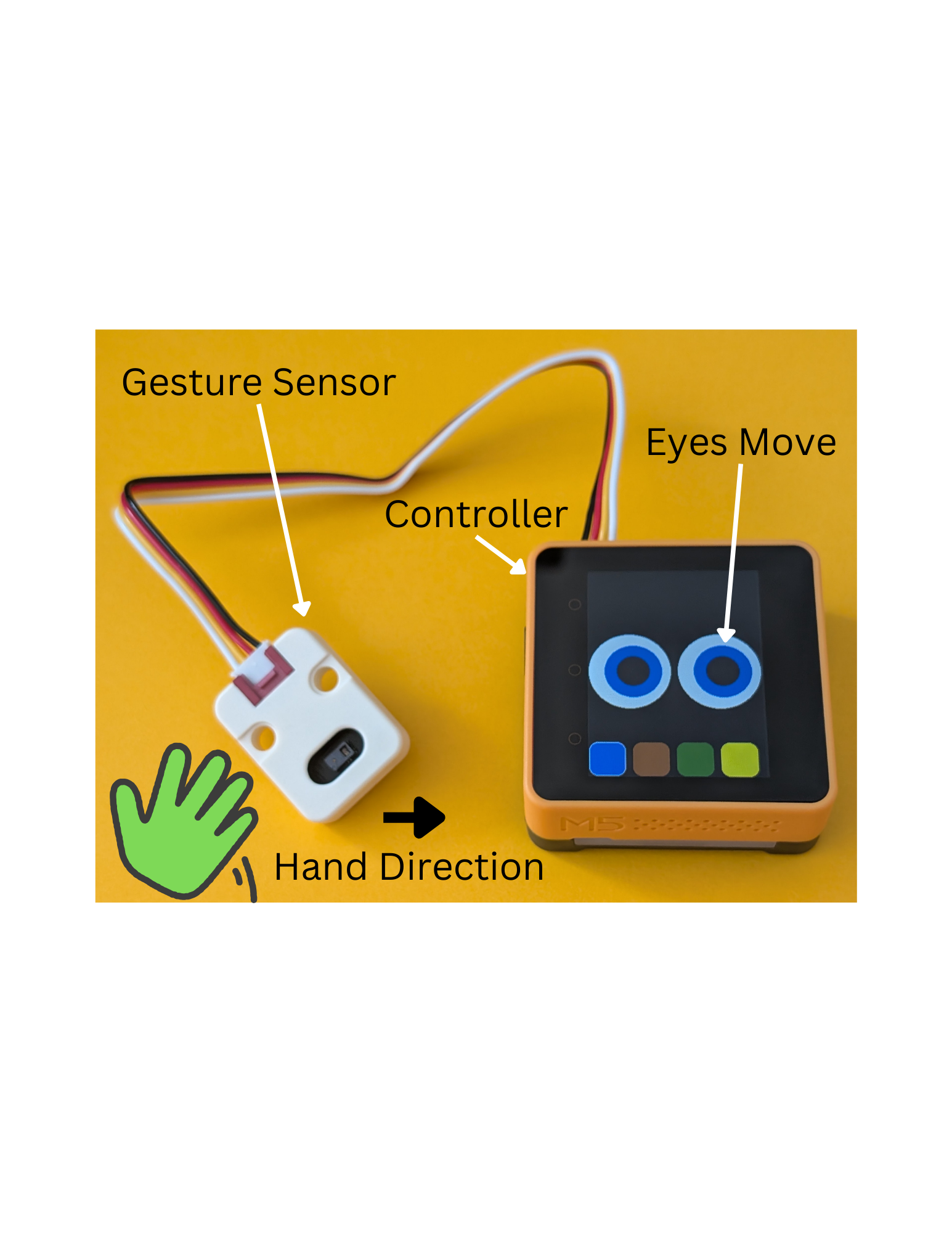
These are the components:
M5Stack have a good range of microcontrollers and sensors. They have a high level of integration, with (pretty much) all microcontrollers and sensors using the Grove interface. This is a 4-pin interface and the cables can only be plugged in one way. Seeed Studio (https://wiki.seeedstudio.com/Grove_Sensor_Intro/) also have a selection of Grove based sensors, but you need to be careful about the interface communication type (I2C, UART or GPIO) and the voltage the sensor uses. The M5Stack sensors are more plug and play.
Here's a closer look at the sensor:
The front has some basic information like the name and pin-out of the sensor. Here's the back, which contains the actual sensor:
When the microcontroller is powered on, an Arduino Sketch is executed:
The touch screen can be used to select an eye color. The iris and pupil will follow gesture inputs from the sensor.
The sensor can provide up, down, left and right, which makes the eyes look in that direction.
There are also front and back gestures which change the size of the eyes. There are three different eye sizes - small, medium and large (shown).
The eyes can also roll clockwise or anticlockwise (counterclockwise) based on that sensor input.
Here are some yellow eyes (why not?):
The eyes are just a black circle (pupil), drawn on a blue circle (iris), drawn on a white circle (eyeball):
The eyes are drawn in a sprite:
This allowed me to treat the eye components as one unit. The coordinates within the sprite are always 0..49 pixels, no matter where the sprite is displayed on the screen. Sprites also help to reduce screen flicker when graphical components are updated.
The eye roll effect was achieved by calculating points along a circle at 45 degree increments, This gave 6 X and Y positions where the iris and pupil could be redrawn:


Comments