


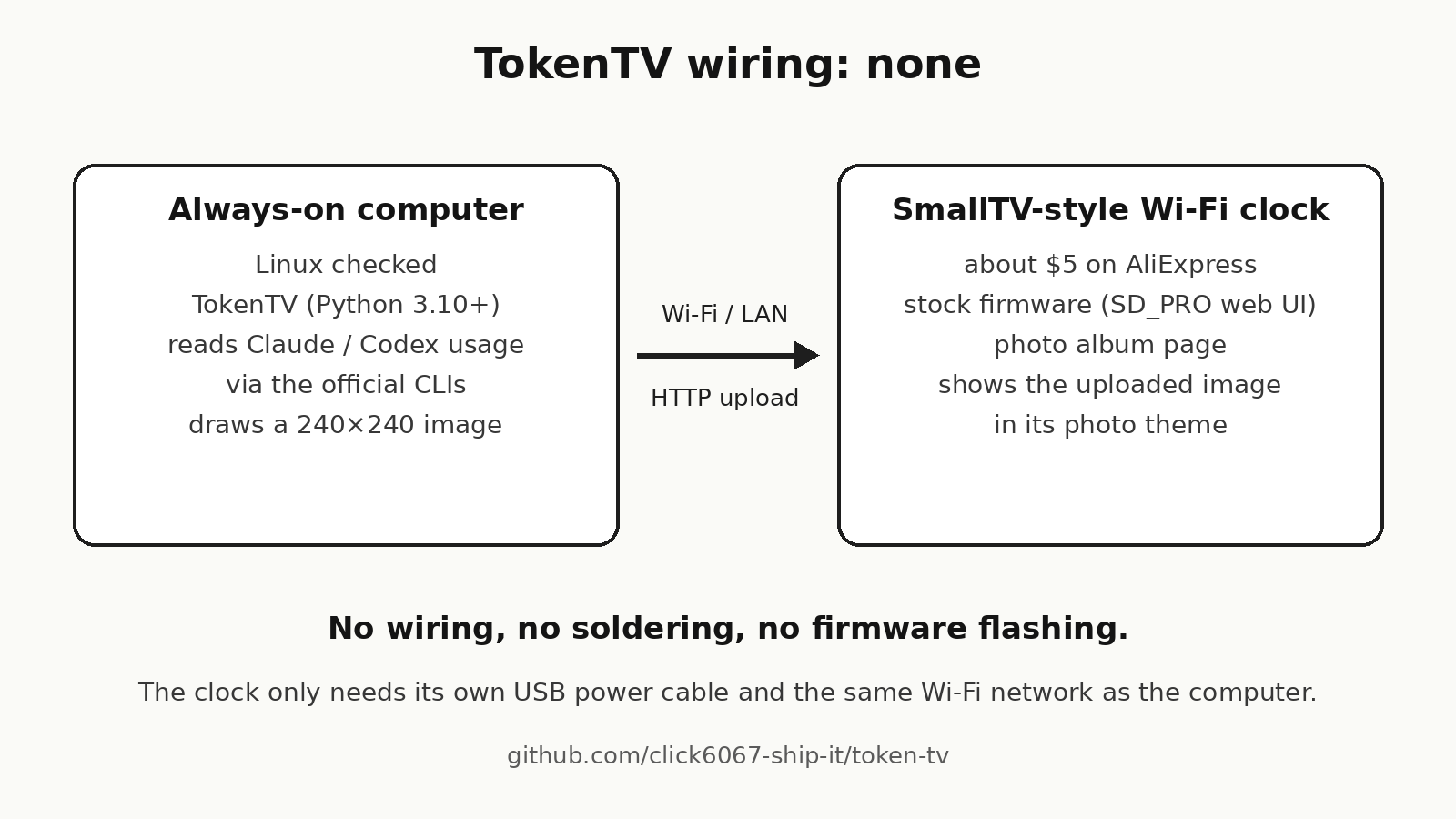
What you need: a SmallTV-style 240×240 Wi-Fi clock with the SD_PRO web UI (AliExpress, about $5), an always-on computer on the same network (Linux checked), TokenTV (Python 3.10+, MIT) and the official claude / codex CLIs.
Read moreThe clock's stock web UI has a photo album upload page, so TokenTV uses that instead of new firmware.
A computer that stays on reads usage for several Claude and Codex accounts, draws a 240×240 image, uploads it and switches the clock to its photo theme. To go back, stop TokenTV and run `token-tv run --restore-display`.
Checked on one unit with the SD_PRO web UI and a Linux host. Look-alike clocks can run different firmware, so open the clock's address in a browser and look for the photo album page first.
Steps: sign in to the official `claude` / `codex` CLIs → `pipx install git+ https://github.com/click6067-ship-it/token-tv ` → `token-tv demo` (no clock, no login) → `token-tv setup` (account emails and the clock address) → `token-tv run`.Six faces; each is one Python function, and the Game Boy-style example runs without a clock.
All six faces (sample data)
Demo https://token-tv.vercel.app · GitHub https://github.com/click6067-ship-it/token-tv


Comments