


Hardware components | ||||||
| × | 1 | ||||
 |
| × | 1 | |||
Software apps and online services | ||||||
| ||||||
A few months ago, DFRobot offered some Unihiker K10 models on its website. I'm a teacher, and after seeing its features, I immediately entered the contest and I received a board so I have used it in my classes.
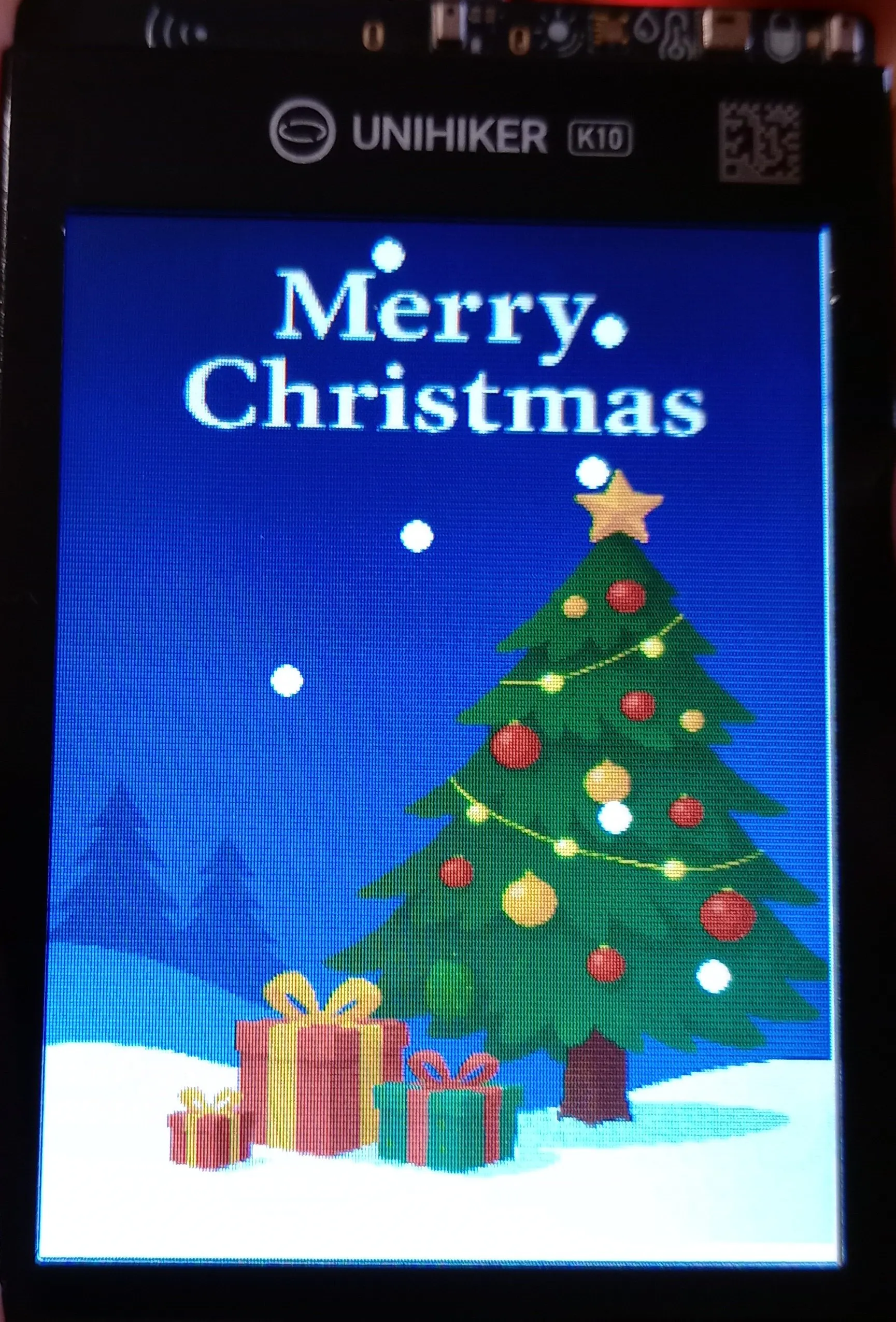
In this simple project, we'll create a DFRobot UNIHIKER K10 application in just a couple of hours in a secondary school classroom. After a brief presentation of the board in class and viewing the preloaded program, we looked for a possible application that could be created quickly and without additional components. Given the proximity of Christmas, we opted for a simple program that makes snow fall in front of an image inserted as a background.
The DFRobot UNIHIKER K10 board is truly versatile and affordable. It's easy to program and can be used by both inexperienced users just starting to experiment with programmable boards and by experts who can get the most out of this fabulous K10. Despite its small size, this board has a lot of hardware features and allows for the creation of even very complex applications.
This board features a powerful ESP32-S3 Xtensa LX7 MCU, 512KB of SRAM, 16MB Flash memory, WiFi and Bluetooth connectivity, a large 2.8-inch display with a resolution of 240x320, a 2MP camera, a microphone, a temperature sensor, a humidity sensor, a brightness sensor, an accelerometer, a speaker, and RGB LEDs.
The Unihiker K10 also has pre-installed AI models that can be used by the user for facial recognition, object recognition, voice command recognition, etc. using the board's integrated camera and microphone.
It is programmable using the Arduino IDE, Python, or DFRobot Mind+.
Since I plan to use this board for lab work at the secondary school where I teach, I decided to use Mind+, which allows for different programming modes, both scratch programming and programming using classic C code.
This makes this board suitable for both beginners in computer science using visual programming, students programming in C, and students working with Python and developing Artificial Intelligence applications.
I want to create a simple graphical application that makes a "snowfall" appear on an image loaded on the display. The goal is to familiarize myself and my class with the board and the challenges of image management. This project was developed in a series of steps, first simulating a snowflake falling vertically on the image. The second step was to study how to make the snowflake fall in a zigzag pattern, simulating a snowflake being carried left and right by the wind. Finally, we created a snowflake vector which achieved a very beautiful effect on the K10 display.
We started by using visual programming to load and display a background image, and then to display a snowflake (a white dot) and move it across the background.
We then tested the code produced, and to simulate the realistic falling snowflake, we used the code produced by Mind+ as a starting point for our final version, adding the snowflake's random movement and the ability to manage multiple snowflakes.
The project required no additional hardware beyond the Unihiker K10 board, allowing us to focus on studying the problem and developing a simple solution. All the work was done in class, interacting with the students and using a problem-solving approach to test the many proposed solutions, ultimately arriving at this simple implementation.
ConclusionThis project allowed us to test the impact of the Unihiker K10 board on a class of secondary school students. Everyone was impressed by the board's potential. The preloaded program provides a brief summary of its potential and versatility. The simple implementation of object, face, and voice recognition systems, along with the integrated microphone and camera, make it practically usable without the need for other external components.
Future DevelopmentsThe project is still under development by the students, who are developing additional ideas to enhance its functionality. A block could be added to trigger the snow effect only when I move the K10 (using the accelerometer), while other students have suggested adding Christmas music when the snowfall effect is triggered. In short, ours is still a work in progress.


Comments