


Brainstorming Ideas for a Companion App:
- Insoles or shoes with the ability to track and record speed, foot placement, weight on knees and steps taken while running.
- Finding public parking by having hardware on meters or in public parking spaces that indicates an empty parking space to a close by driver.
- House lights that detect the dark or can be set to turn on at a certain time by the user.
- Wireless headset for music that tracks fitness.
- Headset that recommends music based on desired hear rate.
- Water and water heating system that can be controlled remotely through an app.
- Headset that maps emotion based on brainwaves and recommends music for concentration or relaxation.
- Head band that tracks stress level through brainwaves, heart rate, and blood pressure.
- Collar for a pet to track their heart rate and fitness.
- Fans that turn on or adjust speed based on body heat or heat sensors.
- Wristband that tracks exactly how much work should be done for a warmup and signals the user when they are at that point.
- Microphone that listens and records a set of vocal notes to create music for a selected instrument.
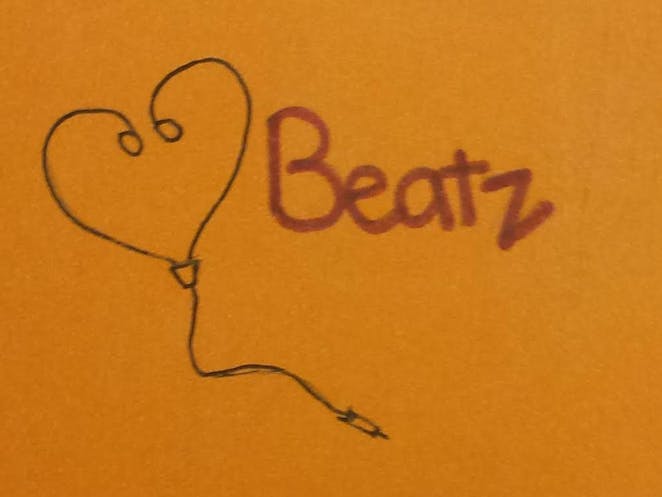
Wireless headset for music and fitness: Beatz
I chose the music and fitness tracking wireless headset (4 from above) because, after the interviews conducted last week, I felt that this was most useful and best suited for the target user group I talked to with one interviewee who was very much into both fitness and music.
Description of the Application:
Beatz is a mobile application that uses wireless headphones to play the music of your choice, selected from the songs downloaded by you on the companion app, while tracking your heart rate, miles covered, steps taken and calories burned per day. As the user you set the goals you want to reach for your workouts in each of these areas. After your workout, once the data is sent to your profile from the headphones, you can track your progress for each workout session. The data is based on a daily workout session rather than an accumulation of the work throughout the day.
One person I interviewed last week explained that she was very interested in fitness - she uses many other fitness and health applications - and music. This interviewee, as part of the target group of people in their late 20s and early 30s, mentioned that many others her age are similarly well-versed in technology and interested in health and fitness. I think Beatz would be useful for this interviewee and others like her.
This prototype was tested on a user that fell in the same target group as the individuals I interviewed last week. She is 26-year old manager of Body Time shop on Telegraph. She, too, uses fitness applications like the FitBit. She did not want me to take pictures of her but she did allow me to take pictures of her going through the prototype.
Insight and feedback:
- Buttons: It was not clear to the user that the buttons were buttons. Though she knew the function she thought that the start button might be a sliding object.
- Some of the buttons were unclear in their function, like the arrow buttons for songs.
- It is unclear what some of the icons on the song screens are; they could be confused for buttons.
- The music screens don’t have a fitness button but the fitness screens have a music button.
- The “new goal” screen seemed to be intuitive, the user knew she had to enter text.
- Changing a song was unclear because it was not like the other buttons.
- The “goals” in the Fitness screen look like sliders.
- The “Start” button is unnecessary.
- The “Stop” button at the end is unclear in its function; does it stop the workout? the music?
- There should be something that signals that a goal is reached.
- There was a lot of input on improving the app:
- Allow people to share their progress on social media.
- Have a timer for a workout.
- Have set workout options that link playlists to a specific designed workout.
- Allow the user to change goals while working out.
- Allow the user to go to the fitness screens while working out.
Lessons learned:
- As the designer I take the prototype and its functions for granted - only an actual user can find the flaws.
- Paper prototypes are difficult because the don’t allow the user to learn through trial and error.
- Keep the first prototype simple with few functions, then build on it after feedback.
- Allow the user to go through all possible functions.
- Keep note of flaws and unclear areas so you can fix them later.
- Don’t help the user through the prototype demo.
- Users like symmetry; all the buttons should look the same, if one buttons takes you to one screen there should be one that takes you back.
- Keep in mind the target user group you are designing for.

Comments