MartinPPIjkelsoscott457JWells1018
Published

TLI 313 Final Project

Arduino Biometrics Final Team Project

BeginnerShowcase (no instructions)650
TLI 313 Final Project

Things used in this project

Hardware components

Arduino UNO
Arduino UNO
×1
Alphanumeric LCD, 16 x 2
×1
Adafruit Keypad, 4 x 4
×1
Jumper wires (generic)
×22
LED (generic)
LED (generic)
×2
Resistor 1k ohm
Resistor 1k ohm
×2
Resistor 100 ohm
Resistor 100 ohm
×2
Breadboard (generic)
×1

Story

Read more

Schematics

Arduino Final

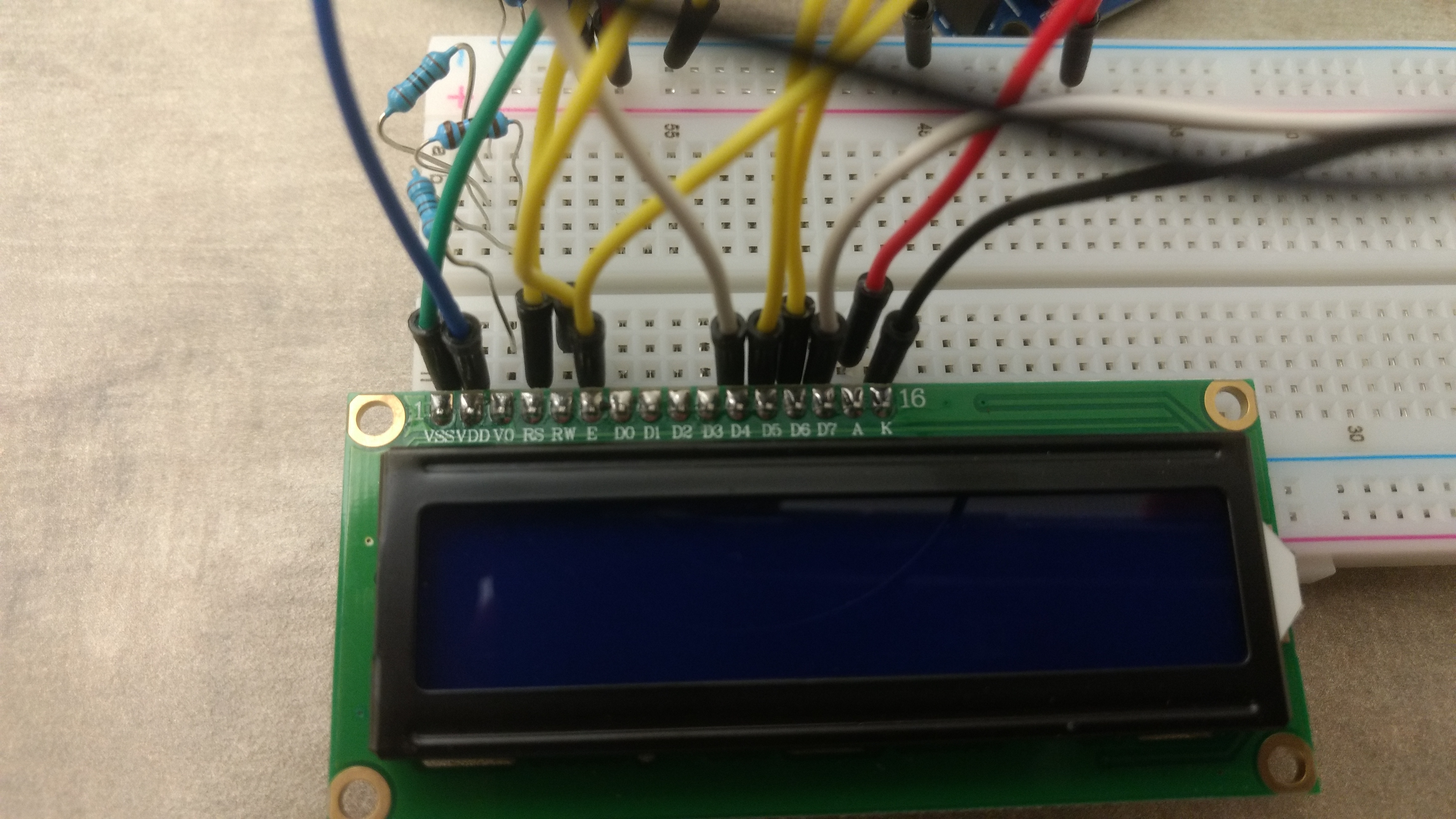
LCD side wire up

Arduino Final

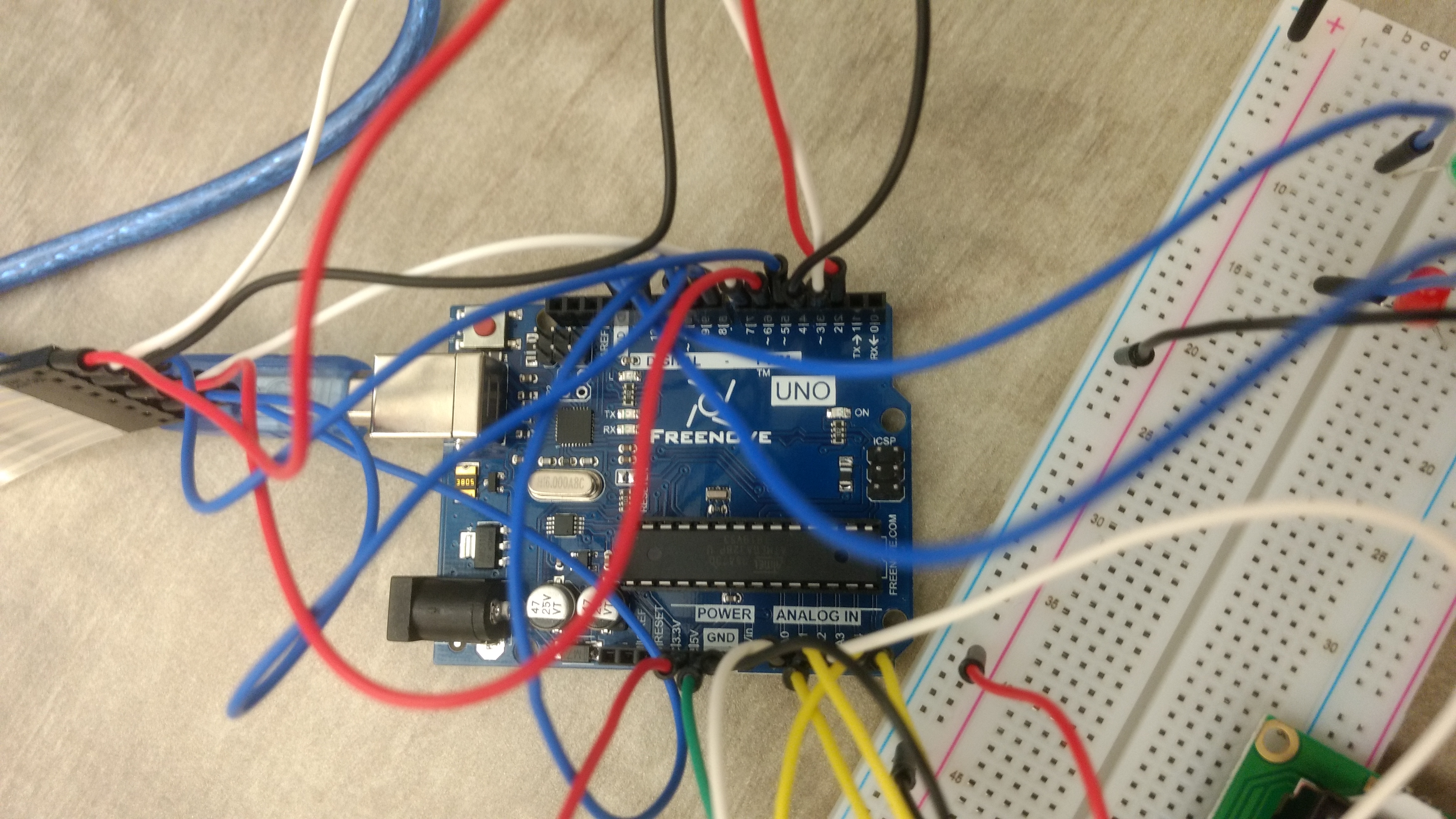
Uno wiring

Arduino Final

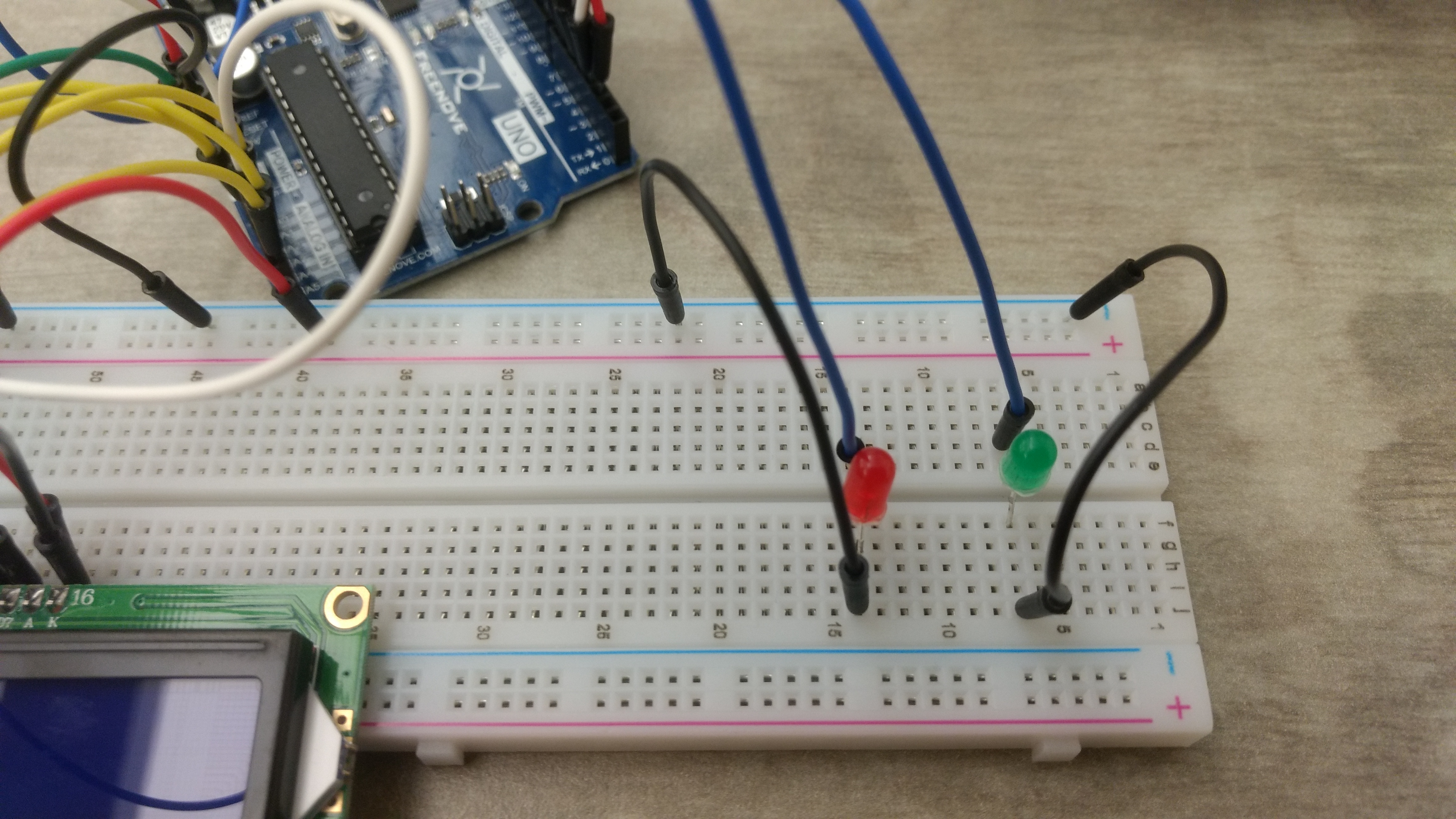
LED wiring

Code

Keypad_Final_Proj_ALTERNATIVE_METHOD.ino

Arduino
This is the proper code to use when attempting this project given a 16x2 LCD and a 4x4 Keypad.
#include <LiquidCrystal.h>
#include <Keypad.h>

#define Password_Length 8

char Data[Password_Length]; 
char Master[Password_Length] = "ABC123D"; 
byte data_count = 0, master_count = 0;
bool Pass_is_good;
char customKey;

const int greenLED = 13;
const int redLED = 12;

const byte ROWS = 4;
const byte COLS = 4;

const byte LCD_RS = A4;
const byte LCD_EN = A5;
const byte LCD_D4 = A0;
const byte LCD_D5 = A1;
const byte LCD_D6 = A2;
const byte LCD_D7 = A3;
const byte BACKLIGHT = 3;
const byte BEEP = 2;

char hexaKeys[ROWS][COLS] = {
  {'1', '2', '3', 'A'},
  {'4', '5', '6', 'B'},
  {'7', '8', '9', 'C'},
  {'*', '0', '#', 'D'}
};

byte rowPins[ROWS] = {9, 8, 7, 6};
byte colPins[COLS] = {5, 4, 3, 2};

Keypad customKeypad = Keypad(makeKeymap(hexaKeys), rowPins, colPins, ROWS, COLS);
LiquidCrystal lcd(LCD_RS, LCD_EN, LCD_D4, LCD_D5, LCD_D6, LCD_D7);


void setup(){
  lcd.begin(16,2); 
  pinMode(greenLED, OUTPUT);
}

void loop(){

  lcd.setCursor(0,0);
  lcd.print("Enter Password:");

  customKey = customKeypad.getKey();
  if (customKey){
    Data[data_count] = customKey; 
    lcd.setCursor(data_count,1); 
    lcd.print(Data[data_count]); 
    data_count++; 
    }

  if(data_count == Password_Length-1){
    lcd.clear();

    if(!strcmp(Data, Master)){
      lcd.print("Correct");
      digitalWrite(greenLED, HIGH); 
      delay(5000);
      digitalWrite(greenLED, LOW);
      }
    else{
      lcd.print("Incorrect");
      digitalWrite(redLED, HIGH); 
      delay(5000);
      digitalWrite(redLED, LOW);
      delay(1000);
      }
    
    lcd.clear();
    clearData();  
  }
}

void clearData(){
  while(data_count !=0){
    Data[data_count--] = 0; 
  }
  return;
}

Credits

MartinPPI
7 projects • 4 followers
jkelso
7 projects • 2 followers
scott457
7 projects • 2 followers
JWells1018
7 projects • 3 followers

Comments