


Hardware components | ||||||
 |
| × | 1 | |||
 |
| × | 1 | |||
 |
| × | 1 | |||
 |
| × | 1 | |||
 |
| × | 1 | |||
 |
| × | 1 | |||
Software apps and online services | ||||||
 |
| |||||
 |
| |||||
Fire alarm system basically help each and every person. It help them to understand if there is any fire situation on any floor. In industries, offices, houses, hotels, hospitals, etc.So people can easily leave the place before fire increase. It will keep the people safe from danger.
Step No : 01
Step all Hardware Component
01. Bolt Module
02.Jumper Wire
03. USB Cable
04. LM35 sensor(Temperature Sensor)
05.Buzzer
Step No.02
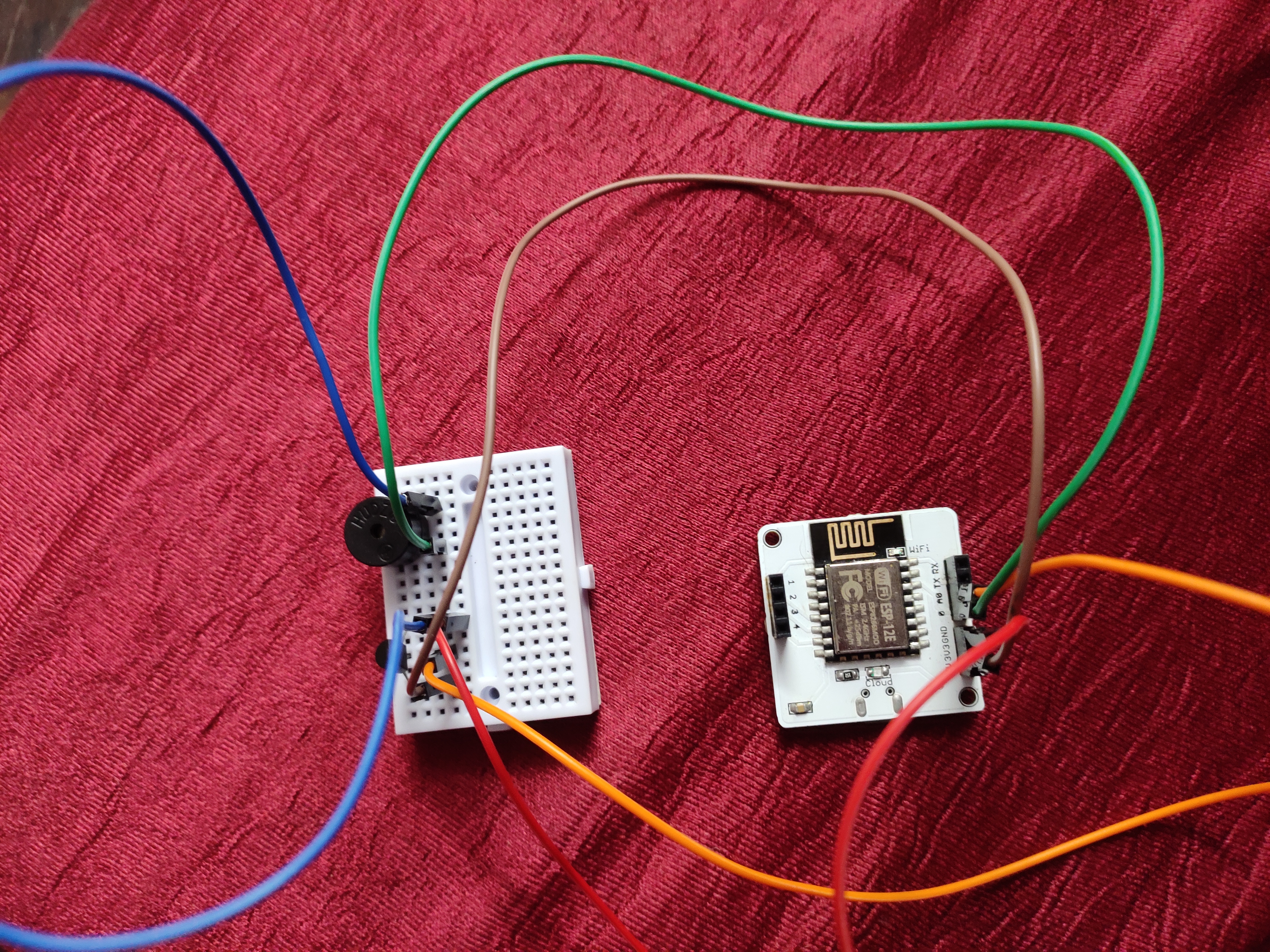
Hardware Connection
01. Place Buzzer and LM35 sensor on breadborad
02.Buzzer Positive (+) is join by Green Wire to '0' port of Bolt Module
03.Buzzer Negative (-) is ground with LM35 sensor with Blue Wire
04. LM35 has three pin VCC, Output, GND
05. LM35 VCC is connected to Bolt Module to '5' port by Brown Wire
06. LM35 Output is connected to Bolt Module to 'A0' port by Orange Wire
07. LM35 GND is connected to Bolt Module to 'GND' port by Red Wire
Step No:03
01. First of we have to start Ubuntu service from Virtual Box.
02. Than Login to Ubuntu Server.
03. Than use ' sudo apt get update 'code.
04. Than unblock your api-key and put api-key with device-id from Bolt Cloud.
05. Than use ' sudo nano ' code with any file name with proper extension.
06. Than start write the code.
07. Save the file by using ' control x ' and 'Y' command to save file
08. Than check the result.


Comments