



Hardware components | ||||||
_ztBMuBhMHo.jpg?auto=compress%2Cformat&w=48&h=48&fit=fill&bg=ffffff) |
| × | 1 | |||
| × | 1 | ||||
Software apps and online services | ||||||
 |
| |||||
Calculators are everywhere, but building your own touchscreen algebraic calculator is a completely different kind of satisfaction. This project uses an Arduino-compatible TFT display with a resistive touchscreen to create a full expression calculator — including parentheses, operation precedence, negative numbers, decimals, exponentiation, and an ANS memory function.
What makes this calculator unique is the backend: instead of evaluating expressions left-to-right, this project builds a proper stack-based expression parser just like real programming languages do.
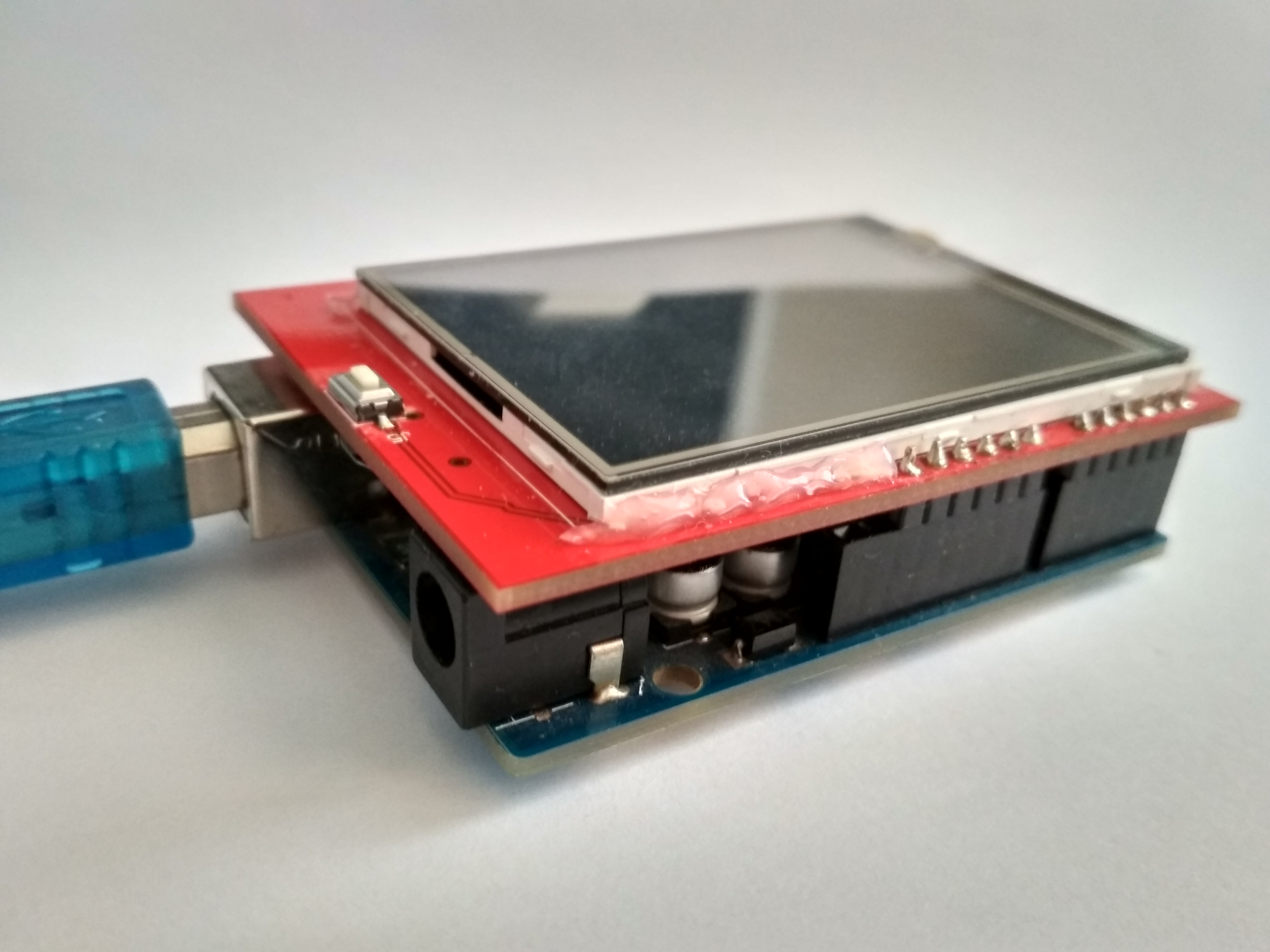
HardwareThe display for this project is resistive so touch sensing works through analog measurements of voltage rather than capacitive (like real phones or tablets).
When you press on the screen, it physically bends and the computer marks the average point of this region as the point that is detected. Pressure is estimated by sampling and averaging raw values of how much this screen bends.
- Top 80px: Display text region where expressions and answers appear.
- Bottom area: Grid of 22, buttons, each with label and box.
- Buttons include digits, operators, parentheses, ANS, equals, AC, and, CE.
Download the MCUFRIEND_kbv library (link) and import it into the Arduino IDE.
Also install the Adafruit Touchscreen library from the Arduino library manager.
Go to File > Examples > MCUFRIEND_kbv > TouchScreen_Calibr_native.
Run the code and follow the instructions on the screen (see below):
After this, copy and paste the FIRST 2 LINES from the serial monitor (see below) onto the main code (replace the lines already there).
A Button struct stores:
- Position (x, y), width, height
- Text label
- Button character (what is displayed on button)
- Display character (what is printed in expression)
- State flags for touch debouncing
A global array of 22 button objects defines the keypad layout.
Touch detection works like this:
read touchscreen -> check if touched -> map XY to screen coordinates
Then, for each button:
if XY inside button and wasn’t touched previously, mark pressed and update the expression (the output of on the calculator).
Note: Debouncing is solved using alreadyTouched, meaning a finger staying on a button won’t spam multiple inputs.Core AlgorithmThis is the real heart of the project.
It uses two stacks:
numbers[]    → holds floating-point values
operators[]  → holds operators: + - x / ^ ( ) and unary negative (~)
The logic is based on classic infix expression evaluation in stack calculators (this article explains this concept very well). This is also how most coding languages parse mathematics expressions.
Main Functions:
computeResult()= Parse entire expression stringprecedence()= Gives priority to each operatorapplyOp()= Pops values and applies an operator
Let's say we have the expression 5*(22+4)
Step 1: Read 5
- Token is a number -> add to buffer
Number Buffer: "5"
Number Stack: []
Operator Stack: []
Step 2: Read *
- Token is an operator
- Convert
Number Buffertofloatand push toNumber Stack - Clear
Number Buffer - Since
Operator Stackis empty, push*toOperator Stack
Number Buffer: ""
Number Stack: [5f]
Operator Stack: ['*']
Step 3: Read (
- Token is a left parenthesis
- Push '(' directly to Operator Stack
Number Buffer: ""
Number Stack: [5f]
Operator Stack: ['*', '(']
Step 4: Read 2
- Token is a number -> add to buffer
Number Buffer: "2"
Number Stack: [5f]
Operator Stack: ['*', '(']
Step 5: Read 2
- Token is a number -> add to buffer
Number Buffer: "22"
Number Stack: [5f]
Operator Stack: ['*', '(']
Step 6: Read +
- Token is an operator
- Convert
Number Buffertofloatand push toNumber Stack - Clear
Number Buffer - Since top of
Operator Stackis '(', push '+'
Number Buffer: ""
Number Stack: [5f, 22f]
Operator Stack: ['*', '(', '+']
Step 7: Read 4
- Token is a number -> add to buffer
Number Buffer: "4"
Number Stack: [5f, 22f]
Operator Stack: ['*', '(', '+']
Step 8: Read )
- Token is a right parenthesis
- Convert
Number Buffertofloatand push toNumber Stack - Clear
Number Buffer - Pop operators from
Operator Stack& Do Operations until '(' is found - Discard '('
- Push Result of operation back to
Number Stack
Number Buffer: ""
Number Stack: [5f, 26f]
Operator Stack: ['*']
Note: 22 and 4 get popped, added and 26 is pushed back so everything inside the parenthesis are evaluated first.
Step 9: End of Expression
- Pop remaining operators & do remaining operations.
- Push result back into
Number Stack.
Number Buffer: ""
Number Stack: [130f]
Operator Stack: []
Step 10: End of Expression
- Pop result from
Number Stackand store in global variableanswer. - Display
answerwith 4 decimal points of precision.
Code    Meaning
E1      Divide by zero
E2	Parenthesis mismatch
E3	Invalid ANS usage
E4	Invalid formatting
E0	Catch-all failure
Instead of crashing, error messages are printed directly on screen instead of answer. There are checks in the code at every step of the parsing.
Final ThoughtsThis project demonstrates a genuinely sophisticated calculator system on an Arduino:
- Custom touch UI
- Dynamic expression entry
- Full PRECEDENCE parsing
- Robust stack handling and input validation
- Screen text formatting
Most Arduino calculator examples evaluate left-to-right or cheat using eval() libraries. Here, we implemented an algorithm used in compilers, which is the backbone of most programming languages.



Comments