



Hardware components | ||||||
 |
| × | 1 | |||
| × | 1 | ||||
 |
| × | 1 | |||
Software apps and online services | ||||||
 |
| |||||
 |
| |||||
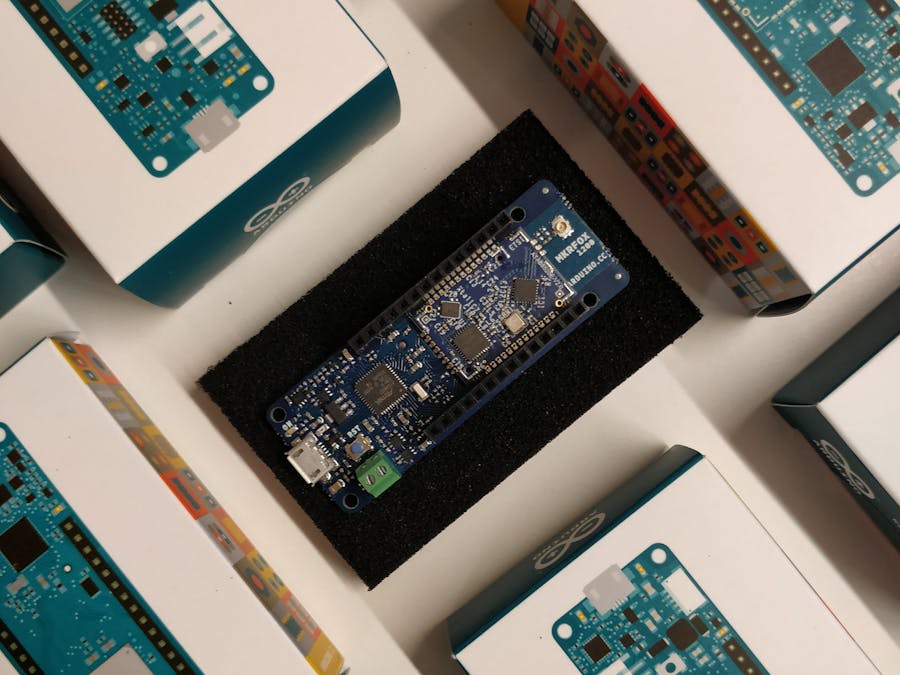
- Arduino MKRFox1200
- Sigfox Antenna
- Micro USB to USB
If you have not already done, download and install the Arduino IDE for your chosen operating system here
- Open the IDE and go to `Tools > Boards > Board Manager
- Search for the
Arduino SAMD Boards
- Install the board's core library
Arduino board manager
Connect the Board to your ComputerUsing a micro USB cable, connect the micro USB port on the board to the USB port on your computer.
Install Sigfox Library- Go to
Sketch > Include Libraries > Manage Libraries
- Type
SigFoxinto the search bar and click the first option. A button will appear in the bottom right of the box that will allow you to install the library
Sigfox Library
Select Board and PortIn Tools
- Select the
Arduino MRKFox1200board
- Select the correct port (Arduino MRKfox1200 should be on the port name):
Once you've got it connected to your computer, get the name of your device using one of the following steps:
Linux and Mac OS X- Open a terminal window and run the command
ls /dev/tty.*
- Look for a device with the name that begins with
/dev/tty.usbmodeme.g./dev/tty.usbmodemPy343431or/dev/ttyACM0.
- Download and install the FTDI drivers from here.
- Open the Windows start menu and search for 'Device Manager'
- The COM port for the Pycom device will be listed as 'USB Serial Device' or something similar
- Keep note of the COM port (e.g. COM4)
Note: For Linux, you may need to run the following commands and restart the Arduino Ide to add permissions to upload a sketch to the board
sudo usermod -a -G tty ${USER}sudo usermod -a -G dialout ${USER}
Create a new file called sketch_sigfox_init.ino and add the code listed at the bottom named "Publish an Event to Sigfox".
*The code just waits until the Serial has begun. This makes sure Sigfox is connected and prints the Device ID and PAC number of the Device.
Upload Code to the BoardClick Sketch > Upload to upload the code to your Device to retrieve the ID and PAC number of the device.
- Click the
Screen MonitorIcon on the right hand side
- In the monitor, it should display the ID and PAC for the device
Board ID and Pac Numbers
Register Device with Sigfox- Click here to register the Device with SigfoxChoose the provider
Arduinofrom the list Then, choose the appropriate country
Sigfox providers
Enter Device information*Enter the ID and PAC of your device into Sigfox
Sigfox Device ID and PAC
Once entered, you must sign in or sign up to a Sigfox account to view your Device on the Sigfox Dashboard.
The CodeCreate a new file called sketch_sigfox.ino and add the code below named "Publish an Event to Wia".
Make sure that
- Tools > Boards is set to
Arduino MRKfox1200
- Tools > Port is set to the port of the board
SigFox.beginPacket()&SigFox.endPacket()are the wrappers for the payload
- The data is placed between the wrappers and has a max size of
12 Bytes
- Strings will be converted to hexadecimal
- Click
Sketch > Uploadto upload the code for MRKfox1200
- You can view the output from the serial monitor on the right of the screen
- Go to the Sigfox dashboard, the link is here
- On your Sigfox account, click on the
Devicetab, click on yourDevice IDand clickMessages
Sigfox message
- The payload will be displayed in
hexadecimal
- Convert to ASCII to view your message
First, Sigfox must be integrated with Wia to see your Sigfox messages in Wia.The tutorial can be accessed here
Receiving the message on WiaIf the callback has been properly setup between Sigfox and Wia, the message should also be displayed in Wia
- Go to your Space that has your Sigfox integration
- Click on Device that matches the Sigfox device on the Sigfox website
- Click on the events tab and Sigfox message should be displayed



Comments