Kaiowa
Published © MIT

LED Strip Project

Remote switch on LED strip with Arduino.

IntermediateFull instructions provided6 hours1,582
LED Strip Project

Things used in this project

Story

Read more

Schematics

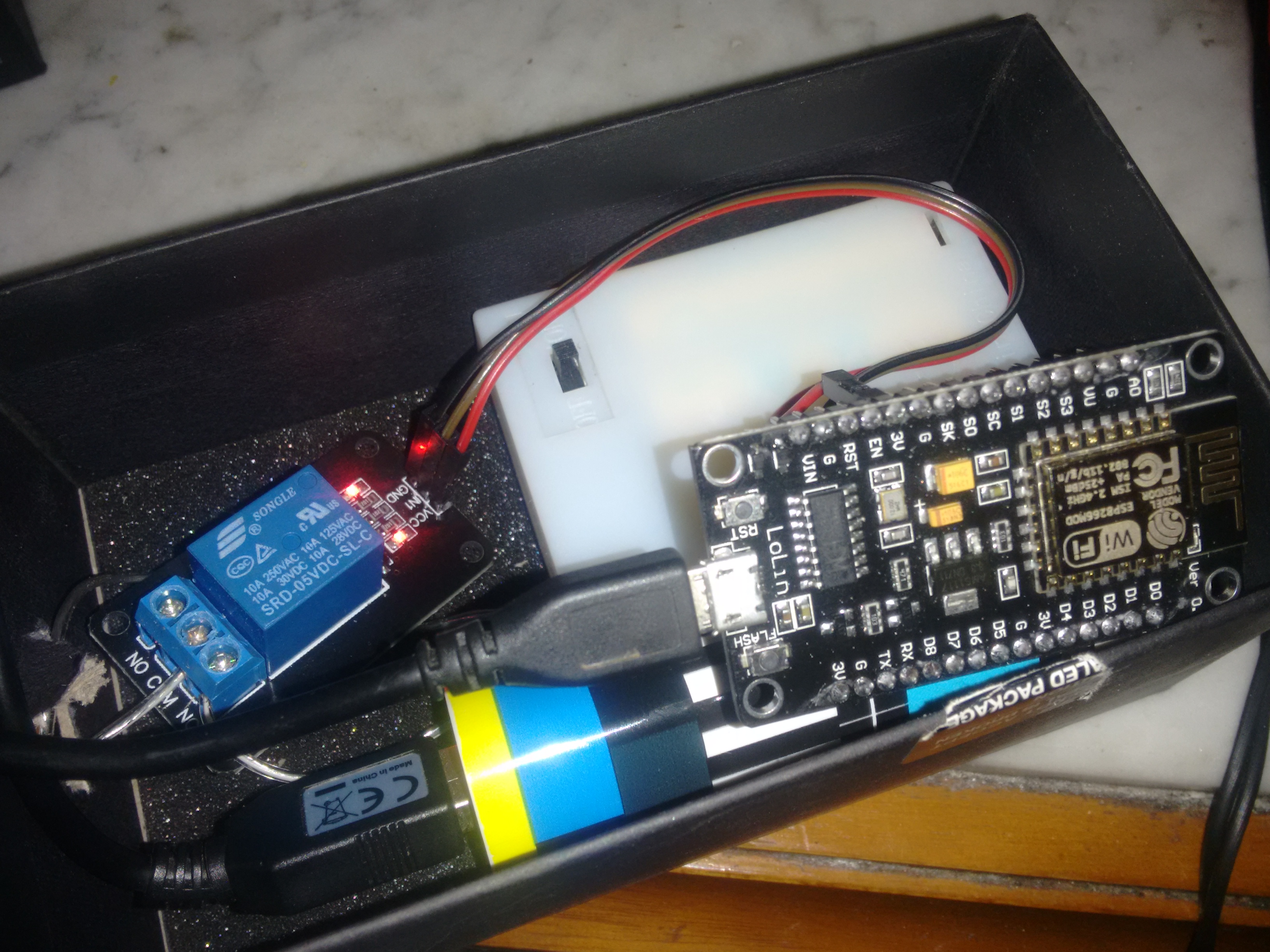
nodemcu as AP with relay5v

img_20171001_172053999_LJzarXOy9h.jpg

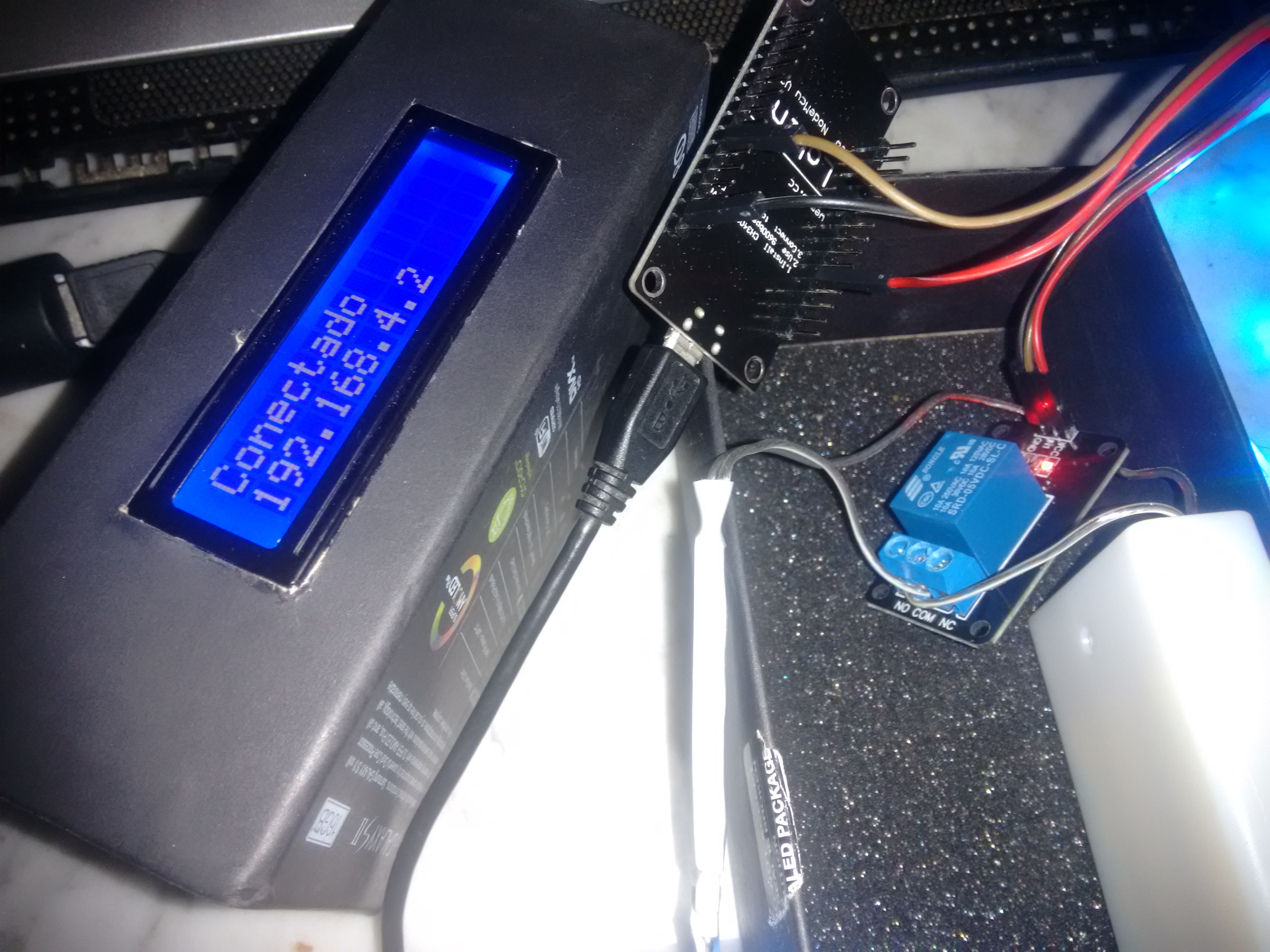
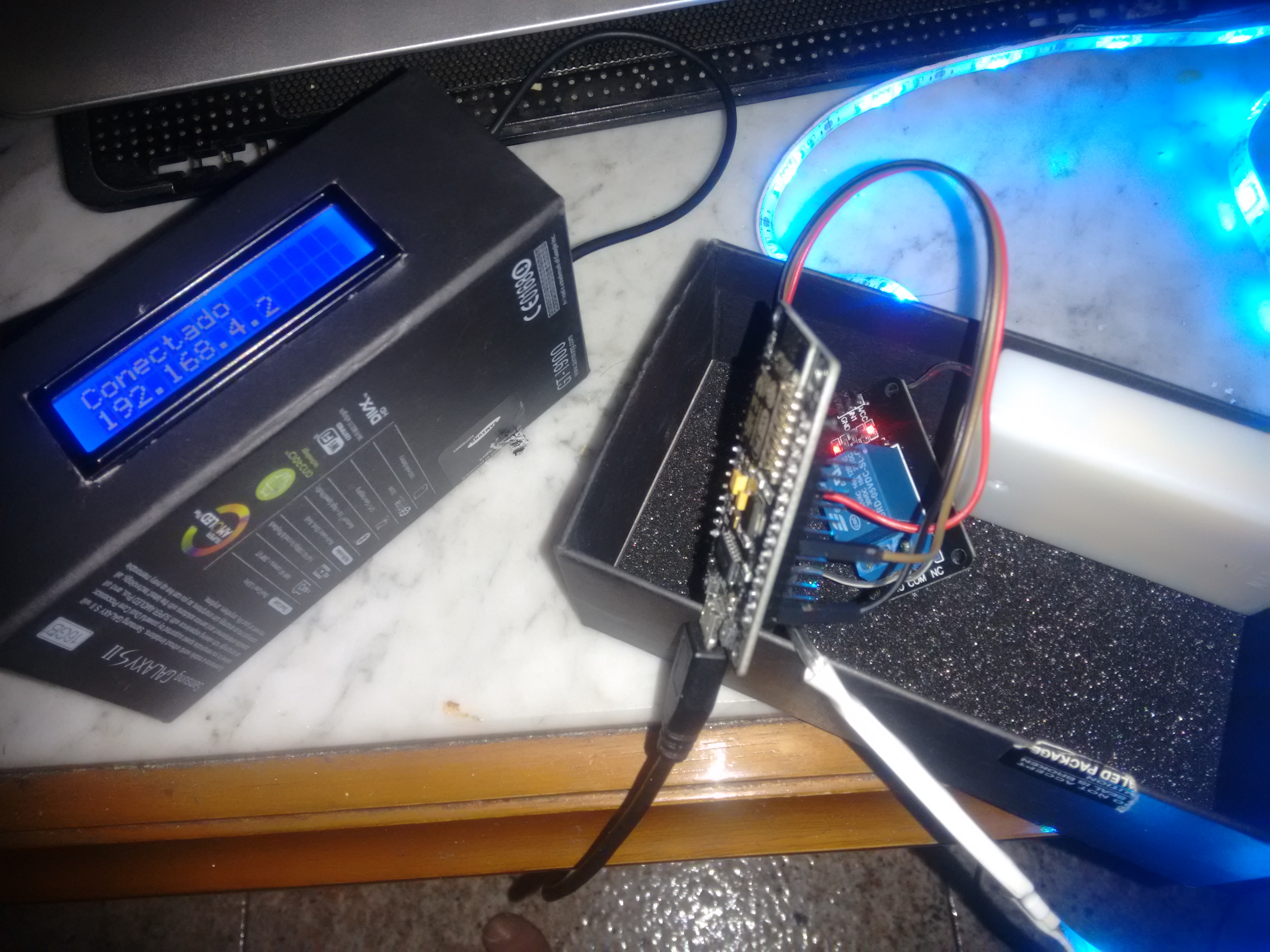
client inside box with lcd and ap

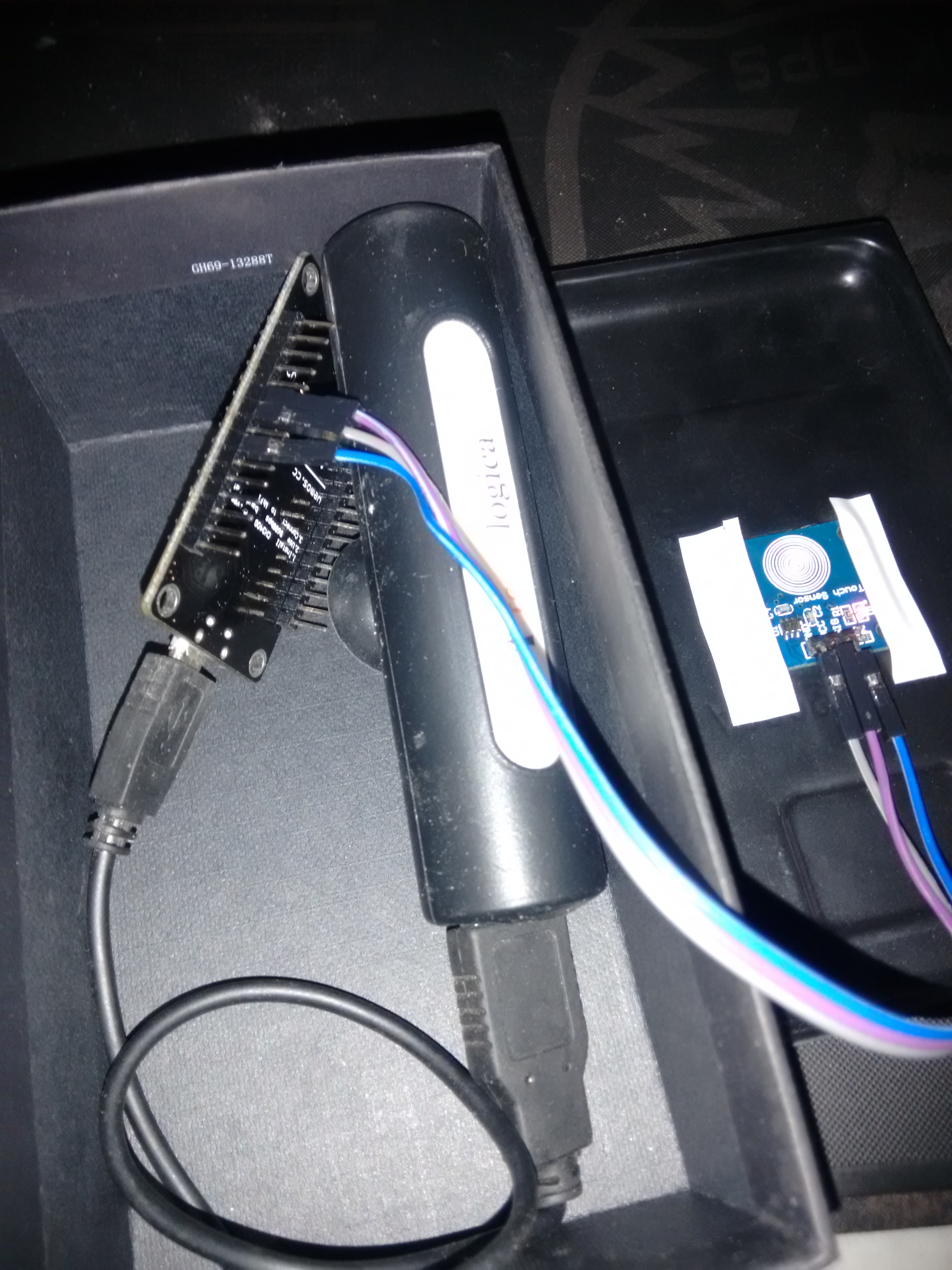
client nodemcu with touch sensor

Code

client

C/C++
#include <ESP8266WiFi.h>
#include <Wire.h>  // This library is already built in to the Arduino IDE
#include <LiquidCrystal_I2C.h> //This library you can add via Include Library > Manage Library > 
LiquidCrystal_I2C lcd(0x3F, 20, 4);

const char* ssid = "PACHACHO";
const char* password = "xxxxxx";


WiFiClient espClient;
int TouchSensor=12;

long lastMsg = 0;
char msg[50];
int value = 0;

void setup() {
   Serial.begin(9600);
   pinMode(TouchSensor,INPUT);
  setup_wifi();
  

}

void setup_wifi() {

  delay(10);
  // We start by connecting to a WiFi network
  Serial.println();
  Serial.print("Connecting to ");
  Serial.println(ssid);

 lcd.init();   // initializing the LCD
 
  lcd.backlight(); // Enable or Turn On the backlight 
  lcd.setCursor(0, 0);
  lcd.print("Conectando a... "); // Start Print text to Line 1
  lcd.setCursor(0, 1);      
  lcd.print(ssid); // Start Print Test to Line 2
  
  WiFi.begin(ssid, password);

  while (WiFi.status() != WL_CONNECTED) {
    delay(500);
    Serial.print(".");
  }

  Serial.println("");
  
  
  Serial.println("WiFi connected");
  Serial.println("IP address: ");
  Serial.println(WiFi.localIP());
  
  
   lcd.setCursor(0, 0);    
  lcd.print("Conectado      ");
   lcd.setCursor(0, 1);    
   lcd.print(WiFi.localIP());
   
}


void enviarMensaje (String position)
{
  WiFiClient client;
  const char* host = "192.168.4.1";
  const int httpPort = 80;

  if (!client.connect(host, httpPort)) {
    Serial.println("connection failed");
    return;
  }

  String url = "/";
  url += "?pos=";
  url += position;

  Serial.print("Requesting URL: ");
  Serial.println(url);

  // This will send the request to the server
  client.print(String("GET ") + url + " HTTP/1.1\r\n" +
               "Host: " + host + "\r\n" +
               "Connection: close\r\n\r\n");
  delay(10);
 
  
}


void loop() {

if(digitalRead(TouchSensor)==HIGH)
{
  Serial.println("ON");
  enviarMensaje("/LED=ON");
   lcd.backlight();
   lcd.setCursor(0, 0);    
  lcd.print("Encender Luces ");
   lcd.setCursor(0, 1);    
   lcd.print("                 ");
   
  delay(3000);

   lcd.setCursor(0, 0);    
  lcd.print("");
   lcd.setCursor(0, 1);    
   lcd.print("                 ");
    lcd.noBacklight();
   
}

  delay(400);
}

nodemcu ap

C/C++
code to nodemcu ap
#include <ESP8266WiFi.h>                  //Incluye la librería ESP8266WiFi

const char ssid[] = "PACHACHO";    //Definimos la SSDI de nuestro servidor WiFi -nombre de red- 
const char password[] = "xxxx";       //Definimos la contraseña de nuestro servidor 
WiFiServer server(80);                    //Definimos el puerto de comunicaciones

int PinLED = 12;                           //Definimos el pin de salida - GPIO2 / D4
int estado = LOW;                         //Definimos la variable que va a recoger el estado del LED

void setup() {
  Serial.begin(9600);

  pinMode(PinLED, OUTPUT);                //Inicializamos el GPIO2 como salida
  digitalWrite(PinLED, LOW);              //Dejamos inicialmente el GPIO2 apagado

  server.begin();                         //inicializamos el servidor
  WiFi.mode(WIFI_AP);
  WiFi.softAP(ssid, password);            //Red con clave, en el canal 1 y                  //Red abierta

  Serial.println();

  Serial.print("Direccion IP Access Point - por defecto: ");      //Imprime la dirección IP
  Serial.println(WiFi.softAPIP()); 
  Serial.print("Direccion MAC Access Point: ");                   //Imprime la dirección MAC
  Serial.println(WiFi.softAPmacAddress()); 

}

void loop() 
{
  // Comprueba si el cliente ha conectado
  WiFiClient client = server.available();  
  if (!client) {
    return;
  }

  // Espera hasta que el cliente envía alguna petición
  Serial.println("nuevo cliente");
  while(!client.available()){
    delay(1);
  }

  // Imprime el número de clientes conectados
  Serial.printf("Clientes conectados al Access Point: %dn", WiFi.softAPgetStationNum()); 

  // Lee la petición
  String peticion = client.readStringUntil('r');
  Serial.println(peticion);
  client.flush();

  // Comprueba la petición
  if (peticion.indexOf('/LED=ON') != -1) {
    estado = HIGH;
      digitalWrite(PinLED, estado);
      delay(15000);
      digitalWrite(PinLED, LOW);
  } 
  if (peticion.indexOf('/LED=OFF') != -1){
    estado = LOW;
      digitalWrite(PinLED, estado);
      delay(1000);
  }


  client.println("HTTP/1.1 200 OK");
  client.println("");                                   
  client.println("<!DOCTYPE HTML>");
  client.println("<meta charset='UTF-8'>");
  client.println("<html>");

      //Imprime el estado del led
  client.print("<h1>PACHACHOOOOOOO ");                 


  client.println("</html>"); 
  delay(1);
  Serial.println("Petición finalizada"); 
}

Credits

Kaiowa
0 projects • 0 followers

Comments