



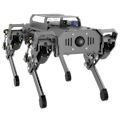
For the past few months, a Hiwonder PuppyPi robot dog has been sitting on my desk. It's smart—it can roam around, recognize faces, and even respond to some commands. But an idea kept nagging at me: what if it had "hands" to actively interact with its environment, not just observe and move? That thought led me to order the dedicated 2-DOF robotic arm expansion kit for the PuppyPi, kicking off a project to transform it from a "mobile platform" into a mobile manipulator.
This was more than just a hardware add-on. My goal was to create a complete intelligent behavior loop: enabling the PuppyPi to autonomously find a target object, plan a path to it, precisely grasp it, and finally transport it to a designated location. It sounds like a simplified version of a logistics robot or a home assistant, and the PuppyPi's open-source, ROS-native design made this ambitious idea achievable.
Step 1: Hardware Integration – Building the Physical FoundationIntegrating the arm kit was surprisingly smooth. The kit includes the arm body, two dedicated servos, all necessary cables, and a mounting bracket that perfectly fits the PuppyPi's CNC aluminum backplate. The key was ensuring the arm base was rock-solid, as any slight wobble would be amplified at the gripper, ruining precision.
I connected the arm's two servos to the reserved expansion ports on the PuppyPi's main board using the provided cables. According to the official docs, these ports are pre-configured, saving me from low-level driver headaches. Before powering on, I manually positioned the arm to its "zero" position—the crucial reference point for all future movements.
You can check PuppyPi tutorials to get complete codes, video guides and more projects.Step 2: Software & Perception – Giving It "Eyes" and a "Brain"
The real challenge and fun began with software. PuppyPi runs a full Ubuntu and ROS system, my foundation for everything. I started by installing the official HiWonder robotic arm ROS package, which contains the URDF model, basic controllers, and example scripts.
Vision was essential for the arm to know where to grab. I used the PuppyPi's built-in wide-angle camera to write an OpenCV-based vision node. For reliable recognition, I programmed it to detect a specific color (a bright red cube). This node continuously analyzes the video feed. Once it identifies the target color blob, it calculates the object's 3D spatial coordinates relative to the PuppyPi's body using camera calibration parameters.
Next came the critical link: coordinate transformation and motion planning. I created a core control node that subscribes to the coordinates published by the vision node. Upon receiving them, this node performs a series of coordinate transforms, converting the target point from the "camera frame" to the "robotic arm base frame." For this 2-DOF arm, I used a simple geometric model for inverse kinematics to calculate the required servo angles, generated a smooth trajectory, and finally published the commands to the servo driver node via a ROS topic. I also wrote a simple gripper control service to handle open/close actions.
With the hardware and software ready, I designed and implemented three progressively complex scenarios to test the platform's capabilities fully.
Demo 1: Stationary Visual Grasping. This was the basic test. With the PuppyPi stationary, I placed the red cube at various positions in front of it. After starting the program, it would quickly scan with its "head" (camera), lock onto the target, and then the arm would smoothly move above the cube, lower, grasp, and lift. The moment the gripper steadily lifted the cube, I knew the entire perception-control pipeline was working.
Demo 2: Autonomous Search & Transport. This was the core challenge. I had the PuppyPi walk freely in a small room while continuously running the vision program. When the camera spotted the red cube on the floor during movement, the program would command the PuppyPi to orient itself and then approach closely. Upon reaching the optimal spot, the PuppyPi would pause, execute the grasping sequence, and then plan a new path to carry the cube to a defined "drop zone." This process perfectly demonstrated the complete autonomous robot cycle: "perception-decision-execution-mobility."
Demo 3: Simple Human-Robot Interaction. To add fun, I did a simple integration using the PuppyPi's existing multimodal AI features. I extended its voice capability so that when I said, "Pick up the red cube, " the speech recognition would convert the command to text and pass it via ROS to the main control node, triggering the entire search-and-grab routine. This was a preliminary demo but effectively showed how high-level natural language commands could be translated into complex robotic tasks.
No project is smooth sailing. I faced a few key issues: First, grasping accuracy decreased after movement due to slight body sway when the PuppyPi stopped. My solution was to add a brief stabilization pause and have the vision system take multiple rapid position readings for averaging before grasping. Second, timing issues arose in multi-node coordination (e.g., the gripper closing before the arm was in position). I refactored the task flow using ROS's actionlib library, making each action (move, locate, grasp) an independent, waitable action with feedback, resulting in cleaner, more robust logic.
Through this project, the PuppyPi transformed from a "demonstration platform" into a true "innovation platform." While the 2-DOF arm is simple, the autonomous mobile manipulation it enables is worth far more than the sum of its parts. It proves the feasibility of implementing complex robotics applications on a low-cost, desktop-scale device.
The end of this project is just the beginning of more ideas. You could add a micro-camera to the gripper for precise "eye-in-hand" visual servoing, use LiDAR maps for the robot to remember where items are usually kept, or even try two PuppyPi units collaborating to carry one object. The PuppyPi's open-source ecosystem and ROS support provide a solid foundation for all these explorations.
I believe the most exciting projects aren't about using a black-box product but about pushing an open platform to its limits to create something new. Adding an arm to the PuppyPi was exactly that kind of journey. I can't wait to see what you build with it.


Comments