



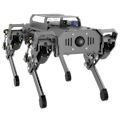
Ever imagined a little robotic dog patrolling your room, “feeling” when it gets too warm, and walking over to an air conditioner vent to cool down—then sitting and giving you a “done” expression on its screen? This might sound like a high-end lab demo, but with MechDog and a tiny micro:bit, you can bring this behavior to life right at home. In this article, we’ll break down how to give MechDog environmental awareness and directional cruising skills
Part 1: How Does MechDog “Know” the Temperature?MechDog itself is an excellent motion platform. Its core ESP32-S3 controller handles complex inverse kinematics and gait generation. To give it “senses, ” we extend it with a sensory system.
1.1 The Distributed Sensing ApproachMechDog uses a clever layered design: its “brain” (ESP32) focuses on motion, while sensing can be delegated to an external micro:bit—a compact board with built-in sensors, including a temperature sensor.
Step‑by‑Step Implementation
- Hardware Setup
Connect the micro:bit to MechDog’s back expansion port using a simple cable. This provides power and serial communication.
- Data Collection
Write a simple micro:bit program to read its internal temperature sensor in a loop (values in °C).
- Decision & Communication
Set a threshold (e.g., 30°C). When the temperature reaches or exceeds it, the micro:bit sends a predefined command (like 'H') over serial to MechDog’s main controller.
- Action Execution
MechDog’s firmware listens on the serial port. Upon receiving 'H', it triggers a predefined routine from its motion library—for example, walk to a spot → sit down.
Why This Architecture Works
Sensing and decision logic run independently on the micro:bit, freeing the main controller for motion tasks. This makes the system more responsive and easier to debug or upgrade.
Free get MechDog tutorials. Follow Hiwonder GitHub for more resources.Part 2: How Does MechDog “Know” Where to Go?
Cruising requires knowing orientation and combining that with programmed goals.
Sensing Direction: The Digital Compass
The micro:bit includes a magnetometer (compass) that measures heading (0–360°). It gives MechDog an internal sense of direction.
Implementing “Guide Dog” Style Navigation
A simple cruise behavior could be: keep heading south.
- Read heading: The micro:bit reads the magnetometer and calculates the angular difference from south.
- Check deviation: If the error exceeds a tolerance (say ±10°), it’s off‑course.
- Send correction: micro:bit sends a command like 'L, 15' (turn left 15°) over serial.
- Execute: MechDog’s controller parses the command and drives the servos to rotate accordingly.
Key Idea: This is a closed‑loop control based on relative direction: sense → decide → act → sense again. For more advanced navigation, you could add odometry or visual markers.
Let’s combine temperature sense and cruising into the smart behavior described at the beginning.
Goal: MechDog patrols until it detects high temperature, then cruises to a predefined “cool zone” (e.g., under the AC).
System Flow
- Map in code: Define the cool zone as face north, walk 2 meters (simulated via step count/time).
- Trigger: micro:bit detects high temp and sends a 'Hot' signal.
- Cruise execution: MechDog adjusts its heading to north using the micro:bit compass. Walks straight north for a calculated number of steps.
- Completion: After arriving, MechDog sits down and shows a “smiley” on its LED matrix.
Once you have temperature sensing and cruising working, you can expand further:
- Multi‑point thermal mapping: Place several micro:bits as remote sensors; MechDog tours them to collect data and build a temperature map.
- Vision‑assisted cruise: Use the ESP32‑CAM (optional) to recognize color tags—cruise toward a green marker, for instance.
- Obstacle‑avoiding cruise: Add an ultrasonic sensor to the micro:bit for real‑time obstacle detection during movement.
MechDog’s intelligence doesn’t come out of the box—it emerges from its open design. By exposing standard hardware interfaces and simple serial protocols, it combines professional motion with the rich sensing ecosystem of boards like the micro:bit. This “specialized motion platform + general‑purpose sensing” philosophy turns complex behaviors like thermal‑aware cruising into clear, achievable programming steps. Add a micro:bit to your MechDog, and you’re not just starting a project—you’re stepping into the hands‑on world of robot perception, decision‑making, and control.


Comments