edge lab LIVE! starts Tuesday in Munich. Grab a workshop seat and take home the board you build on. Code FRIEND-HACKSTER saves 20%. () Learn more!
GadhaGod
Published

Thermometer

Thermometer with few parts.

BeginnerShowcase (no instructions)566
Thermometer

Things used in this project

Hardware components

Arduino UNO
Arduino UNO
×1
Button
×1
Alphanumeric LCD, 16 x 2
×1
SparkFun Electronics Thermistor
×1

Software apps and online services

Arduino IDE
Arduino IDE

Story

Read more

Schematics

thermometer_circuit_Y3DBEhDdPH.png

Code

Thermistor Thermometer

C/C++
/*
Shout out to computers.tutsplus.com/tutorials/how-to-read-temperatures-with-arduino--mac-53714


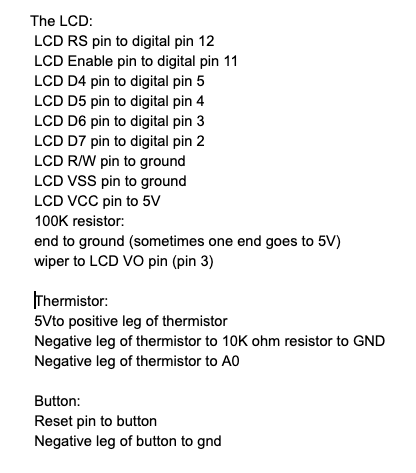
  The LCD:
 * LCD RS pin to digital pin 12
 * LCD Enable pin to digital pin 11
 * LCD D4 pin to digital pin 5
 * LCD D5 pin to digital pin 4
 * LCD D6 pin to digital pin 3
 * LCD D7 pin to digital pin 2
 * LCD R/W pin to ground
 * LCD VSS pin to ground
 * LCD VCC pin to 5V
 * 220 ohm resistor:
 * end to ground and 5V
 * wiper to LCD VO pin (pin 3)
 * 
  The Thermistor:
 * 5Vto positive leg of thermistor
 * Negative leg of thermistor to 100K ohm resistor to GND
 * Negative leg of thermistor to A0
 * 
  Button:
 * Reset pin to button
 * Negative leg of button to gnd
 */
 

// include library
#include <LiquidCrystal.h>

// initialize the library with the numbers of the interface pins
LiquidCrystal lcd(6, 9, 5, 4, 3, 2);

void setup() {
  // the LCD has 16 columns and two rows
  lcd.begin(16, 2);
  Serial.begin(9600);
}

// Steinhart-Hart equation
double Thermister(int RawADC) {  
 double Temp;
 Temp = log(((10240000/RawADC) - 10000));
 Temp = 1 / (0.001129148 + (0.000234125 + (0.0000000876741 * Temp * Temp ))* Temp );
 Temp = Temp - 273.15;              // Kelvin to Celsius
 Temp = (Temp * 9.0)/ 5.0 + 32.0; // Celsius to Fahrenheit 
 return Temp;
}

void loop() {
  // set the cursor to column 0, line 1
  lcd.setCursor(0, 1);
  int val;                //Create and integer
  double temp;            //Create "temp"
  val=analogRead(A4);      //Read A0 and store it
  temp=Thermister(val) - 9;   
  Serial.println(temp);   //Print to the serial monitor
  delay(500);            //Wait half a second before we do it again
  lcd.setCursor(0,0); //Set cursor
  lcd.print(String(temp) + " F");  //Print to the LCD
  
  
}

Credits

GadhaGod
17 projects • 21 followers

Comments