



Hardware components | ||||||
 |
| × | 1 | |||
| × | 1 | ||||
| × | 1 | ||||
Software apps and online services | ||||||
| ||||||
 |
| |||||
 |
| |||||
Hand tools and fabrication machines | ||||||
 |
| |||||
 |
| |||||
If only I could copy this really long password to this really shady computer, we could achieve world peace. Alas! I'm going to type it manually......- Someone DefinitelyToothPaste V2: Hardware-Backed BLE Clipboard
ToothPaste allows a user to transmit AES-256 encrypted keyboard and mouse commands to any USB-compatible device wirelessly, without the need for specialized drivers or extensive set-up using WEB-BLE and an ESP32-S3 based receiver.
The core idea was to eliminate the need for complicated and lengthy login flows for one-off cases where a keyboard would normally be required or is the **only device that is supported** (BIOS, air-gapped systems, shady back-alley computers where you don't want to install your password manager etc.).
This means existing solutions like KDE Connect are non-starters since, at the very least, they require both devices to run a compatible operating system and allow installing third-party software.
The obvious answer then, is to use an interface system that is universally supported - USB. Specifically the USB Human Interface Device (HID) standard. Almost every USB-host compatible device supports using a keyboard as means of controlling it and, because this is presumed to be a direct extension of a user, it is implicitly trusted (keyboards don't have passwords because how would you enter the password 😐).
The USB Rubber Ducky by Hak5 used this exact idea to spark a security arms-race to exploit devices, but that doesn't have to be the only reason to use it (but you absolutely still can *wink*).
The quickest way to get started is to go to The ToothPaste Webapp and click Update. This opens a WEB Serial selector and lets you select a connected ESP32-S3 device to flash the firmware.
Alternatively, download the latest.bin firmware file from the releases section of the github repo and flash it using esptool / espwebtool or a similar flasher utility.
The 'button' is GPIO0 (often labeled BOOT on ESP32 dev boards)
Full setup🛠️If for some reason the easy mode doesn't end up working (often because I messed up the deployment) you can build the entire project from source.
Follow the ESP-IDF (5.5.1^) install guide and build the contents of the firmware/ folder.
If you plan on making changes to or creating your own ProtoBuf packets, you will also need:
How it works Pt.1⭐I wanted ToothPaste to be quick to use without much prior setup. While having a native app would make the experience of quickly switching between local and remote commands easy, that's a future-me problem. The quickest way to do this for me, while still letting it be semi cross-platform was Web BLE.
What is Web BLE?
If you're familiar with projects like WLED or VIA you've already interacted with the Web API, this is almost exclusively a chromium-only feature which is why ToothPaste itself doesn't work on non-chromium browsers like Firefox.
Essentially Web BLE allows us to use a system's Bluetooth hardware inside a browser, eliminating the need for custom OS-specific APIs and custom apps to use them.
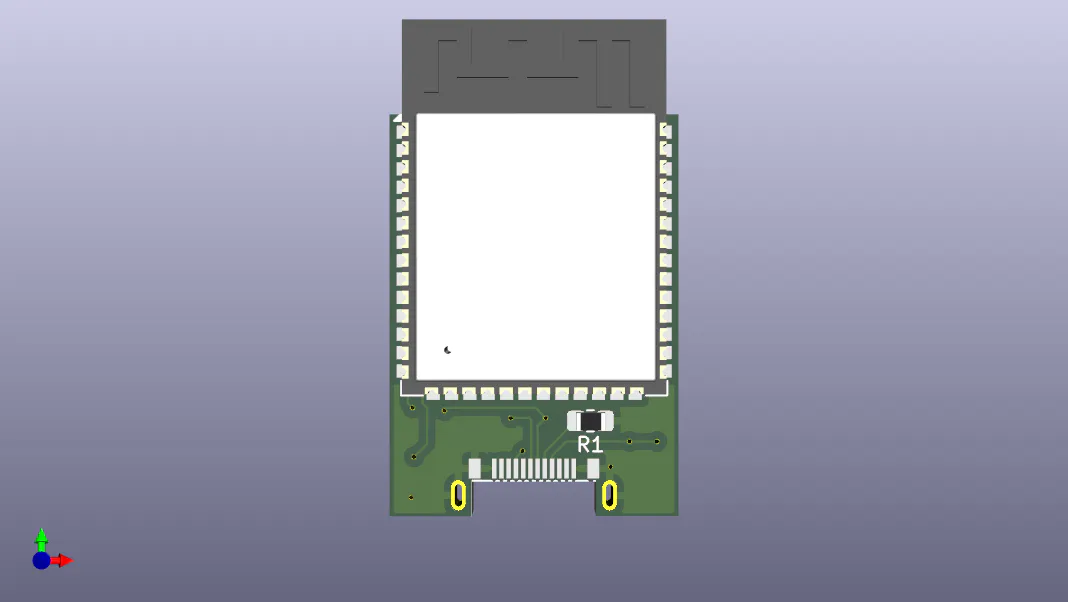
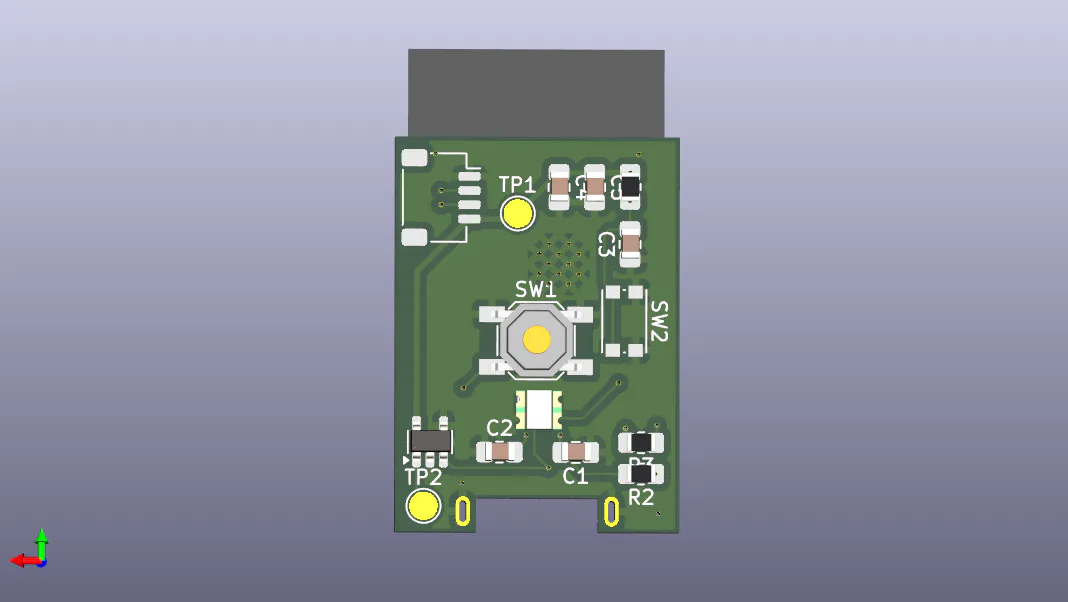
How it works Pt. 2 - Hardware ⭐⭐The other (and more fun) part of the ToothPaste solution is the hardware itself. Since the ESP32-S3 has both USB and BLE (along with a bunch of other things we don't care about) in one package, the hardware just ends up being the bare-minimum nedded to run the MCU.
For most hobbyists, any development board will suffice. But considering that we're transferring some potentially sensitive information over a very open protocol, ToothPaste V2.0 uses a Cryptographic Coprocessor to store the credentials required to encrypt and decrypt data.
For the more discerning, I present...Bluetooth by itself isn't a secure protocol, newer implementations have changed this and if we didn't want the extremely flexible cross-platform transmitter we could've delved into using the many security protocols that BLE supports.
However, as of now Web BLE only supports the "just works" authentication method, which means its practically an open line. Considering that a ToothPaste shows up as a keyboard, and that my primary use-case for it is to paste passwords to devices, Man-In-The-Middle attacks are a very real problem.
So we need to ensure that only authenticated devices are allowed to send data that is then typed out.
Without delving into the complete reasoning for not choosing any of the other standards for cryptography (sersiously there's way too much information out there for the pros and cons of each) I decided to go with a two-step encryption workflow combining ECDH Public Key Cryptography and a partially Out of Band (OOB: fancy way of saying the keys arent shared over BLE) key exchange to derive a symmetric AES-256 key that is used to encrypt the ToothPaste packets (or ToothPackets if you're cool).
With the ATECC608B CryptoAuth IC, ToothPaste V2.0 also ensures that even if you physically took apart the ToothPaste and hooked up to the raw flash memory of the ESP32-WROOM module you wouldn't be able to find the security credentials anywhere. The ATECC generates and stores these credentials in its isolated flash and never exposes them to the rest of the ToothPaste firmware, the only information sent over its I2C bus is the session-specific AES-256 key which finally encrypts the data. Since this key is unique and a new one is generated every time you connect to a ToothPaste, someone getting their hands on it after a session disconnects doesn't affect us at all.
Because of the oddly esoteric nature of configuring the ATECC608B, I suggest most people to skip the hardware crypto code and build the firmware with:
#define USE_SOFTWARE_CRYPTOThis is the version that is in the prebuilt firmware on the website, so if you aren't building from source, you should be fine as is.
What this results in is a secure system of communication where the transmitter(s) and device must first complete a pairing flow before sending potentially sensitive data.
ToothPaste is entirely local. There is no server, no agent, no SaaS cloud-native troll "guarding" your data.
This means if someone can dump the indexdb data stored in your browser they can access your AES Key and impersonate the device from which the commands are sent.
although if someone has gotten this far, the ToothPaste might be the least of your concerns 💀
🤷 But Because I can
ToothPaste allows encrypting this local data, along with saved Macros and Duckyscript scripts, using a Password + Argon2 derived encryption key. This is identical to how password managers with browser extensions do it.
Since I've scope-crept my way from weekend project to daily obsession, I realized that a lot of the most common interactions I have with ToothPaste on something like my Raspberry Pi are a lot more SSH-like.
Sometimes you just want to "set up a basic webserver with a frontend for displaying the sensor value on GPIO3". You know what you need to do, its not rocket science, its barely coding. It might be something as simple as running a script, or a few....
The best option, if you have it is to SSH into the device, and let an LLM handle the rest until it asks if you want to run sudo rm -rf * where you politely decline and move on with your day.
ToothPasteDesktop (WIP) implements a Rust-based TUI & MCP server that lets an AI agent control a ToothPaste and get a response from the remote system over a Serial port. This bi-directional bus does have some drawbacks, some fixable in software, others more hardware-based.
The ESP32-S3 has a limited number of USB Endpoints. Right now they are used by:
- BOOT Keyboard Interface (For complete BIOS support)
- BOOT Mouse (More BIOS support)
- Generic HID Input (Full Keyboard + Mouse Support)
- Control Descriptor (Required for all of the above)
- The ESP32-S3 has a limited number of USB Endpoints. Right now they are used by:
BOOT Keyboard Interface (For complete BIOS support)
BOOT Mouse (More BIOS support)
Generic HID Input (Full Keyboard + Mouse Support)
Control Descriptor (Required for all of the above)
This means (afaik) we need to sacrifice one of those to enable the USB CDC (Serial) Device endpoint that allows the ToothPaste to get data from the connected device.
Given more freedom in this area I would like to implement a full USB MSC (Mass Storage Device Class) to allow us to take screenshots and view them which would basically make ToothPaste a BLE based IP-KVM much like a PiKVM does over traditional HTTP.
- Generic models are finnicky without very specific instructions and some amount of fine-tuning.
Telling your favorite MCP-compatible agent to send keystrokes using ToothPaste works quite consistently, but without the explicit instructions to use the > operator to pipe data to the serial port device at COMx or /dev/ttyx and wait till data is available has a far less consistent success rate.
But I have to say there is a certain joy to saying "Jarvis, open chrome and play jojo roundabout" and it just working.
While I work in the shadows on ToothPasteDesktop, if you want to mess around with a less polished version, the MCPerhaps branches on github have an electron app that does the same thing but... clunkier.
As with any passion-project, sometimes I get sidetracked with cool features and forget to fix / test everything.
There are experimental features on the WebApp that I'll slowly document here as they become more polished and there is cursed vibe-coded tailwind styling begging to be turned into recyclable classes.
ToothPaste is still a work in progress but it is finally at a point where I use it daily, so I thought its as good a time as any to open-source it.
If you find discrepancies or would like to contribute in any way, feel free to create issues but since I'm just a little guy, I might take a while to get to reviewing them.


Comments