


Hardware components | ||||||
 |
| × | 1 | |||
 |
| × | 1 | |||
 |
| × | 1 | |||
 |
| × | 1 | |||
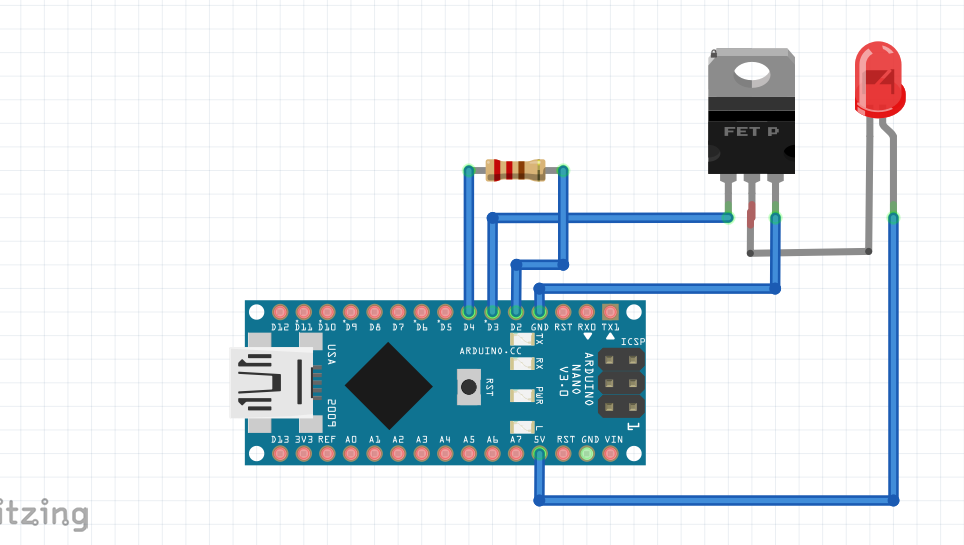
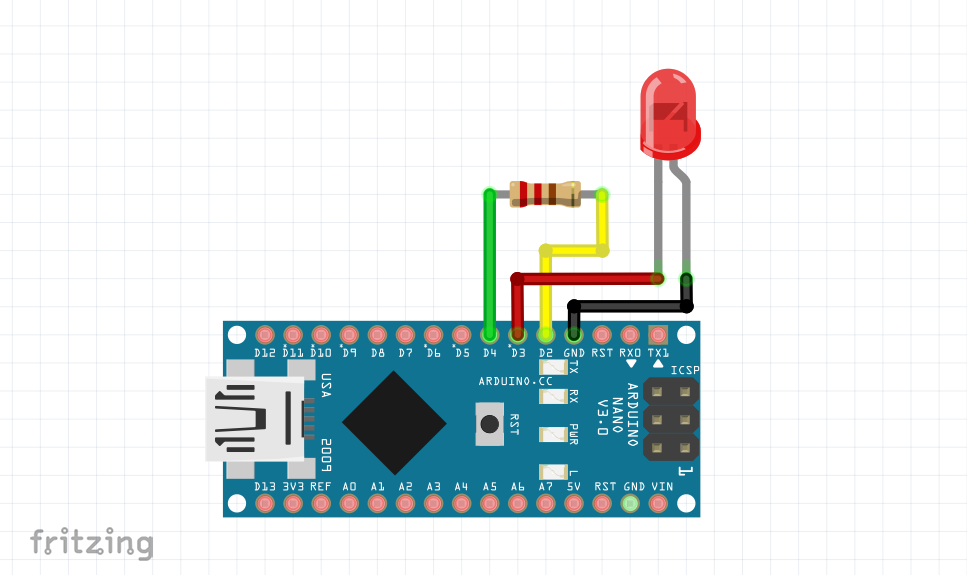
This setup will work only when this setup is connected to a proper earth point.
(Powered by a wall adapter or bench power supply) which means it wont work with Lipo cells or 9v battery. for handheld application we can use TTP223 Touch pad ic instead.
Thanks UTSOURCE.net to offer electronic components for this project!
you can check UTSOURCE.net, they deal in all kinds of electronic components, for example, Arduino board, Oled displays, proximity sensors, and many more.
watch the video for basic tutorial.
download the library for capacitance touch from here https://github.com/arduino-libraries/CapacitiveSensor/zipball/master

383 projects • 418 followers
I'm Arnov. I build, design, and experiment with tech—3D printing, PCB design, and retro consoles are my jam.


Comments