


Hardware components | ||||||
 |
| × | 1 | |||
 |
| × | 1 | |||
 |
| × | 1 | |||
 |
| × | 1 | |||
 |
| × | 1 | |||
Software apps and online services | ||||||
 |
| |||||
 |
| |||||
The network wide
Alert system
was created by Satoshi Nakamoto as a means of informing
Bitcoin
users of any important information regarding Bitcoin
. It has been used in the past to inform users about important network events such as accidental block chain forks.
In this project we would we reviewing on how to get updated with Bit-coin prices on regular bases.
OK!!! Without any delay let's get our hands on it.
HARDWARE SET-UP--1) connect Longer terminal i.e the positive terminal of an LED with a 330 ohm resistor's one terminal and connect the other terminal of a resistor to pin 0.
2) connect the shorter terminal(negative part of an LED) to the ground pin.
3) similarly connect the shorter terminal of a buzzer to pin 3 using male-female wires.
4) longer terminal of a buzzer to pin 1.
THE FINAL SET-UP--I am using UBUNTU 18.04. Don't worry if you are on windows or mac, just use digital ocean cloud or Virtual-box software for running Ubuntu on your system.
Do make sure that you have following dependencies already installed. If not then do install it.
sudo apt-get -y update
sudo apt install python3-pip
sudo pip3 install boltiot
and we will install some security packages because we will be using some external API.
sudo pip3 install pyOpenSSL ndg-httpsclient pyasn1
sudo pip3 install 'requests[security]
Now make the new folder using:
mkdir folder_name
go to that folder using:
cd folder_name
setup an file using :
sudo nano file_name.py
Import the libraries required and give your bolt API-key as well as bolt device ID.
You can find it on your bolt cloud.
I Have setup selling price as 10002.93.
you can set your own.
Make sure that you change "xxxxxxx" with your bolt- id and API key.
Then I wrote the following code witch will fetch the bitcoin value through API using the address https://www.cryptocompare.com/api/
The other part of the code which is starting from while part:
compare your selling price set-up by you to the current Bitcoin price and switch on the LED and Buzzer according to the code.
I am using pin 3 for buzzer ,but you can use any pin of your choice.
RUNNING THE PYTHON FILE--sudo python3 file_name.py
OUTPUT--
When Bitcoin value increases your selling price-
you can see that the LED is on.
HURRAY!!! you just completed your Bitcoin project.
congratulations!!!!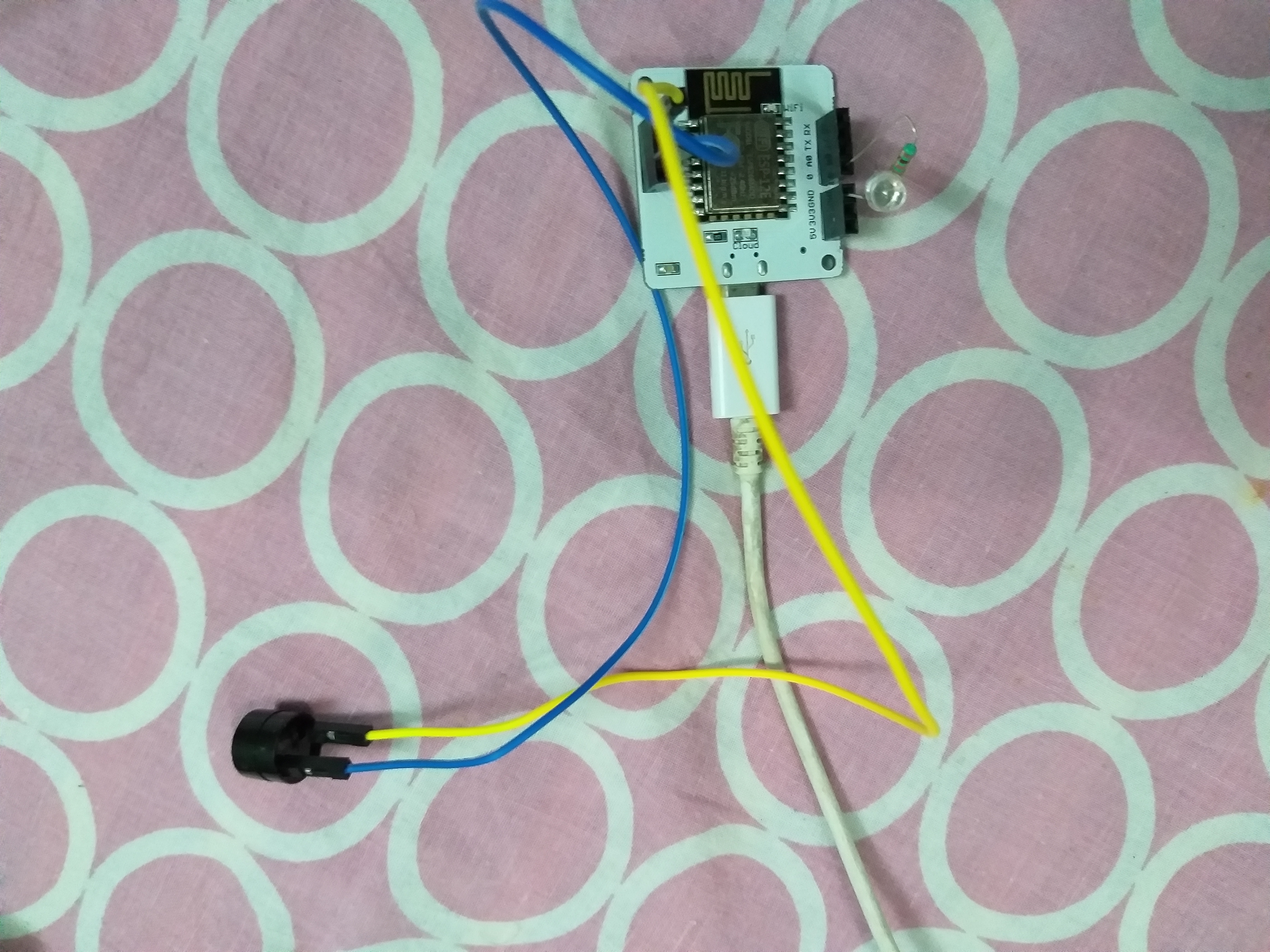

Comments