



Hardware components | ||||||
 |
| × | 2 | |||
_zhWsCcSEcl.jpg?auto=compress%2Cformat&w=48&h=48&fit=fill&bg=ffffff) |
| × | 2 | |||
 |
| × | 2 | |||
Software apps and online services | ||||||
 |
| |||||
 |
| |||||
 |
| |||||
CoreGoalofProject
The goal of our project was to create a "virtual race." This is achieved by using a Carloop and a Photon board in each vehicle to track the total mileage. (Specifically, the code in Particle's web IDE tracked mileage by integrating velocity.) When one person's car reaches a given mileage, an email notification is sent out declaring that person the winner.
Live GraphingLive graphing was achieved by using IFTTT to connect the Particle device to Google Sheets. When the mileage variable changes, IFTTT adds a new row to Google Sheets. The graph itself is located in the Google Sheets file. Thus, when the variable changes, IFTTT adds data to the graph on Google Sheets.
You can find our data graphing here.
(Note: A few data points were collected as a demonstration and the ITTT applet was then turned off.)
Demo of 2-Way CommunicationTwo-way communication was achieved on Jake's Argon device and Maxwell's Photon device. Every 10 seconds, Jake's Argon published an event whose data was a message. Maxwell's Photon was subscribed to that event. When (and only when) Maxwell's Photon "heard" the initial message, Maxwell's Photon published an event whose data was a text response. Finally, Jake's Argon was subscribed to the event published by Maxwell's Photon. When Jake's Argon "heard" that event, it published a confirmation message.
In short, each device was subscribed to an event published by the other. When one of the devices "heard" the other's event, it published an event as a response.
A picture of each device is shown below.
Below is a screenshot showing the "conversation" between the two devices. Note that this conversation occurred every 10 seconds.
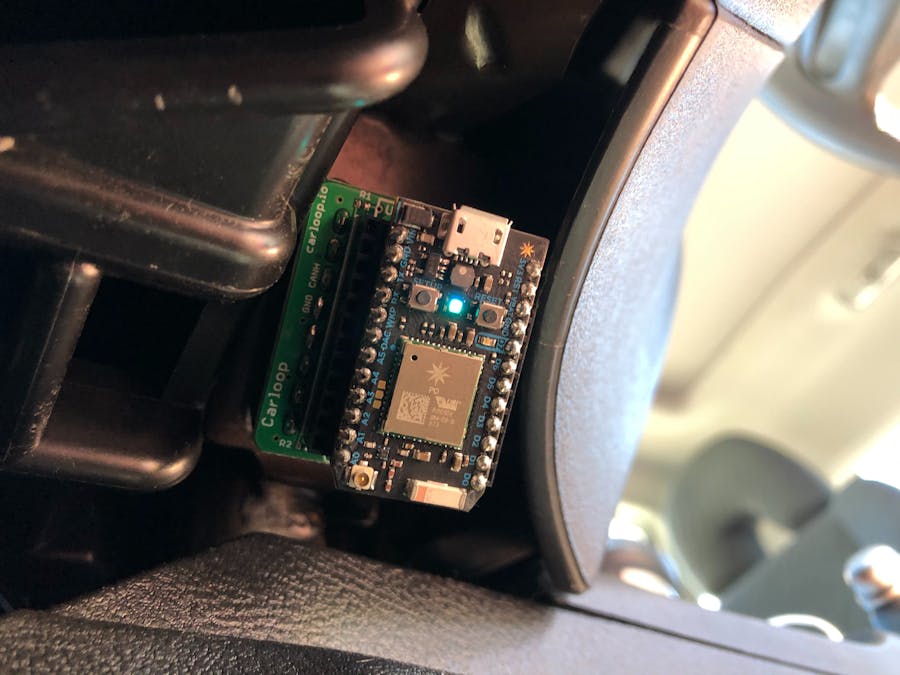
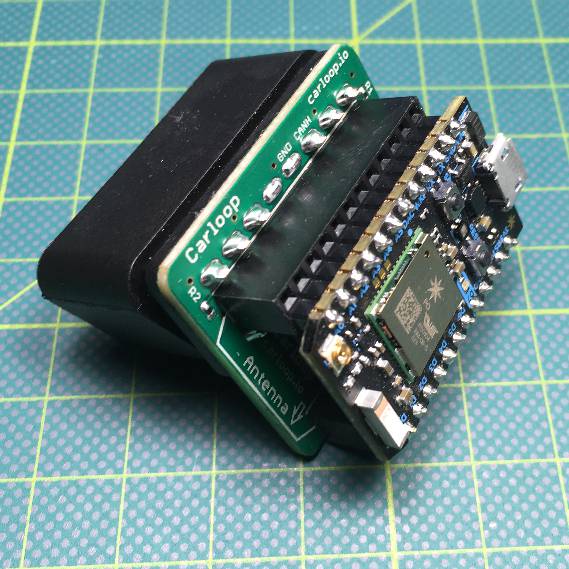
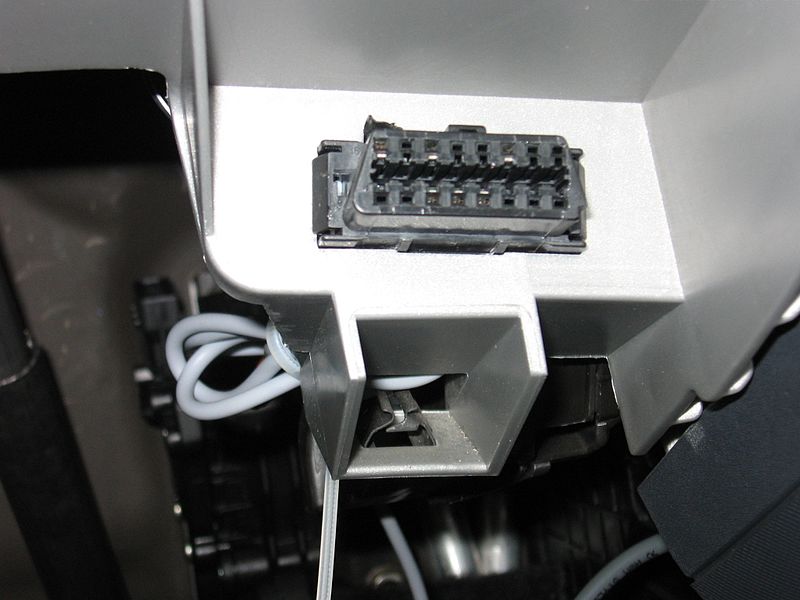
To begin, you will need a Particle Photon and Carloop. You will also want to make sure your car has a compatible OBD2 port (these are usually located in the driver side steering well on the left hand side). The Carloop Docs page states that
"The connector on Carloop is compatible with the OBD-II port found on all cars since 2008. Cars made between 1996 and 2008 also have an OBD-II port, but there may not be a CAN bus on the OBD-II port on those cars so it won't work with Carloop."Programming the Photon
You cannot directly access your cars odometer data with the Carloop. You can however get velocity data. Therefore, the code will work like this:
- Request speed using OBD2 and send PID request for vehicle speed
- Use trapezoidal rule to calculate speed delta and convert to Miles
- Publish an event to the cloud when connected to WiFi
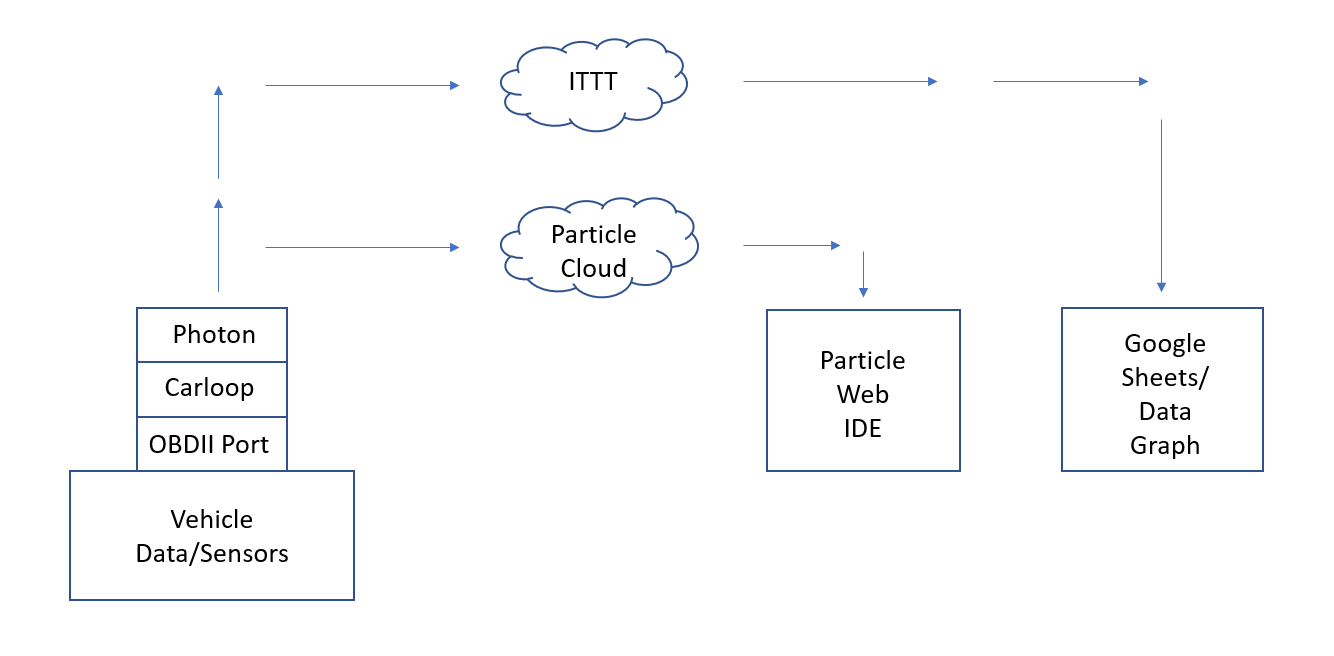
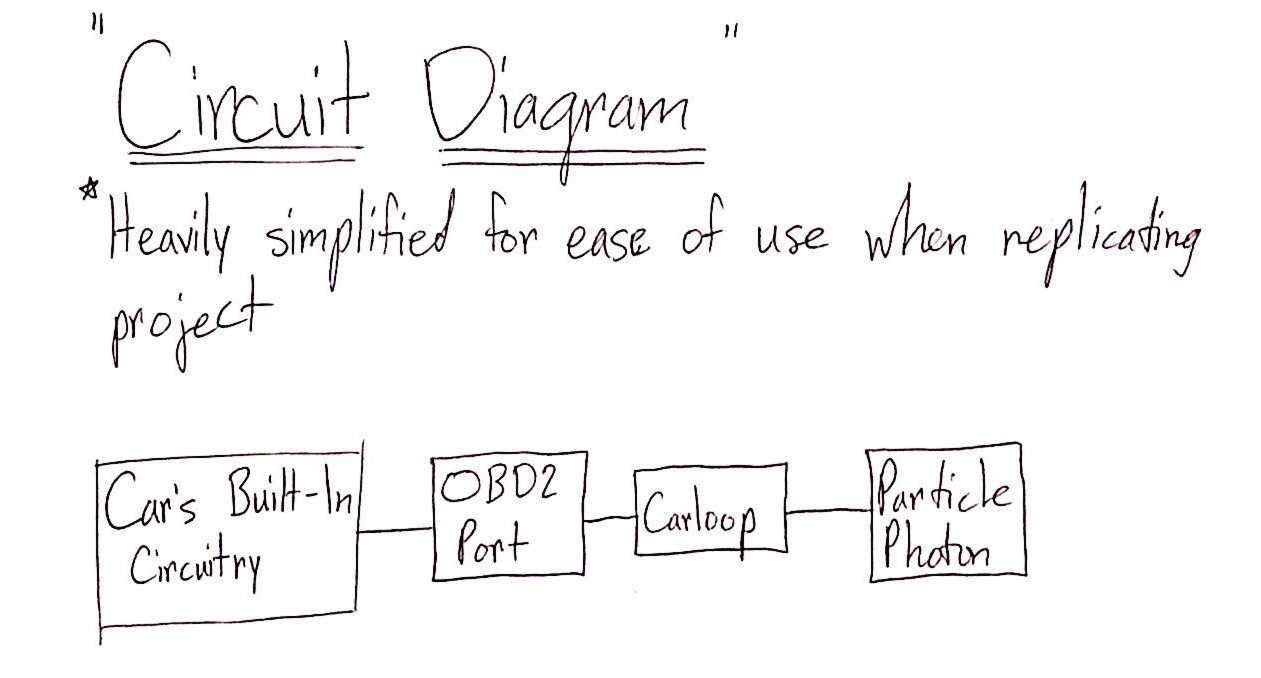
The above schematic is a the general layout for our project. The Photon and Carloop use the car's OBDII port to access sensor information and data. It is then transmitted to If This Then That where data points are then graphed in Google Sheets. Additionally, once the data is in the particle cloud, a message is sent confirming that the data has been received which is done via two-way communication through 1 driver's Photon to another drivers Argon.
As stated above, you can not access direct odometer data through a cars OBDII port. There are many open source codes available on GitHub. These typically have a series of functions that call certain PID's within the cars network in order to gather velocity data, integrate it, and convert to position. With that data in hand, it is simply a matter of modifying the code to convert the distance into miles. Depending on when you want your photon and applet to publish events, the interval value can be changed. You can find our modified code below.
void updateSpeed()
{
  requestVehicleSpeed();
  waitForVehicleSpeedResponse();
}

// Send a PID request for the vehicle speed
void requestVehicleSpeed()
{
  CANMessage message;

  // A CAN message to request the vehicle speed
  message.id = OBD_CAN_REQUEST_ID;
  message.len = 8;

  // Data is an OBD request: get current value of the vehicle speed PID
  message.data[0] = 2; // 2 byte request
  message.data[1] = OBD_MODE_CURRENT_DATA;
  message.data[2] = OBD_PID_VEHICLE_SPEED;

  // Send the message on the bus!
  carloop.can().transmit(message);
}

// Wait for the PID response with a timeout
void waitForVehicleSpeedResponse()
{
  uint32_t start = millis();
  while (millis() - start < OBD_TIMEOUT_MS)
  {
    CANMessage message;
    if (carloop.can().receive(message))
    {
      if (message.id == OBD_CAN_REPLY_ID &&
          message.data[2] == OBD_PID_VEHICLE_SPEED)
      {
        uint8_t newVehicleSpeedKhm = message.data[3];
        updateMileage(newVehicleSpeedKhm);
        obdResponseCount++;
        return;
      }
    }
  }

  // A timeout occured
  updateMileage(0);
}

// Update the interval counter based on the new speed and check if the
// limit was reached
void updateMileage(uint8_t newVehicleSpeedKhm)
{
  double deltaMileage = computeDeltaMileage(newVehicleSpeedKhm);

  data.intervalCounter += deltaMileage;
  checkIntervalLimit();
}

// Calculate the increase in mileage given the old and new speed
double computeDeltaMileage(uint8_t newVehicleSpeedKhm)
{
  uint32_t now = millis();
  double deltaMileage = 0.0;

  // If the speed was previously 0 or newly 0, or timed out because the
  // car was off, just save the new speed value
  if (vehicleSpeedKmh > 0 && newVehicleSpeedKhm > 0)
  {
    // The car was previously driving and is still driving

    // Figure out the distance driven using the trapezoidal rule
    uint32_t msDiff = now - lastVehicleSpeedUpdateTime;
    // Calculate only if the difference is plausible
    if (msDiff < 1000) {
      // distance in km/h * ms
      uint32_t deltaDistance = msDiff * (vehicleSpeedKmh + newVehicleSpeedKhm) / 2;

      // Convert to miles
      // 1 kilometer per hour * ms = 1.72603109 × 10^-7 miles
      // km/h * ms * (1 h / 3600 s) * (0.621371 mi / 1 km) * (1 s / 1000 ms)
      deltaMileage = deltaDistance * 1.72603109e-7;
    }
  }

  vehicleSpeedKmh = newVehicleSpeedKhm;
  lastVehicleSpeedUpdateTime = now;
  return deltaMileage;
}
The above code contains the core functions that allow the velocity to be converted into a mileage after requesting sensor data from the cars sensor network.
Two give our project and aspect of two-way communication between devices, additional code is necessary. Below is an example of the code needed for the Photon to communicate with the opposing drivers Argon.
void setup() {
    Particle.subscribe("Response to Jake", myHandler, MY_DEVICES);
    }

void loop() {
   delay(10000);
   Particle.publish("Message from Jake to Max", "Are you getting this, Max?");
   }

    void myHandler(const char *event, const char *data)  {

        Particle.publish("Successful 2-Way Communication!", "Glad to hear you got this, Max!");

}IFTTT's applets allow variables within the Particle Web IDE to be monitored. We can use this functionality to help us stay up to date on how the other driver is doing (mileage update emails) and graphing progress. We will also create an applet to send us email updates. Shown Below
To begin creating the email applet, create a blank applet. Select "If This." Chose your device (in this case ours is Particle) and select "Monitor a Variable." By doing this, anytime our particle returns a mileage greater than our set variable, an email will be sent to each participant with the value.
Next, we want to add the "then that" where we tell the applet to send our emails the value.
The completed email applet will appear on your dashboard. For our privacy, I won't be posting the applet with our emails.
To start, create a blank applet. Select "If This." Chose your device (in this case ours is Particle) and select "Monitor a Variable." By doing this, anytime our particle returns a mileage greater than our set variable, that mileage point will be placed into a spreadsheet.
Next, we want to tell the applet what to do with this data (Then That). We want the applet to send the data to a Google Sheet so we will select that as our output.
Once you finish, the applet will appear on your dashboard.
Heavy traveling during the thanksgiving holiday week allowed us to get many miles worth of data.
Due to our lack of knowledge with programming and IOT devices, this project was a big challenge for us. We had a large host of issues ranging from setting up our photon devices correctly to code returning negative mileage values. This project taught us a huge amount about the functionality of IOT devices and just how big the scope of their applications are.
While this project took us a about 2 weeks of consistent work once the idea was formulated, we estimate that the user following the above instructions and using the correct equipment and code could complete this project in 30 minutes to an hour.
We hope this you enjoyed our interesting take on the IOT Project.
Carloop and Photon Assembly
Typical OBDII Port




Comments