


Hardware components | ||||||
 |
| × | 1 | |||
| × | 1 | ||||
 |
| × | 1 | |||
 |
| × | 1 | |||
 |
| × | 1 | |||
| × | 1 | ||||
Software apps and online services | ||||||
| ||||||
| ||||||
Most people encounter AI video generation through a browser tab. Paste a URL, pick a style, wait a moment, download a clip. The compute that makes that possible lives in someone else's data center, and for the majority of use cases that's exactly where it should stay.
But there's a growing contingent of developers, researchers, and hardware tinkerers who want to understand what's underneath, or who have specific reasons to run inference locally: data privacy requirements, latency constraints, a fine-tuning workflow, or simply the compulsion to know what's inside the box. For that group, the hardware picture is worth laying out clearly, because AI video generation has specific component requirements and getting any one of them wrong tends to be expensive.
Why Bother Understanding the Stack?Before getting into components, it's worth asking why any of this matters if you're not building a rig yourself.
The honest answer is that understanding the hardware makes you a better consumer of the tools built on top of it. When you're evaluating an AI-powered video maker, comparing output quality, generation speed, or resolution limits, those differences trace directly back to infrastructure decisions. Knowing what's under the hood helps you read between the lines of a feature comparison page and calibrate expectations realistically.
It also explains why some platforms cap clip length, limit concurrent generations, or charge more for 4K output. Those aren't arbitrary product decisions — they reflect real memory and compute constraints at the hardware level. A hands-on illustration of this: a community project called ParallelCosmos documented the effort required to run NVIDIA's Cosmos-1.0 video diffusion model across two Jetson AGX Orin devices, each with 64GB of RAM — and even then, a single generation run took over an hour. That's a useful reality check for what "running AI video locally" actually involves.
The GPU: Non-NegotiableVideo diffusion models involve running iterative denoising passes over latent representations of every frame, with each pass requiring billions of floating-point operations. The parallelism maps almost perfectly onto GPU architecture, which is why there's no serious alternative at the inference layer right now.
For a local build, the realistic ceiling on consumer hardware is NVIDIA's RTX 4090 with 24GB of GDDR6X. That's enough to run smaller video generation models comfortably, though you'll hit memory walls quickly with longer clips or higher resolutions. The professional tier starts with the RTX 6000 Ada Generation at 48GB GDDR6, which opens up larger model variants and more headroom. Above that sits data center hardware: the H100 (80GB HBM3) or the H200 (141GB HBM3e), which is what most cloud-hosted platforms actually run on.
For a dual-GPU local build, NVLink interconnects between cards allow tensor parallelism, splitting a model across two GPUs to effectively double available VRAM. It adds complexity and cost, but it's the most practical path to running larger architectures without moving to server hardware entirely.
Memory Bandwidth: The Spec People OverlookRaw TFLOPS get cited constantly in GPU comparisons. Memory bandwidth is the figure that more often determines real-world inference throughput, and it gets far less attention.
During each denoising step, the model loads its weights from memory, performs the computation, and writes intermediate activations back. When bandwidth is the bottleneck, thousands of CUDA cores sit idle waiting for data. The H200's 4.8 TB/s of HBM3e bandwidth matters more than its raw compute figures for many inference workloads because it keeps those cores continuously fed.
Researchers at Stanford's Hazy Research lab found that popular inference engines were using as little as 50% of available GPU bandwidth on H100 hardware — a gap traced back to how traditional kernel-based execution leaves gaps between operations. On a consumer build, the practical implication is to prioritize cards with higher memory bandwidth even at some cost to raw TFLOPS.
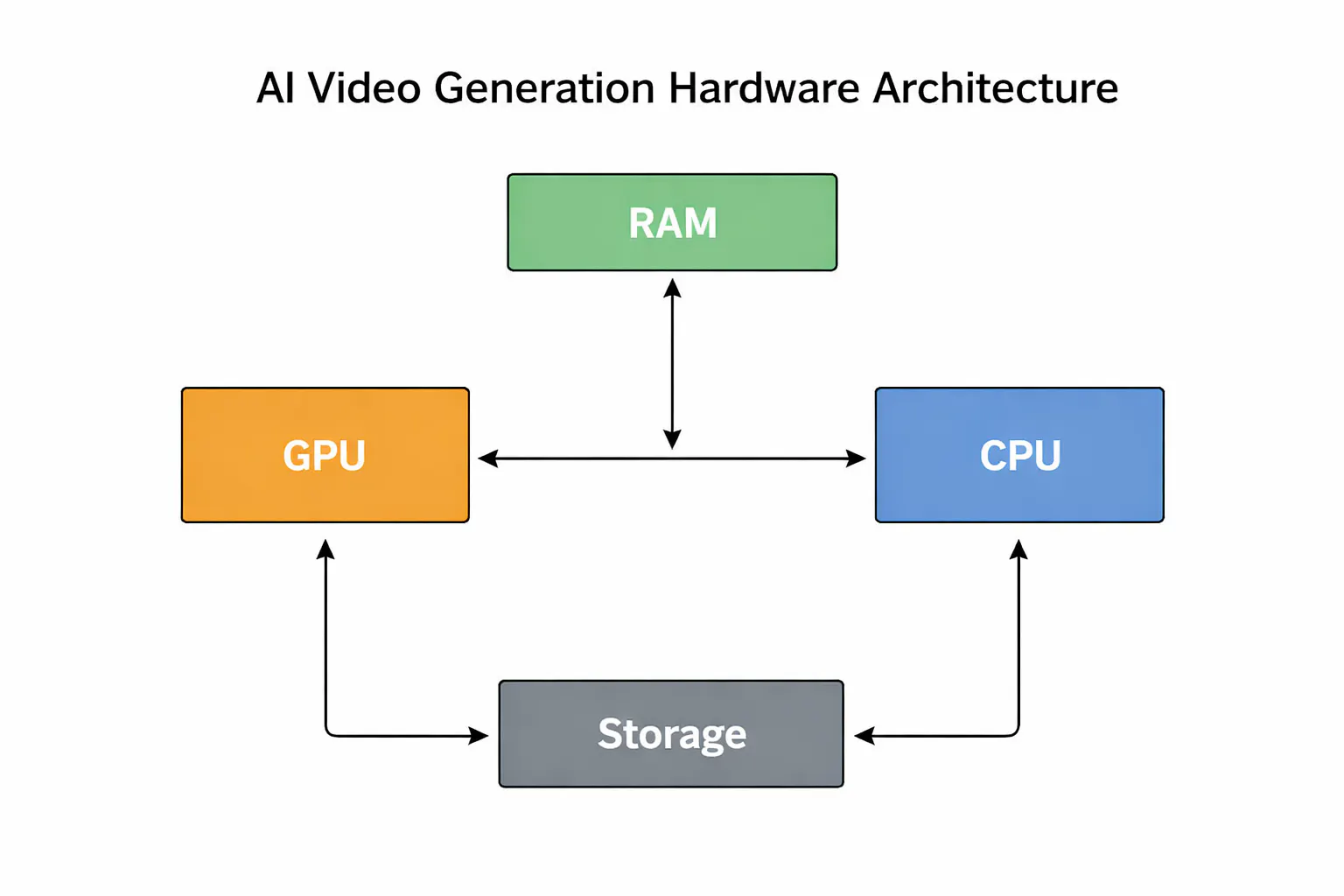
System RAM and CPU: Supporting CastThe CPU handles data preprocessing, pipeline orchestration, tokenization, and audio processing. It's not doing the heavy lifting, but it's not irrelevant either.
64GB of DDR5 system RAM is a reasonable baseline; 128GB gives more headroom if you're running multiple models or large batches. The CPU itself matters less than most people expect, and the inference bottleneck will rarely land there. PCIe 5.0 x16 slots are worth prioritizing though, delivering around 128 GB/s bidirectional throughput versus PCIe 3.0's 32 GB/s. That gap shows up in pipeline latency when moving large model checkpoints across the bus.
Research from MIT on GPU power and efficiency at scale also highlights that power capping — reducing GPU wattage by roughly 15% — can cut energy consumption by up to 24% with minimal impact on inference speed. Worth considering for a home rig where electricity costs are real.
Storage: Faster Than You'd Expect to NeedA modern video generation model checkpoint runs between 5GB and 30GB on disk. If you're switching between models frequently, storage read speed becomes relevant to your workflow. Gen 4 NVMe drives with sequential read speeds around 7 GB/s are the current practical standard. Gen 5 drives push that to 12-14 GB/s, and the difference is noticeable during frequent model swaps. A SATA SSD or spinning drive will create a bottleneck the rest of the build won't thank you for.
Voice Synthesis: A Separate PipelineAI video tools that include narration run voice synthesis separately from visual generation, typically in parallel. TTS architectures like VITS2 or StyleTTS2 are lightweight compared to video diffusion models and run in real time on a mid-range GPU. What matters most here is latency. The audio track needs to align to scene timing, so both pipelines have to be coordinated carefully. Visual generation almost always takes longer, but the orchestration still adds complexity that a local build needs to handle correctly.
The Practical TakeawayFor most projects, cloud inference beats local hardware on economics. Platforms that have optimized their inference infrastructure have done so as a core competency, and replicating that in a local build costs more in engineering time than it typically saves on compute. Where local inference earns its place is in research, fine-tuning, and deployments with hard data-residency requirements.
Understanding the hardware pays off regardless of where you run it. It informs model selection, pricing expectations, and what's actually achievable on a given budget. The box doesn't have to stay black.


Comments