



Hardware components | ||||||
 |
| × | 1 | |||
 |
| × | 1 | |||
 |
| × | 1 | |||
 |
| × | 1 | |||
 |
| × | 2 | |||
Software apps and online services | ||||||
 |
| |||||
This project basically aims to show, how to control the intensity on light source using Bolt WiFi module and Android Application.
So we will go step by step, how to develop this DIY project so that you can get the insides of android application development and use of Bolt WiFi module through API from android application.
(for more information about Bolt WiFi module please refer : https://www.boltiot.com/)
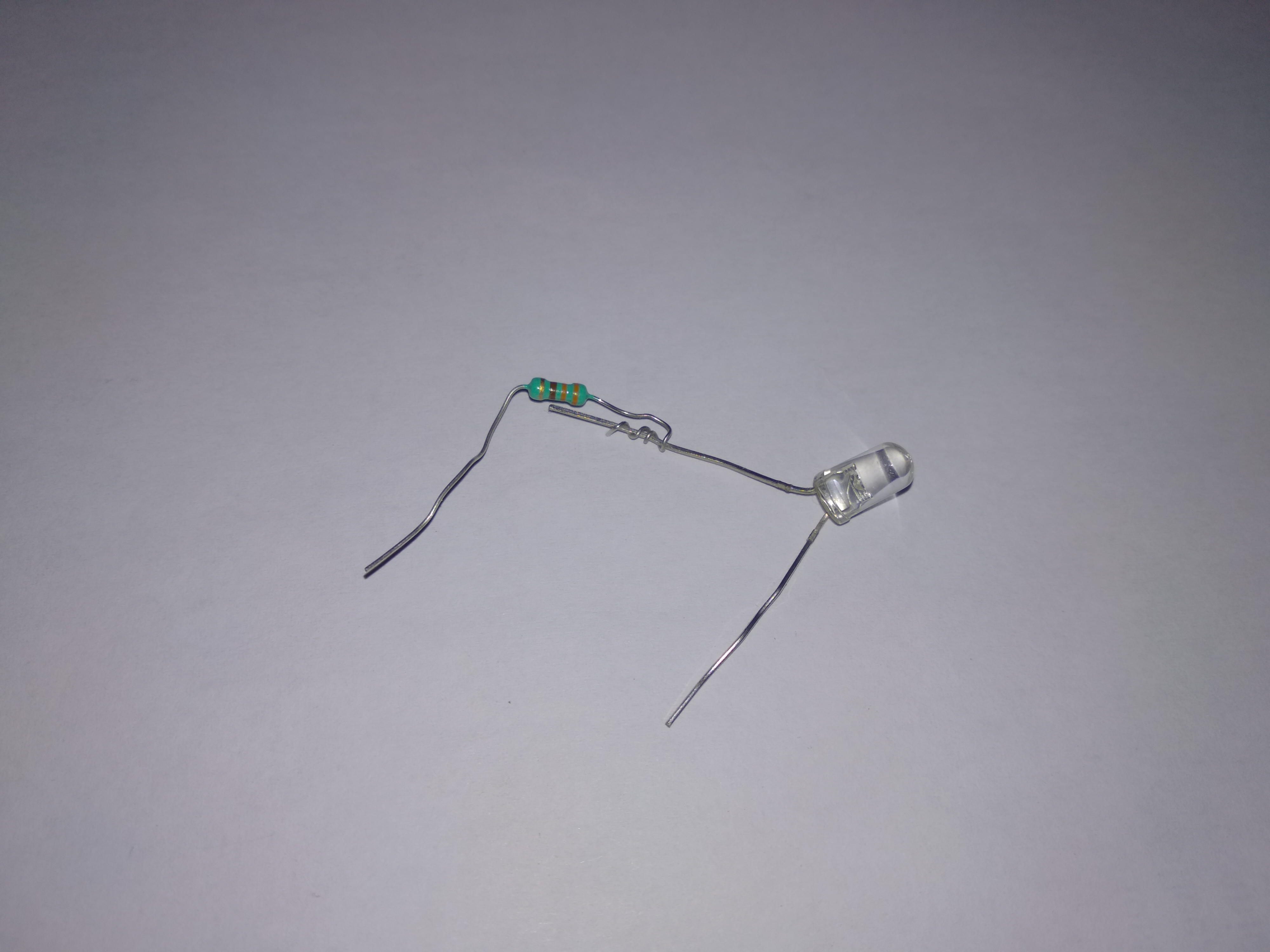
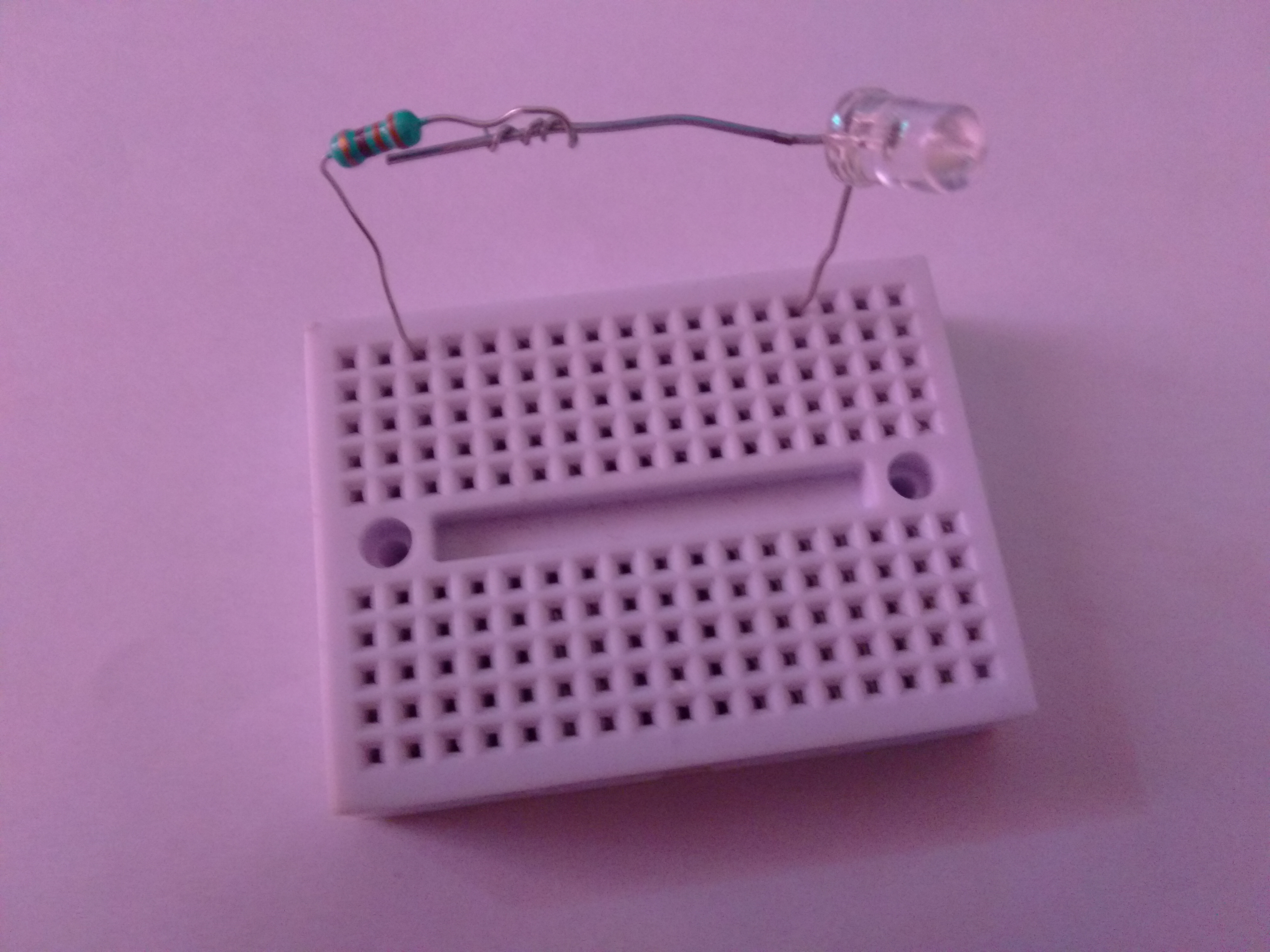
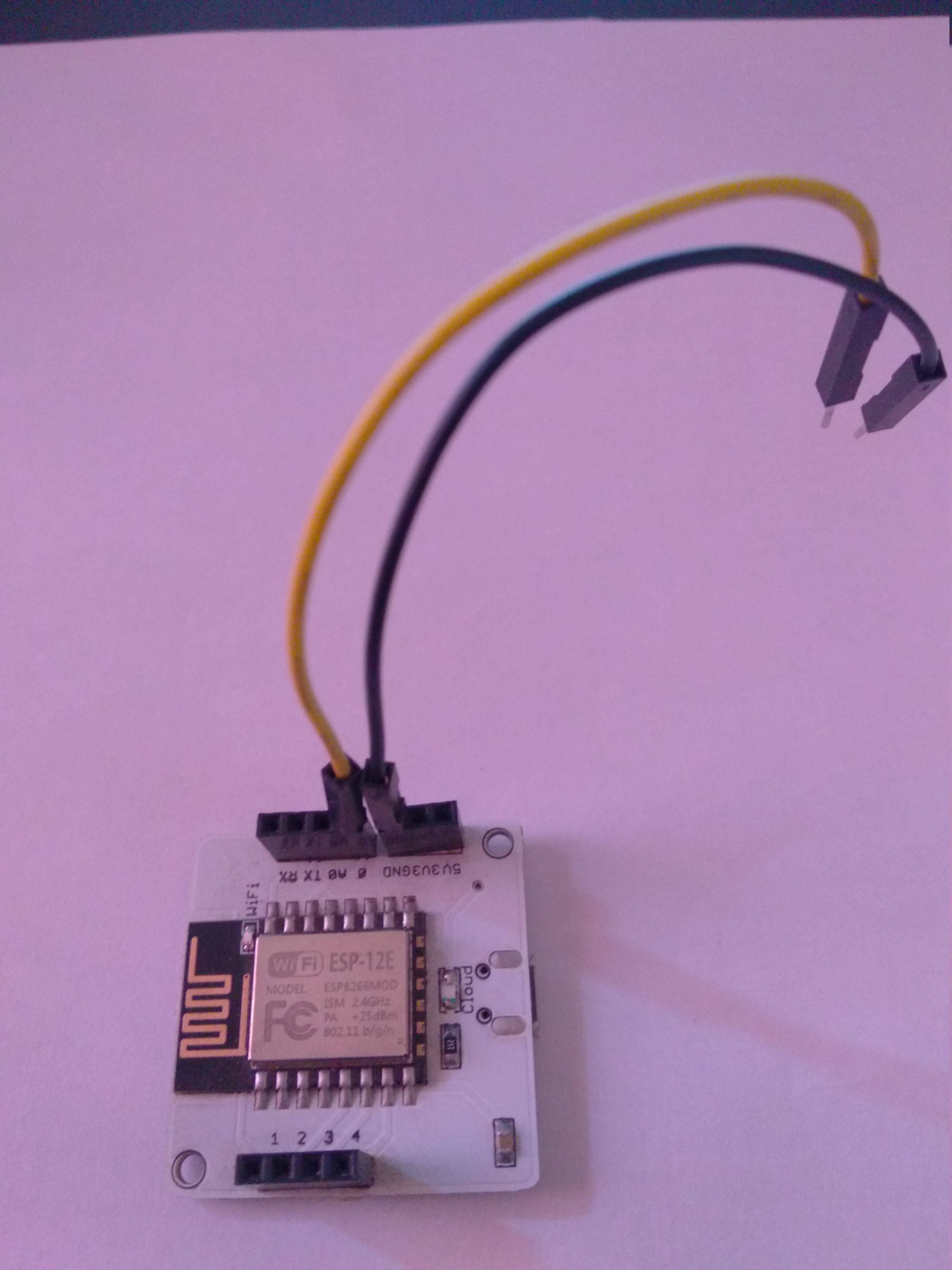
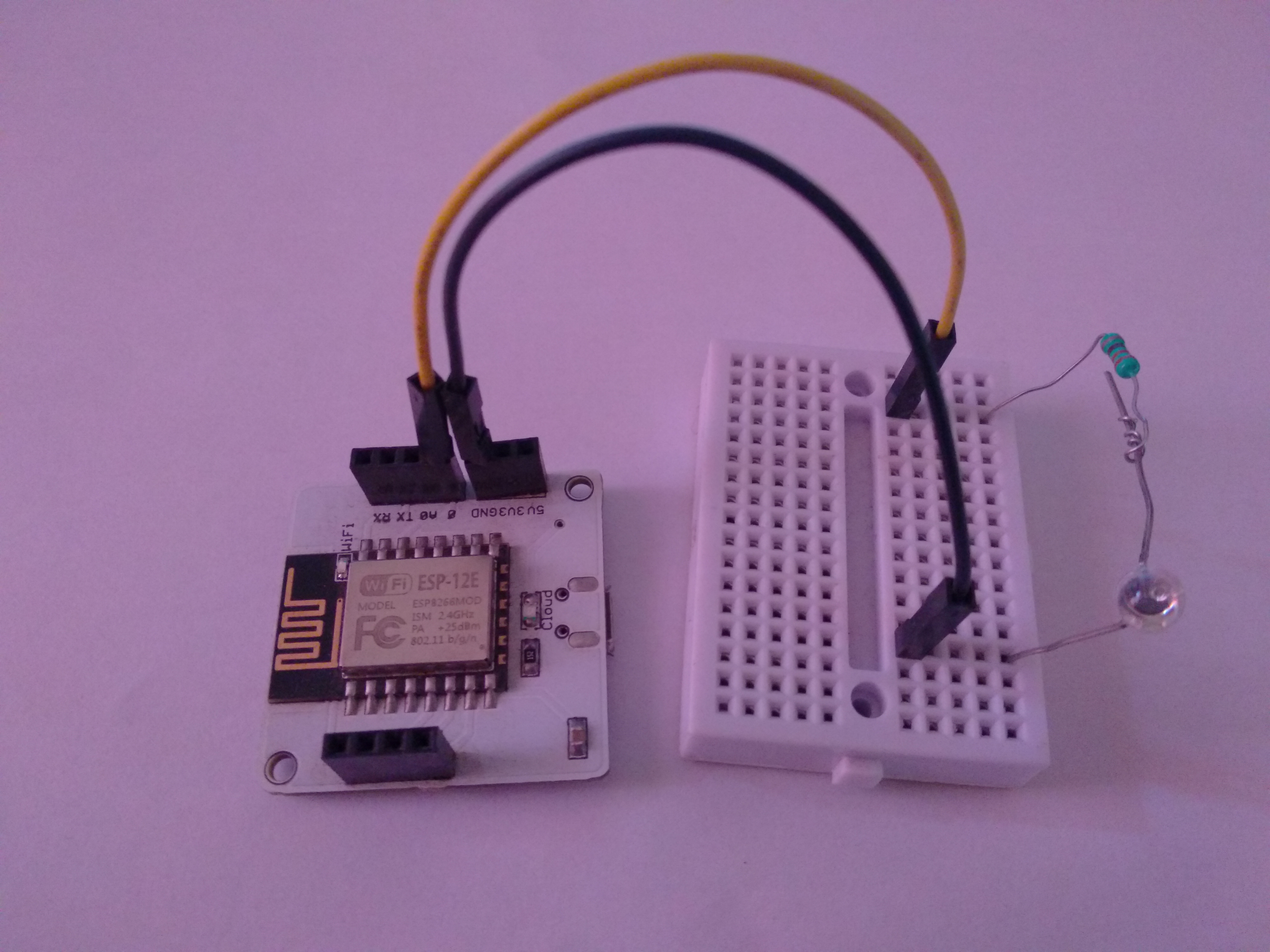
Step 1: Circuit DiagramIn this diagram, we have connected the Pin-0 of Bolt WiFi module to the resistor and then resistor to the positive terminal of LED. The negative terminal of LED is connected to the ground (GND) of Bolt WiFi module.
Pin-0 of Bolt WiFi module is used as PWM pin, we can change the voltage range of Pin-0 from 0 to 5 (0 to 255 in digital value) using API call.
This digital value between (0 to 255) is converted in corresponding voltages and get applied across the LED through resistor. So LED will glow according to the voltage across it.
Step:3 Testing API callTo test API call we can use web browser. We need API, API key and Device ID.
- You can get Bolt Device ID from bolt could account https://cloud.boltiot.com
Device ID - BOLTXXXXXXX
- You can get API key from bolt could account https://cloud.boltiot.com
API Key - XXXX-XXXX-XXXX-XXXX-XXXX
- Try to hit below API call from your browser and observe the change in intensity of LED. We are using below API (analogWrite) for this project.
https://cloud.boltiot.com/remote/XXXX-XXXX-XXXX-XXXX-XXXX/analogWrite?pin=0&value=150&deviceName=BOLTXXXXXXXYou will get return JSON output in browser like below (if your device is connected).
if you get "success : 1 " as return, it means API is executed successfully. Now in next step we need to execute this through Android Application.
Step4 : Creating Android AppComplete source code for this project is available at github : https://github.com/kuldeepghatol/IntensityController
1. Creating layouts (user interface )
2. Implementation logic
Main logic to call API as below.
Complete source code is available at github at link : https://github.com/kuldeepghatol/IntensityController
/**
 * writeAnalogPin method is used to set value on particular pin.
 *
 * @param pin   represent the pin number.
 * @param state voltage value.
 */
public void writeAnalogPin(final int pin, int state) {
    String Url = "https://cloud.boltiot.com/remote/" + APIKey + "/analogWrite?pin=" + pin + "&value=" + state + "&deviceName=" + ID;
    RequestQueue queue = Volley.newRequestQueue(this);
    StringRequest stringRequest = new StringRequest(Request.Method.GET, Url,
            new Response.Listener<String>() {
                @Override
                public void onResponse(String response) {
                    Log.d("VolleyResponse", "Response is: " + response);
                    try {
                        JSONObject jsonObject = new JSONObject(response);
                        Log.d("VolleyJson", "" + jsonObject.get("value"));
                        status = jsonObject.get("value").toString();
                        if (jsonObject.get("success").equals(1)) {
                            if (status.equals("1")) {
                                Toast.makeText(getApplicationContext(), "digitalWrite : ON PWM", Toast.LENGTH_SHORT).show();
                            } else {
                                Toast.makeText(getApplicationContext(), "digitalWrite : OFF PWM", Toast.LENGTH_SHORT).show();
                            }
                        }
                    } catch (JSONException e) {
                        e.printStackTrace();
                    }
                }

            }, new Response.ErrorListener() {
        @Override
        public void onErrorResponse(VolleyError error) {
            Log.d("VolleyResponse", "That didn't work!");
            Toast.makeText(getApplicationContext(), "FAILED_TO_WRITE PWM", Toast.LENGTH_SHORT).show();
        }
    });
    queue.add(stringRequest);
}
Volley :
Volley is an HTTP library that makes networking for Android apps, it helps call http api request from android application.
3. Android application development complete video.
DemoConclusion
We have developed the intensity controller using Bolt IoT module and Android Application and successfully changed the intensity of LED.
We can use this intensity controller at below scenarios,
- Controlling the room light
- Controlling the speed/RPM/angle of motor. etc.
Thank You.
1. LED and resister connections
2. Make bread board connection of LED and resister
3. Bolt WiFi module connection
4. Complete the Circuit


Comments